

Issue
In Pega Platform™ Constellation applications, users receive an "Invalid Request Data" error when submitting or saving an assignment after toggling a field from visible to hidden, where that field is part of an embedded data page and its visibility is controlled by a When rule.
Symptoms and Impact
The issue is reproducible when mandatory embedded fields are controlled by visibility conditions.
The user is blocked from completing or saving the assignment.
Steps to reproduce
- Create a Constellation view containing a Yes/No or radio-button control.
- Configure one or more mandatory embedded data fields with a When rule visibility condition tied to that Radio button control.
- At runtime, select the option that makes the embedded fields visible.
- Enter values in all mandatory embedded fields.
- Change the selection to hide the embedded fields via the When rule.
- Click Submit or Save for Later.
- Observe the "Invalid Request Data" error.
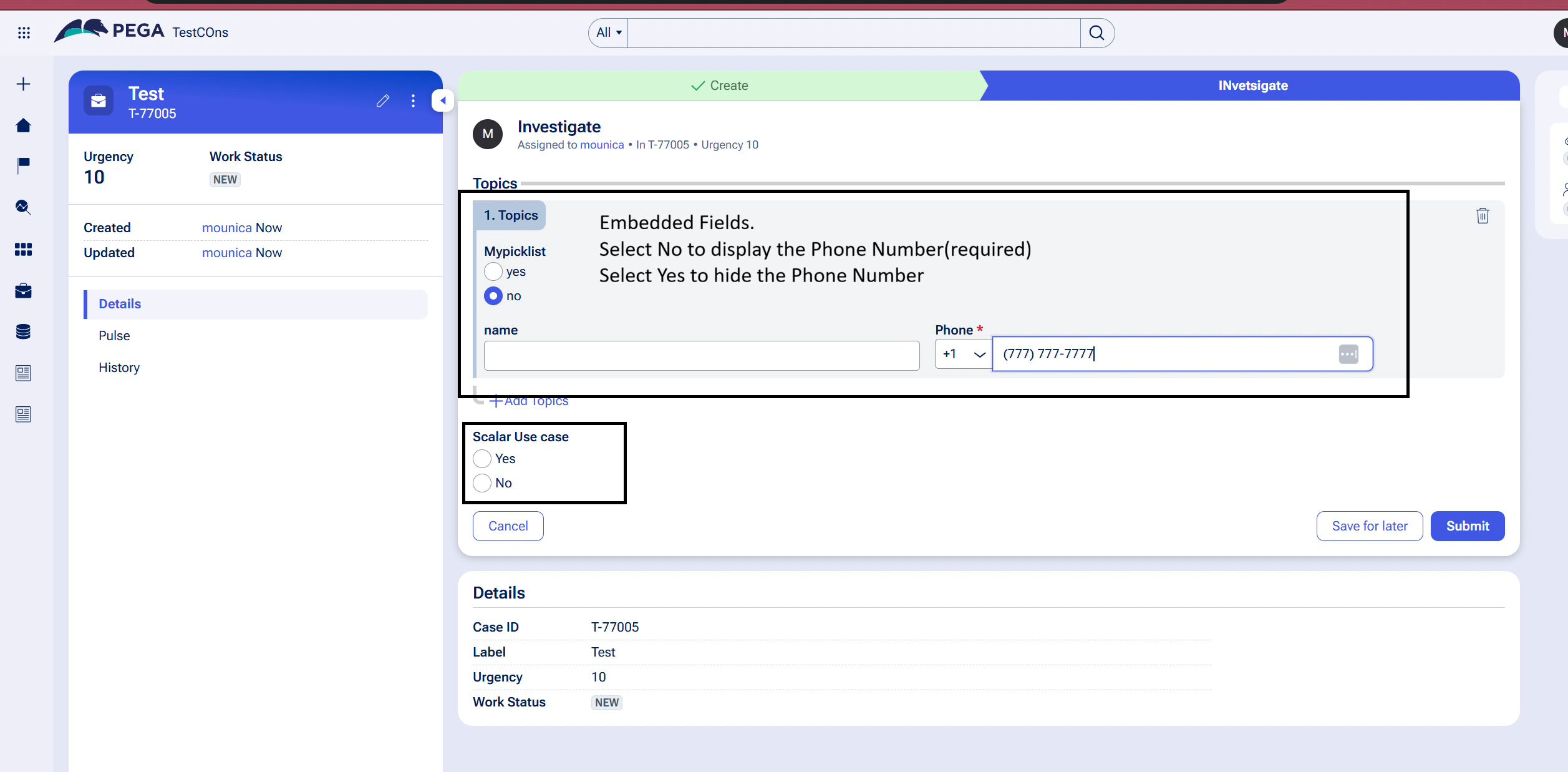
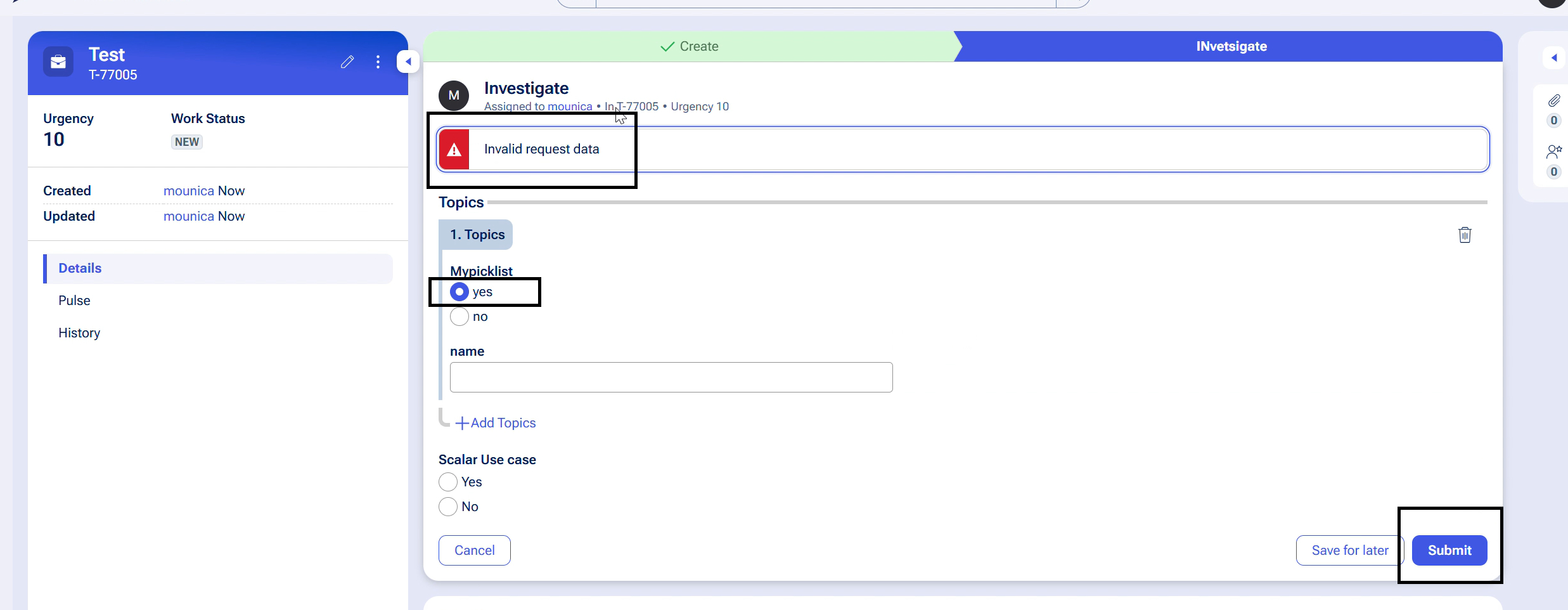
Server logs will contain a message similar to:
"For [CASE-ID], the field [EmbeddedProperty.FieldName] wasn't found in the view [ViewName] for the flow action [FlowActionName]."
Root Cause
The error occurs due to the way Embedded Data operations are managed when field visibility changes dynamically. In scenarios where user actions generate processing instructions and a subsequent visibility condition hides a field, the existing instructions are not always fully synchronized with the updated UI state. As a result, obsolete field references can remain in the submission payload, causing the server-side validation to return an "Invalid Request Data" error.
Solution
This issue has been identified as a product limitation that requires a platform enhancement.
This will be handled at server side where the hidden fields sent in the pageinstructions payload will be removed.
The fix will be available in upcoming releases.
Local Change
Where feasible, replace When rule-based visibility conditions on embedded fields with expression-based (custom condition) visibility. Expression-based conditions are evaluated client-side and correctly exclude hidden fields from the submission payload, preventing the error.
Steps:
- Open the affected view in App Studio or Dev Studio.
- Locate the visibility condition on the embedded field.
- Change the condition type from When rule to Custom condition.
- Recreate the equivalent logic using an expression (for example, evaluating the radio-button or Yes/No property value directly).
- Test the toggle behavior to confirm the field shows and hides correctly and that submit succeeds.
Limitation of this workaround: This workaround may not be viable in all cases. Applications with a large number of affected views, or with complex When rule logic (including When rules that call other When rules), may find migration to expression-based conditions impractical. In those cases, users must wait for the platform enhancement.