

Issue
A multi-Select Data Reference property does not persist when saving a Data Record via savable Data Page in Pega Constellation.
Symptoms and Impact
When using a Data Reference control configured with the multi-select (combo box) option inside a savable Data Page in Constellation, selecting multiple values from the dropdown does not result in those values being saved to the Data Type. After submitting the Create View popup, the embedded Page List entries are not persisted, and the Data Record is saved without the selected values. No error message is displayed.
This issue presents as a functional gap: the UI correctly shows selections, but the underlying Data Type record contains only scalar parent fields after a save.
Scenarios include:
- Unable to save data records
- CRUD operations failing
- Add/Edit/Delete not working on landing pages
- Embedded pages/lists not being persisted
- Data Reference values not saving
- Multi-select values not updating
The issue occurs on any version prior to Infinity 25.1 using Constellation CRUD for Data Objects with embedded Page Lists.
Steps to reproduce
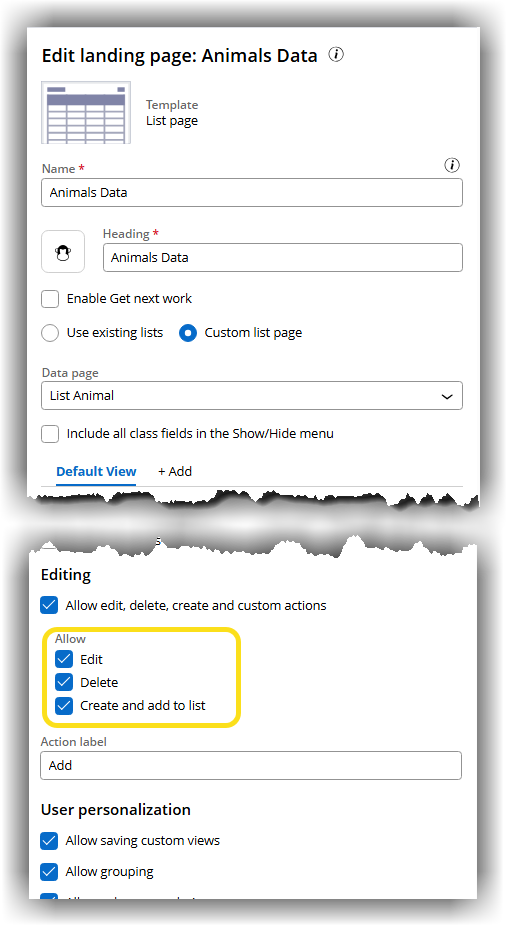
- Create a Dashboard and add a Landing Page (‘Animals Data’).
- On the Landing Page, create a Table structure sourced from a List Data Page (‘List Animal’).
- Enable the option to allow creating a new record in the associated Data Type from the table.
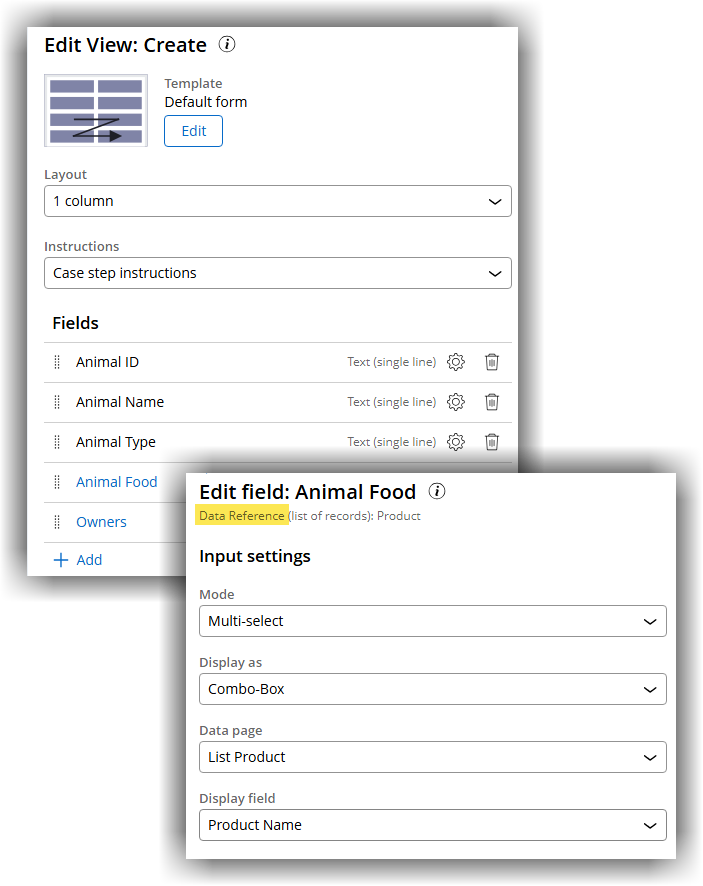
- On the Create View, add a Data Reference property ('Animal Food’) configured with multi-select using the combo box option. It references the ‘Product’ data object.
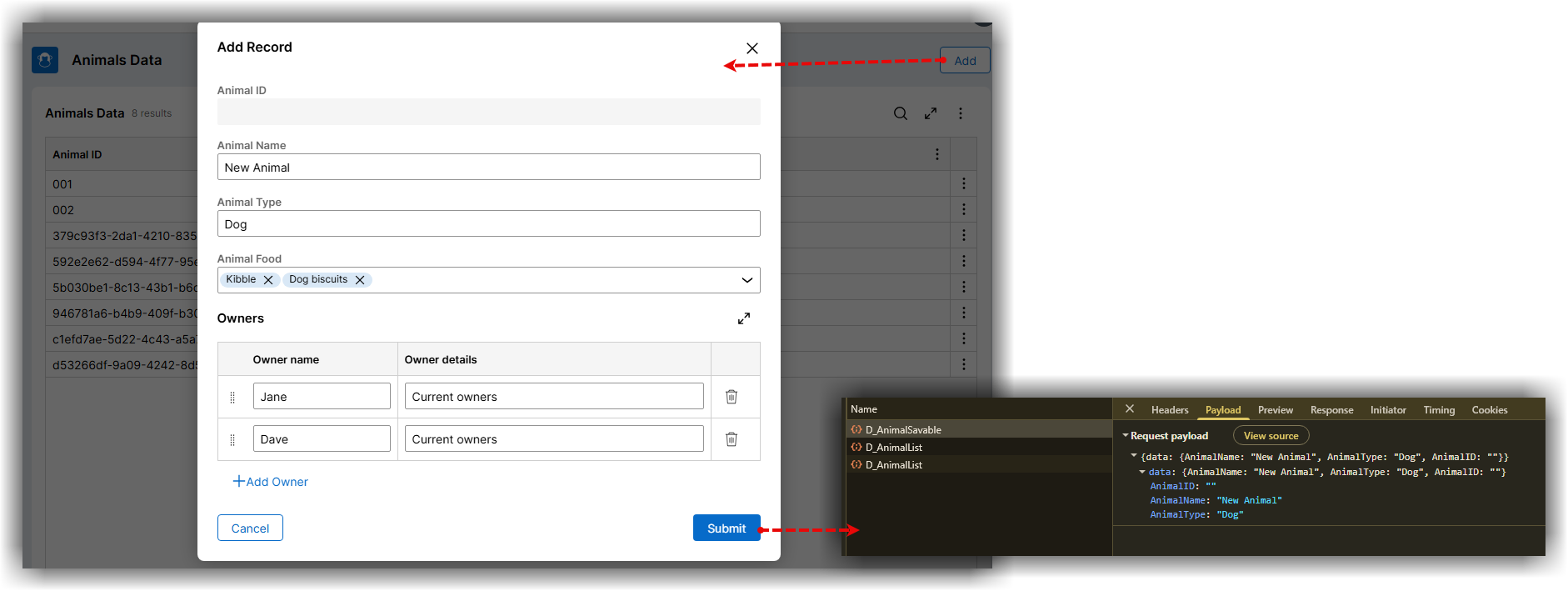
- Open the C popup, select multiple records from the dropdown, and click .
- Open the created record. Result: The Page List property is empty.
- Capture a HAR network trace to confirm: the POST /data/{savableDataPage} payload contains only scalar parent fields, with no page instructions for the selected embedded Page List entries.
- Pega Tracer confirms that pxCreateDataRecord saves only the parent class record and never invokes the child savable Data Page.
Root Cause
This issue arises from a known limitation in Pega Platform™ ‘24.2.x where multi-select Data Reference properties backed by embedded Page Lists are not persisted when saved through savable Data Pages.
Data objects do not have support for Embedded Data, or updating Embedded Data via CRUD operations (Add/ Edit/ Delete/ Save) on landing pages. In 24.2.x embedded Page List instructions are not submitted in Create request. Create Data Object request only submits scalar parent fields, dropping embedded Page List instructions, so the server never persists child entries.
Solution
There is no workaround available in Constellation 24.2.x for this behavior.
Update to Infinity 25 or later to enable embedded Page List persistence.
As of Infinity '25 CRUD in Data Objects with new nested data structures is supported with some caveats.
-
You can apply CRUD operations for Data Objects that use PegaDATA schema and CustomerDATA schema with PostgreSQL database for Pega Cloud® and on-premises systems.
Additional Databases such as Oracle will be supported in the future.
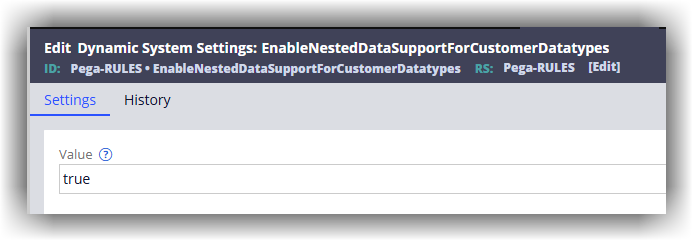
To support CRUD for Data Objects with nested data structures, you must enable this Dynamic System Setting before creating the Data Object in App Studio: EnableNestedDataSupportForCustomerDatatypes (Owning Ruleset Pega-RULES) = true
For more information see the Infinity 25 documentation for Managing operations on Data Records:
CRUD in Data Objects with nested data structures
Note: Currently, CRUD (Create, Read, Update, Delete) operations such as Add, Edit, and Delete are not supported for List Page type landing pages in the Blended UI. These operations are only available in the Constellation app. This limitation impacts users who rely on the Blended UI for their workflow, as they are unable to manage records directly from the List Page.
References
Configuring CRUD data endpoints with Constellation DX API
More granular control over operations on Embedded Data records
Unable to Save a Page List Property on Data Record – Pega Forum
Managing data objects with nested data structures in Constellation (important DSS!) - Pega Forum