

Issue
Constellation UI shows incorrect “Due in X days” values for SLA.
Symptoms
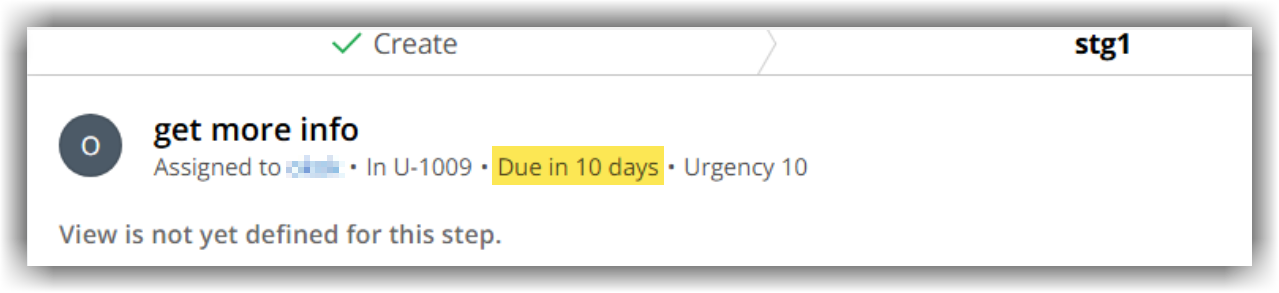
Assignment‑level SLAs and Wait shapes display an inflated “Due in X days” or equivalent time to wait text value in the Constellation UI.
Symptoms include:
-
Assignment widgets display an incorrect “Due in X days” value.
-
Wait shapes show misleading remaining time to wait in the UI.
-
The discrepancy typically appears when deadlines cross into a new month, with February being the most prominent example.
-
Backend SLA behavior, case progression, and queue processing occur at the correct time despite the incorrect UI display.
Steps to reproduce
-
Derive a deadline from a property reference (for example, using @addToDate(@CurrentDateTime(),"30","0","0","0")).
-
Apply a deadline for assignment creation or via Wait shape.
-
Backend values such as pxGoalTime and pyMinimumAgeDateTimeForProcessing correctly reflect the expected timestamp, but Constellation UI “Due in X days” or equivalent time to wait text shows an inflated number of days.
Root Cause
This is a product defect in the Constellation UI’s client‑side calculation and rendering of calendar‑day differences and does not impact actual SLA execution or case processing.
The UI uses a calendar-date comparison rather than a strict duration-based calculation. When crossing month boundaries, especially February, this calendar-based logic can inflate the displayed number of days even though the stored SLA timestamp remains correct.
Solution
The issue is due to be fixed in upcoming releases. This document will be updated when the release is available.