

Issue
Global search returns no results when searching with translated (localized) values but works correctly when using original English/clipboard values.
Steps to Reproduce
1. Run the localization wizard to convert the values into Dutch.
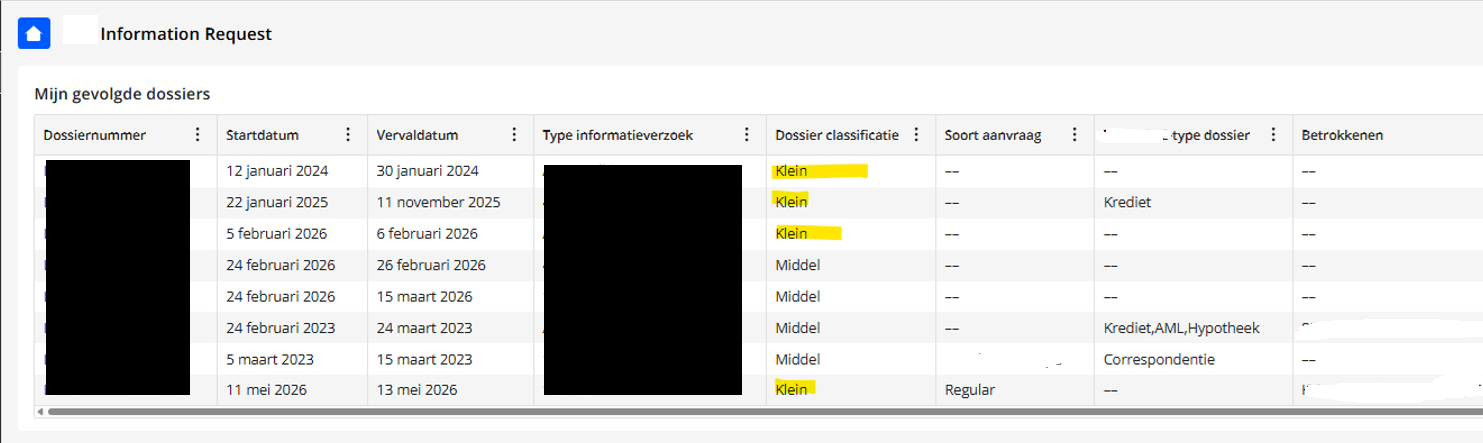
2. Search using the translated Dutch values: no results shown.
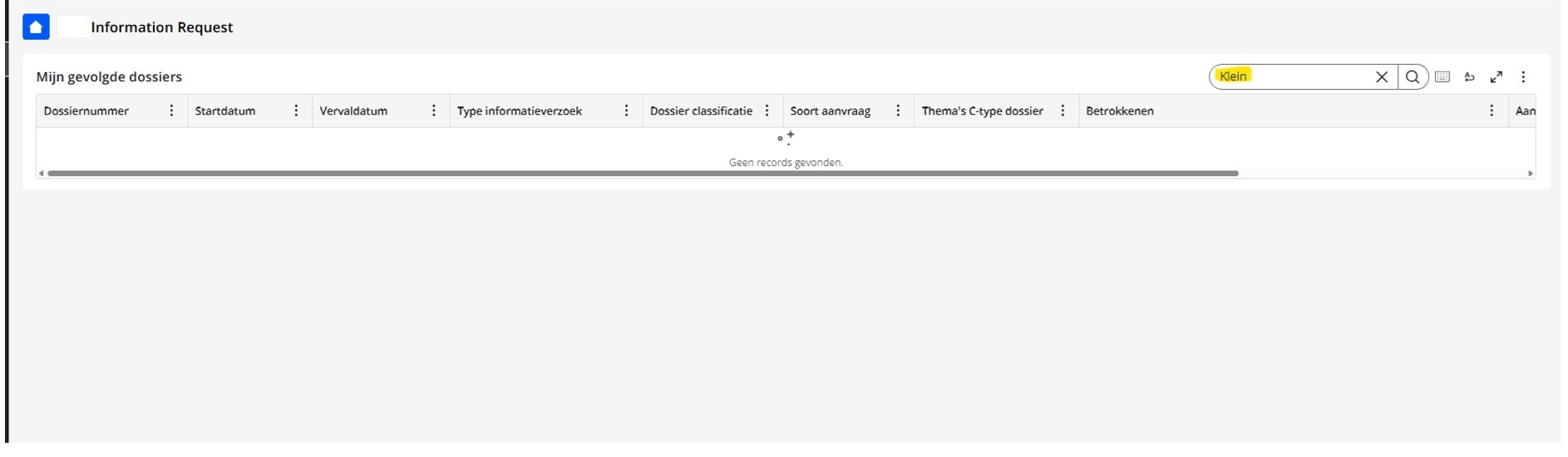
3. No fields available to translate the values in the downloaded excel.
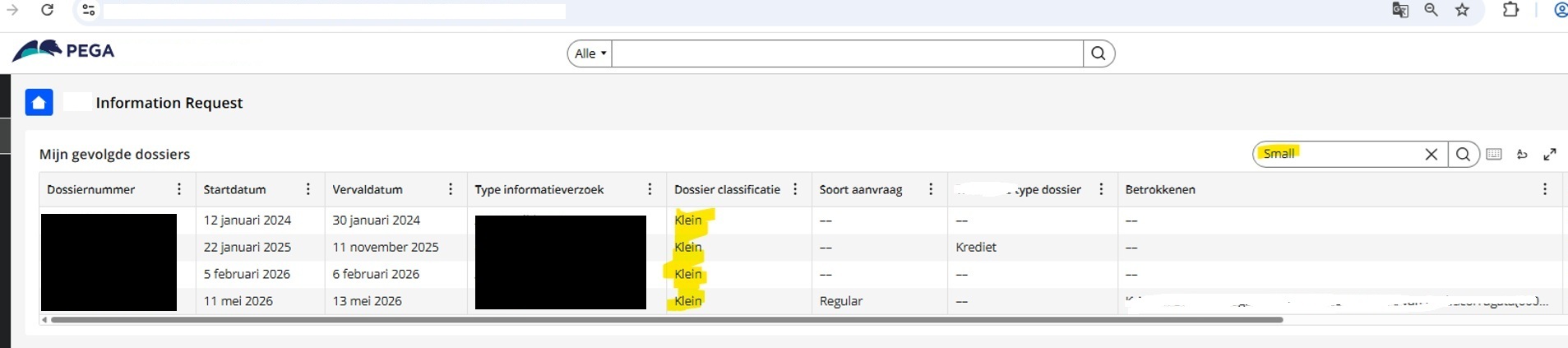
4. Search with the English value Small(clipboard). Result: Results are shown.
Root Cause
This is expected product behavior. Search operates against clipboard data, not Field labels. Pega localization is only a UI-presentation feature.
Translations:
- Are applied at render time in the browser
- Are never written to the database
- Cannot be used in search, filters, reports, or any data-layer operations
- All business logic, search, reporting, and data operations always operate on the original clipboard values, regardless of what language is displayed to the user.
Pega's search and filtering functionality operates exclusively on original database values stored in the clipboard. Localized values are presentation-layer transformations only—they are never persisted to the database and therefore cannot be indexed or searched.
Solution
No workaround exists for searching with localized values—this is a fundamental product limitation by design.
The recommended workaround is for end users to perform searches using the original English (non-translated) values. The search results will still display the appropriate localized translations in the UI.
Localized values are display-only and not searchable
If business requirements mandate searching with localized values, a custom solution would be required (storing translated values in database fields with custom search logic) .
References
Configuring common field settings
Localization prerequisites and limitations
Q&A - Internationalization & Localization with Constellation