Issue
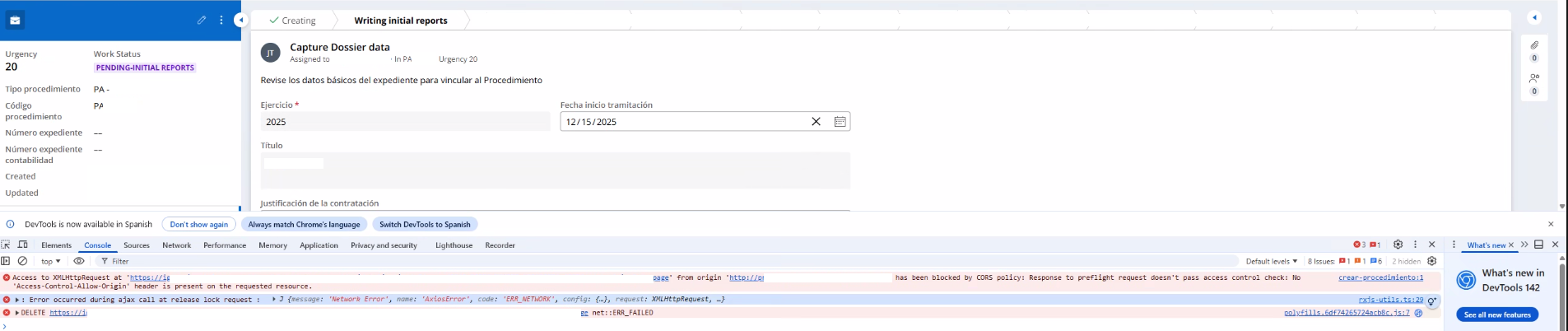
In WebEmbed, when users open an assignment and click or buttons, the assignment will not move into mode. Instead, the user sees a CORS error in the browser console.
Symptoms
When users access the case flow and click on the or buttons, a CORS error appears in the browser console:
Steps to reproduce
-
Create a WebEmbed and choose the Action as either Create a case or Open an assignment or Open a case and generate the code.
-
Add the WebEmbed code to the HTML file.
-
At runtime, open a case by clicking on the button then click on either or
-
The case does not go back to Review screen. A CORS error is displayed, and the Delete/Update request does not execute.
Root Cause
This is a product defect. The service broker is incorrectly sending the x-pega-app-debug-levels header through the and buttons during case creation in the Web Embed portal.
Solution
The product currently cannot specify by default that the service broker should not send the x-pega-app-debug-levels header.
To avoid this scenario, there is a local change:
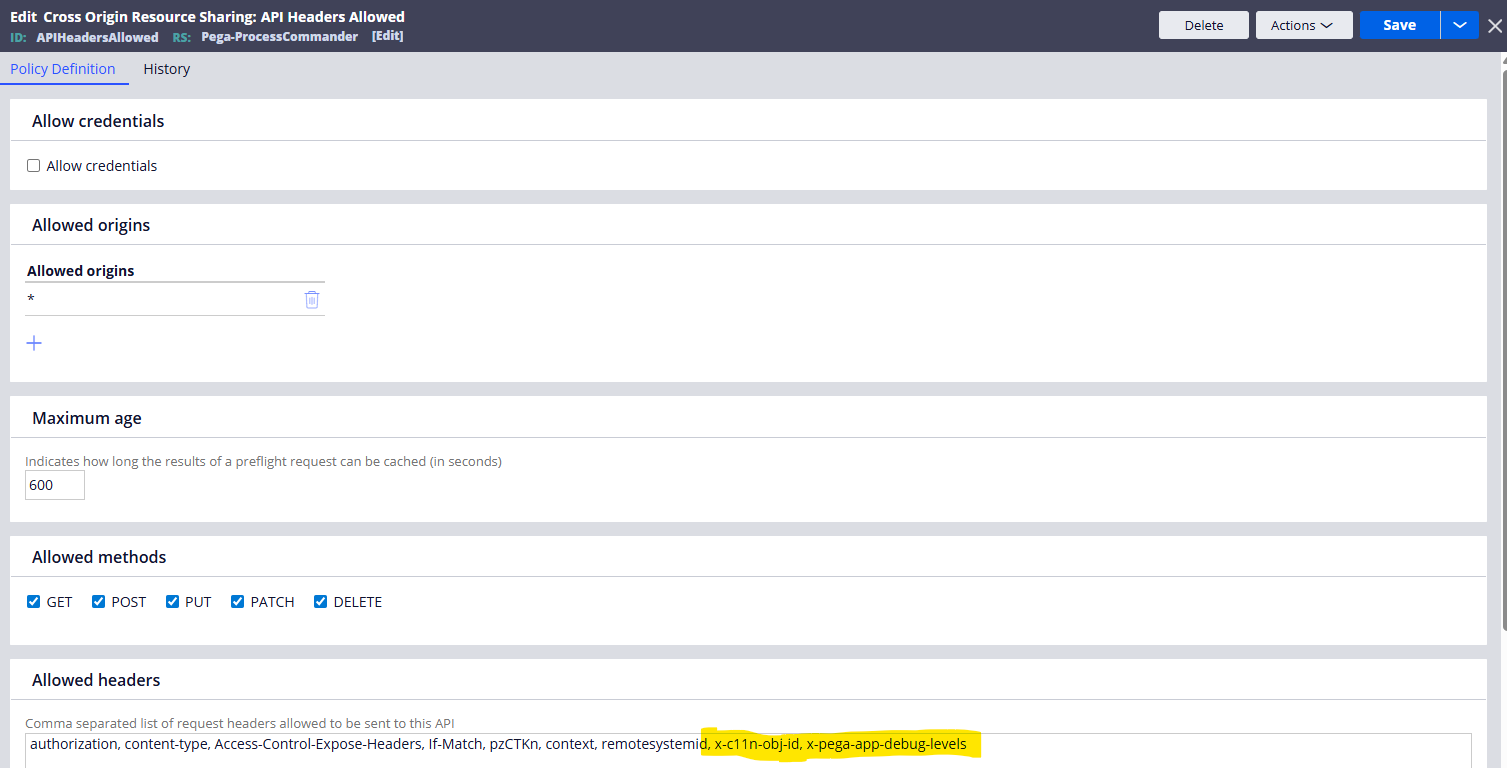
Add x-pega-app-debug-levels in the APIHeadersAllowed rule under Allowed headers field.
Steps to implement Allowed methods and Allowed headers:
-
Navigate to -->-->-->
-
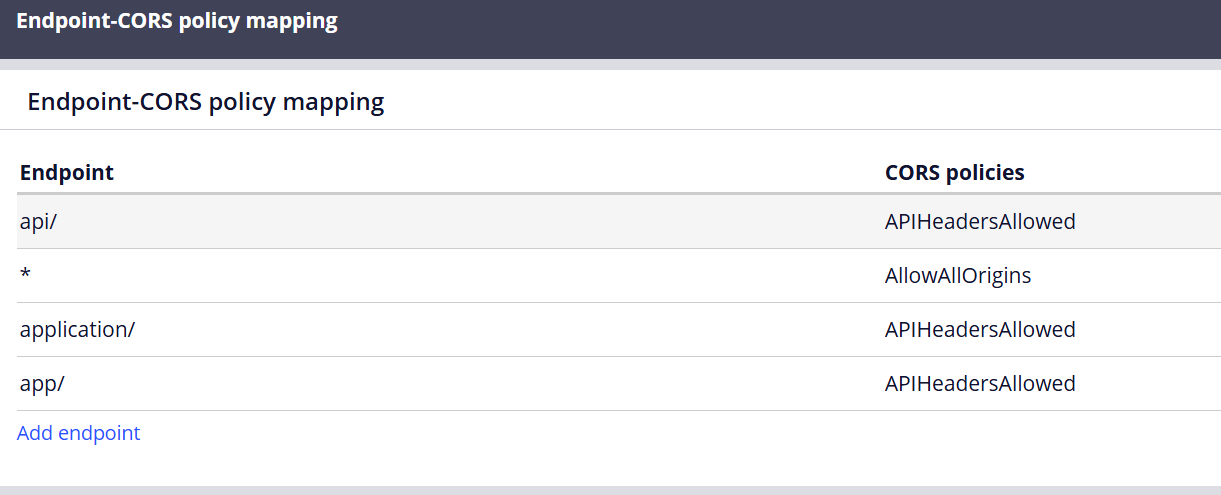
Review the endpoints and CORS policies listed below.