

Issue
In Constellation‑based applications, user interactions are executed via stateless DX API calls using the APP requestor type. These interactions do not update the last access time of the authenticated BROWSER requestor session on the server.
This results in the server incorrectly identifying active sessions as idle, leading to premature session termination when Access Group (AG) timeout is configured. Session continuity is broken and undermines the intended behaviour of AG timeout, especially in environments where uninterrupted sessions are critical.
Symptoms
Users experience unexpected logouts from the Service Desktop during active calls.
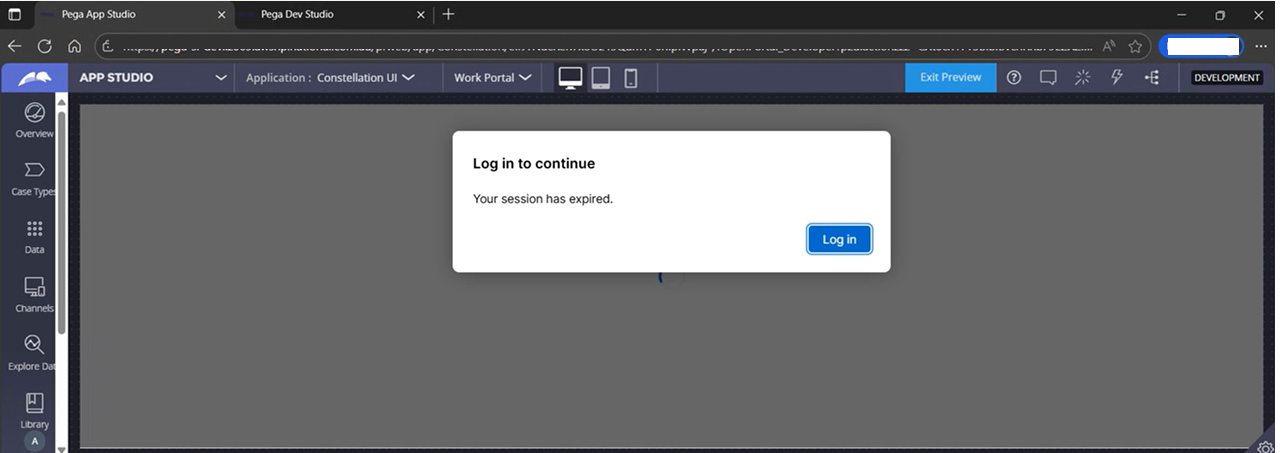 After AG timeout period has passed, active users who navigate back to the portal are logged out and are presented with the login screen.
Steps to reproduce
-
Configure AG timeout in a Constellation‑based application on the affected versions.
-
Log in and continue normal work through Constellation (stateless DX API calls).
-
After the configured AG timeout is triggered, the session terminates abruptly, despite continued user activity.
-
In Pega Cloud®, passivation of the browser requestor is observed after default browser inactivity thresholds (e.g., 15 minutes), further contributing to unexpected logout scenarios.
Root Cause
This is a product limitation, and a product enhancement request has been logged.
Pega Platform has no mechanism to recognize user activity from Constellation’s stateless requests and therefore cannot update the session’s last access time.
Solution
To avoid the scenario, users should avoid enabling Access Group (AG) timeout for Constellation applications. The issue is due to be fixed in upcoming releases.
References
Authentication timeout for Constellation improves security
Active user gets logged out of Constellation application
How to configure Inactivity Timeout in Pega 8.7.6 Constellation using OKTA IDP