

Certain user interactions in Constellation are designed with editable input fields that are programmatically labeled, but do not display a visible label.
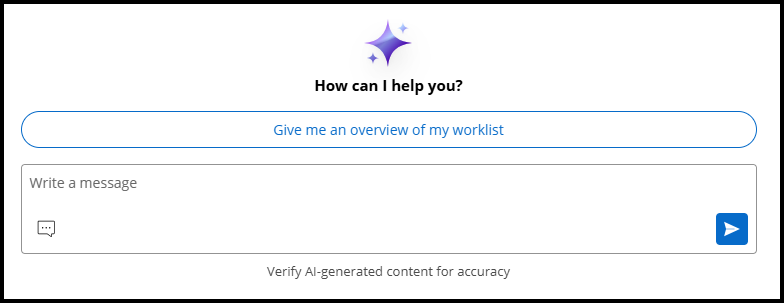
On example is various AI chat interfaces in Pega, which offer new ways for users to streamline their work routines and interact with the application. The standard pattern offers a text area for users to compose a chat message in, along with an adjacent "Send message" button. Following is an example of one such AI chat interface:
Global search in Platform applications offers a similar approach in design. The search bar in the application header is accompanied by an adjacent search button:

To mitigate the lack of a visible label in their design, these patterns make use of the WCAG technique of using an adjacent button to label the purpose of the field. When a button invokes a function on an input field, has a clear text label or name, and is rendered adjacent to the input field, the button also acts as a label for the input field. This label helps users understand the purpose of the field without introducing repetitive text on the web page.
In the chat scenario, the purpose of the field (to compose a message to send) is indicated by the adjacent button represented as a "Send message" icon. In the search scenario, the search button immediately following the field makes it clear to the user that the input field is where they should enter a search term.
Each field will always have a programmatic label, ensuring that users relying on assistive technology can understand the functionality of the components put together.