
Closed
Solved
How can we hide default menus from App Studio?
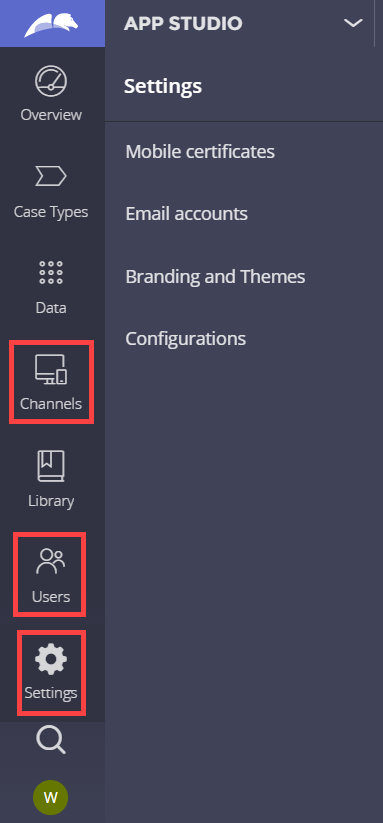
My citizen developers don't need to access some of the default menus in App Studio. How can we hide them? For example, we want to hide the Channels, Users, and Settings menus.
Accepted Solution
Posted: 1 year ago
Updated: 1 year ago
Updated: 18 Dec 2024 13:51 EST

PEGA
Pegasystems Inc.
US
Posted: 1 year ago
PEGA
Pegasystems Inc.
US
@Will ChoFound that there is an extension point that can be overridden. Save the pyShouldExtensionBeLoaded when rule to each respective class and return false.
For example, to hide the Overview menu, create the following when rule.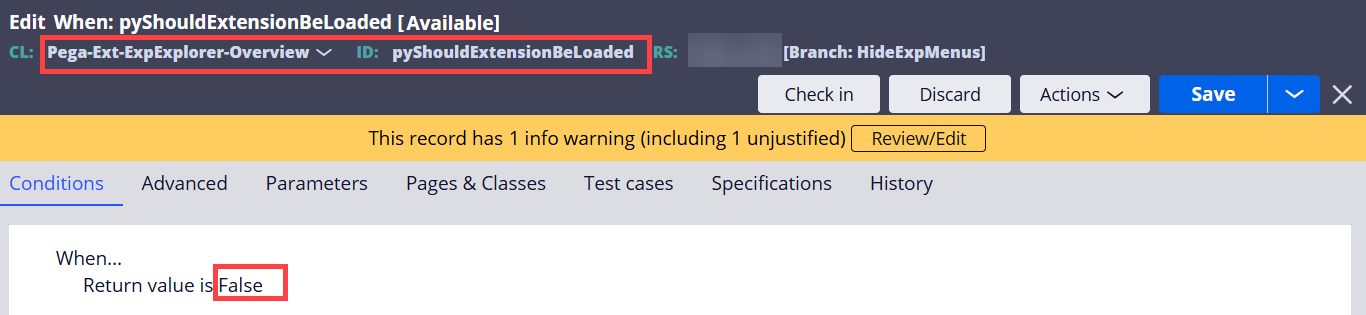
Log off, and log in to refresh the App Studio portal.
In this example, I hid all except Case Types menu.