
Clone a Work Object
I need to create a clone of an existing WO through an Activity. In reading through some of the questions asked here, I was told that this could be solved by using 'Work-.CopyWork'. Can some one show with screenshots how I can create a cloned WO. For ex:- If my WO pzInskey ABC-DIV-UNIT Q-2378, how do I pass it, so that I may get a clone of the same in the following Activity?

Areteans Tech
AU
Updated: 28 Jan 2021 0:39 EST

Accenture
US
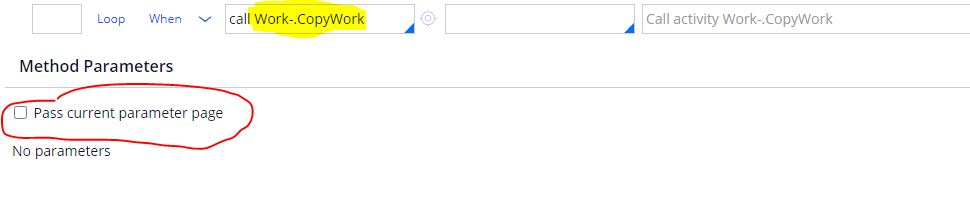
@ashokk09 If my WO pzInskey ABC-DIV-UNIT Q-2378, how do I pass it, so that I may get a clone of the same in an Activity. Do I need to run a commit/obj-save later on? Can you paste a screen shot of how you are calling it? Once it is cloned, what will be the pzInsKey of the CLONED WO? EVERYTHING should be same except for pzInsKey?
In my application layer you want me to override ' pyCopyDefault ' ? Can you post a screen shot of where and HOW to override it in the Activity steps?
In a different scenario I have created another WO pzInskey ABC-DIV-UNIT Q-2380. HOW can I copy WO pzInskey ABC-DIV-UNIT Q-2378 values into WO pzInskey ABC-DIV-UNIT Q-2380? Can you please post a screen shot of HOW to copy/clone pzInskey ABC-DIV-UNIT Q-2378 values into WO pzInskey ABC-DIV-UNIT Q-2380
@ChakriP8
By Opening and checking the utility CopyWork , I could understand from step 3 that the values are from Primary page.
So use it in the context of existing workitem [Step Page should have the values of old workitem]
Note : Step 1 -Check the Data transform pyCopyDefault (you can reuse this in your application layer to add the properties to be copied)