

Issue
After configuring the ConstellationPegaStaticURL Dynamic System Setting (DSS) with a Constellation CDN URL, there is no in-application dashboard or server-side confirmation that the setting is active and serving static resources.
Administrators need a reliable method to verify that the configured CDN URL is being used correctly by the Pega application.
Steps to reproduce
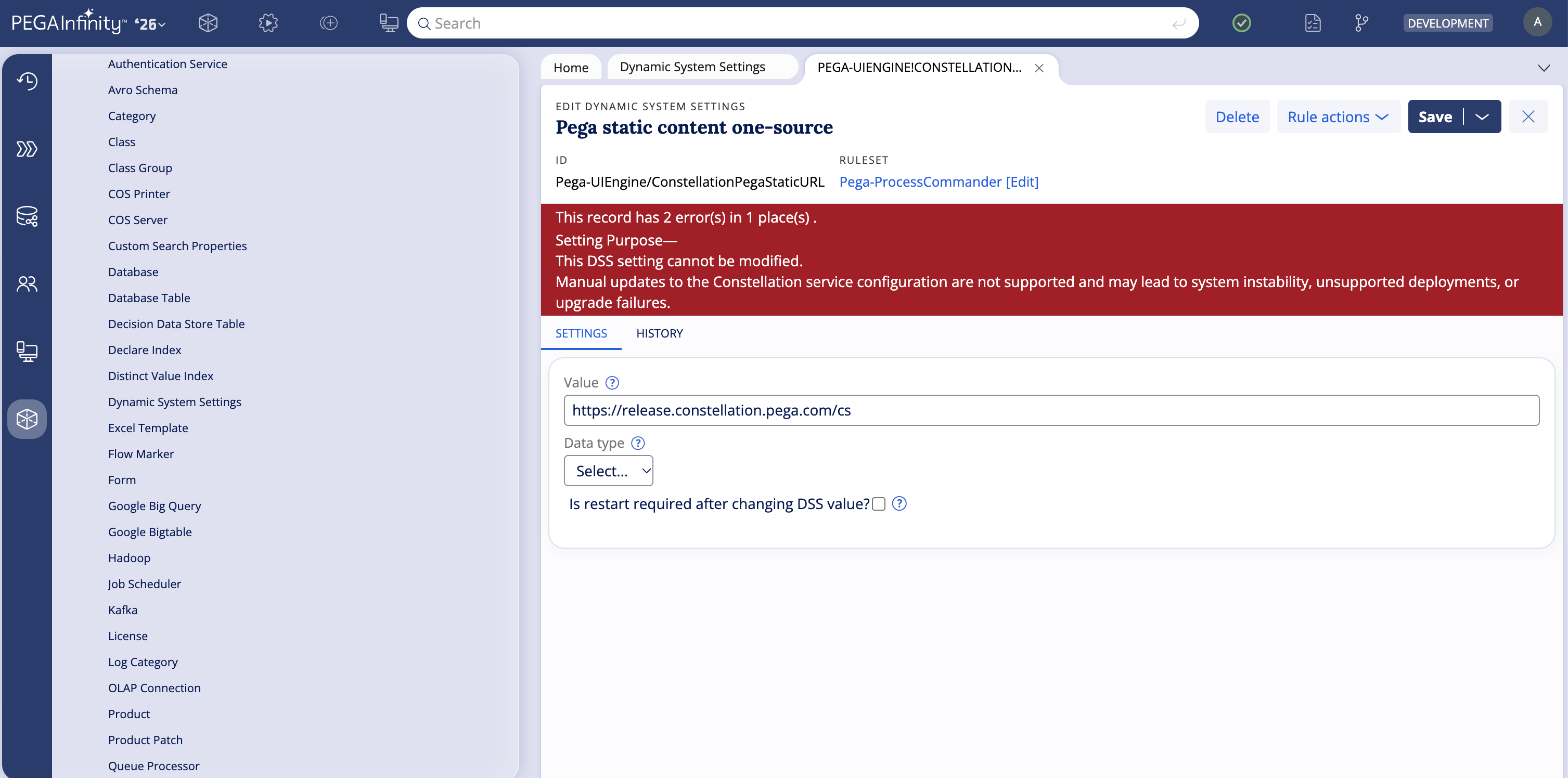
1. Configure the ConstellationPegaStaticURL DSS in Pega Infinity™ Studio.
- Navigate to App > Records > SysAdmin > Dynamic System Settings.
- Open or create the ConstellationPegaStaticURL setting.
- Set the Value field to the target CDN URL.
- Ensure the Owning Ruleset is set to your top-level application ruleset.
- Save the setting.
2. Open a Constellation-based portal in a browser.
- Result: There is no in-application indicator confirming the CDN URL is active or serving resources.
Explanation
Pega Platform™ does not perform a server-side connectivity check for the ConstellationPegaStaticURL setting at startup, and no in-application status indicator exists. Verification must be performed client-side using browser developer tools.
Suggested Approach
Use your browser's built-in Developer Tools (DevTools) to confirm that Constellation static resources are being fetched from the configured CDN URL.
Two methods are available.
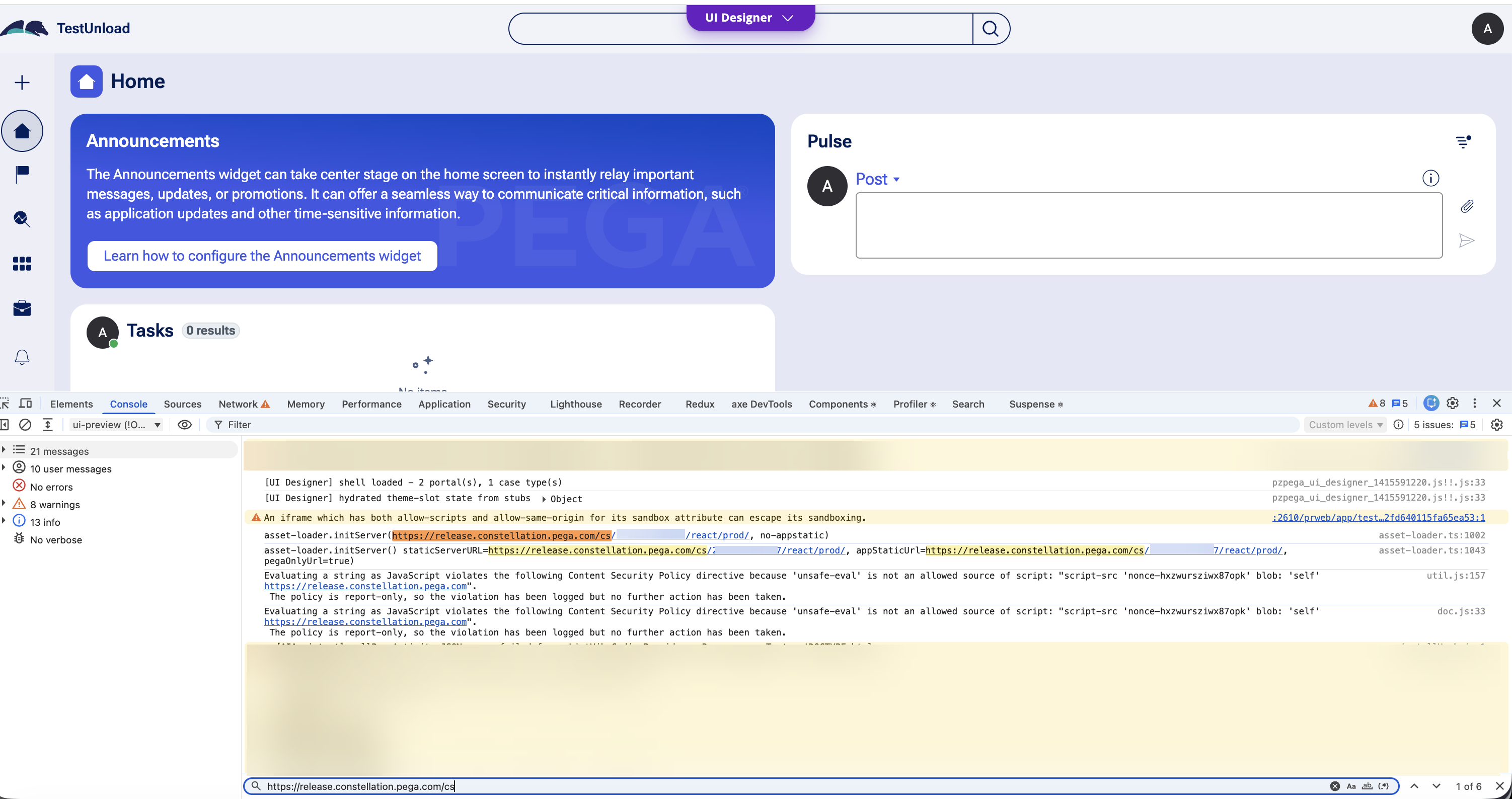
Method 1 — Console Tab
- Open a Constellation-based portal in your browser.
- Press F12 to open DevTools.
- Navigate to the Console tab.
- The ConstellationPegaStaticURL value as defined in the DSS is displayed in the console output.
Method 2 — Network Tab
- Press F12 to open DevTools.
- Navigate to the Network tab.
- Reload the Constellation portal.
- Filter by JS or search for static to isolate asset requests.
- Inspect the request URLs. Static resources (for example, bootstrap.js, main.js) should be served from the hostname configured in ConstellationPegaStaticURL.
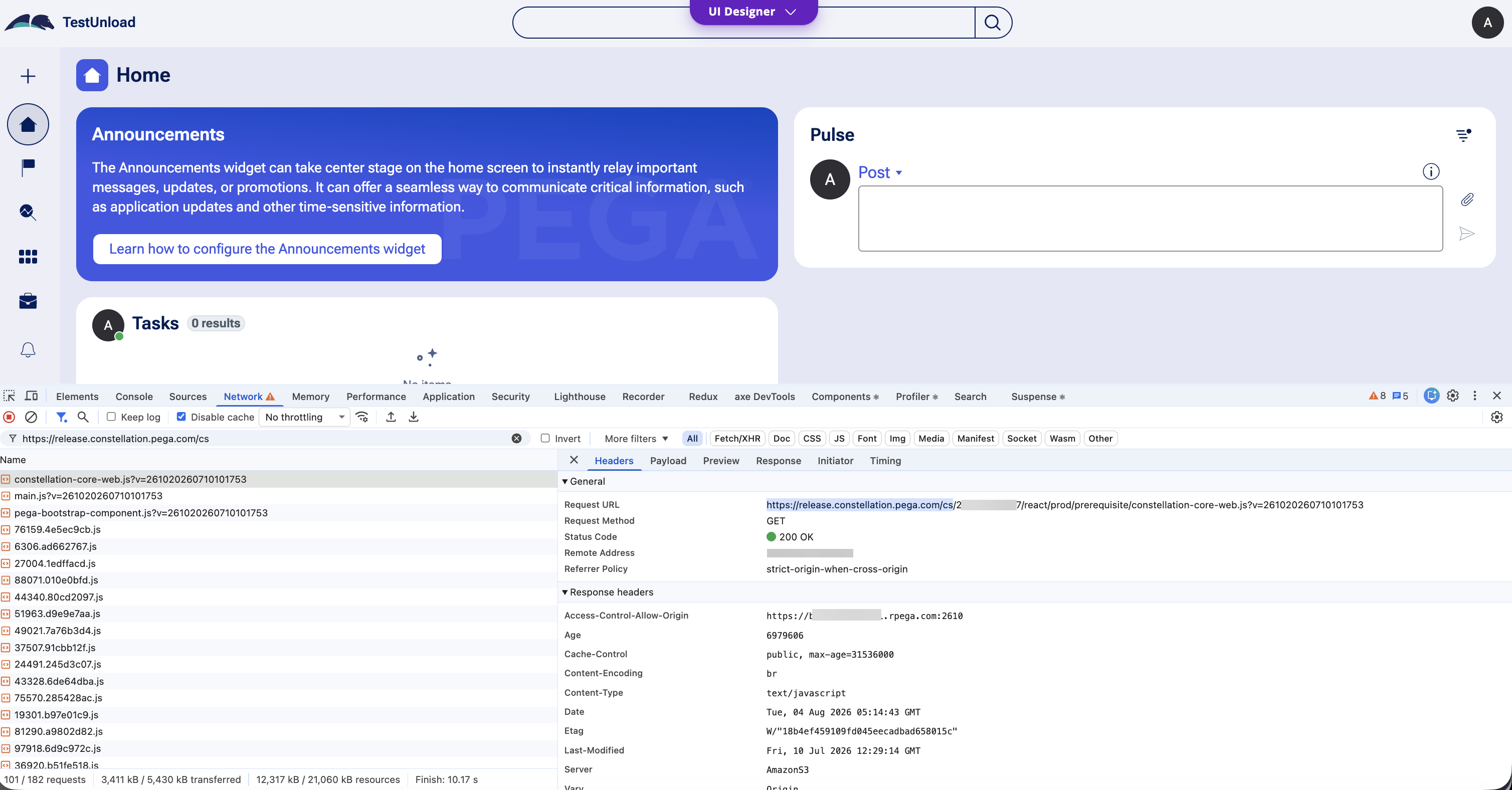
If asset requests originate from the configured CDN hostname, the configuration is working as expected.
Additional Validation
In-app warning indicator
If the Constellation portal displays the message "Your static content service is configured but currently not reachable." then the configured URL is either unreachable or incorrectly formatted. Verify that the URL is directly accessible from a browser and is not blocked by a firewall or proxy.
Verifying the DSS is saved to the correct ruleset
If the Network tab shows assets being served from a URL other than the one configured, confirm:
- The Value field in the DSS contains the exact intended CDN URL.
- The Owning Ruleset is the top-level application ruleset. If it is set to the wrong ruleset, the setting may be silently ignored.
Accepted URL formats for On-Premises deployments
The value of ConstellationPegaStaticURL must match one of the following formats:
- Pega public CDN: https://release.constellation.pega.com
- Self-hosted via Docker: https://HOSTNAME:PORT
- Self-hosted via Kubernetes: https://HOSTNAME
Note:
For Pega Customer Service™ applications, use https://release.constellation.pega.com/cs.
For Sales Automation applications, use https://release.constellation.pega.com/sa.
See the product documentation for details.
References
Configuring your Pega Platform to use Constellation Pega Static CDN
Configuring Constellation Messaging Service
Review ConstellationPegaStaticURL DSS configuration before internal CDN decommissioned