

Issue
Encountering a save failure due to an unhandled exception caused by an unknown host error when saving token profiles in Pega Cloud environment.
Symptoms and Imact
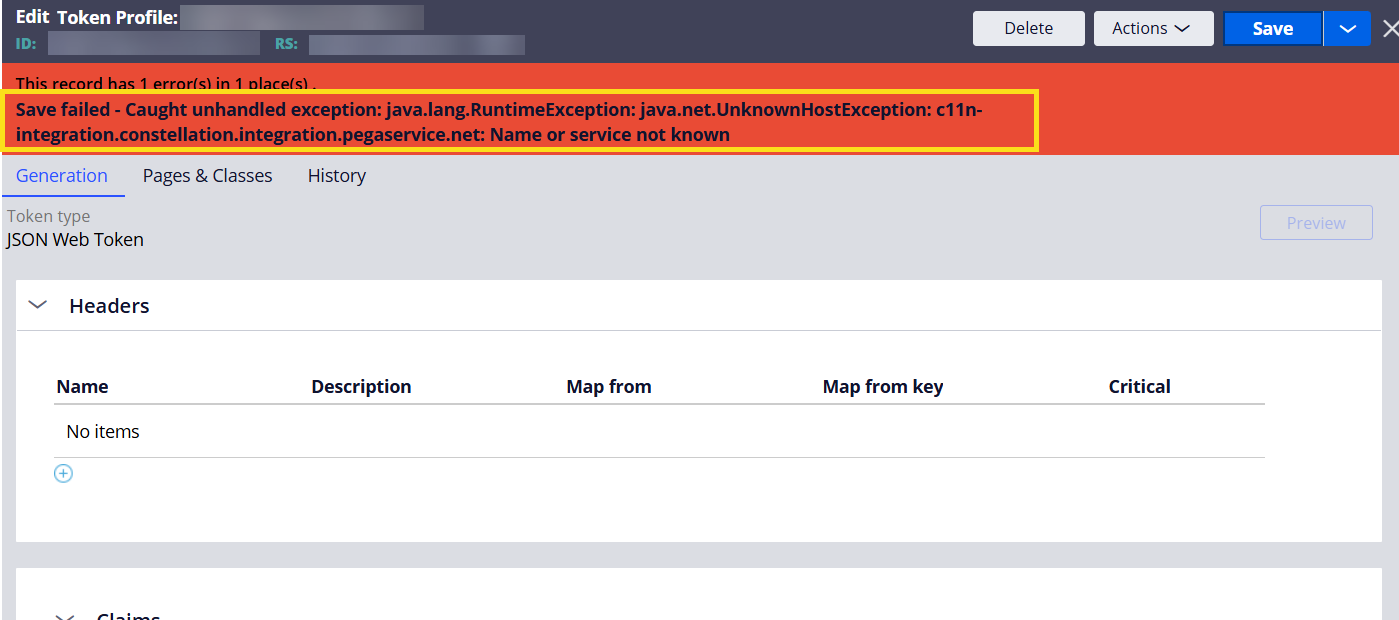
When attempting to save any token profiles in in Pega Cloud environment, the operation fails with the following error:
'Save failed - Caught unhandled exception: java.lang.RuntimeException: java.net.UnknownHostException: c11n-integration.constellation.integration.pegaservice.net: Name or service not known'.
Steps to Reproduce
-
Open any instance of the token profile list from the records explorer.
-
Attempt to Save it
Root Cause
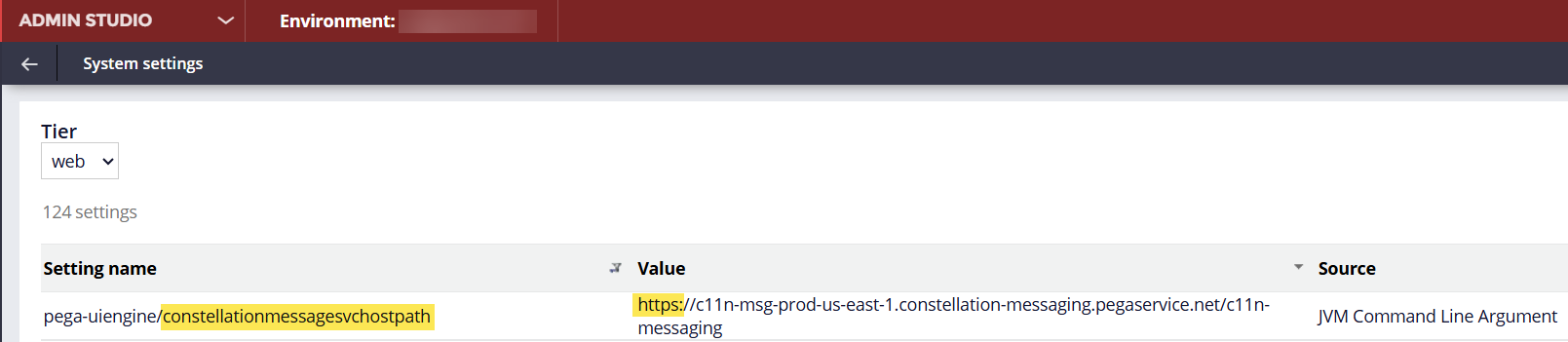
The issue was caused by an incorrect configuration of the ConstellationMessageSvcHostPath Dynamic System Setting (DSS).
An invalid or incorrectly configured value prevents the Constellation application from communicating with the required message service endpoint, resulting in the runtime exception.
Solution
-
Review the setting ConstellationMessageSvcHostPath from the Admin Studio/Dev Studio. If the Dev Studio is blank, then this value will be picked up from Admin Studio.
-
Verify that the value points to the correct and supported Message Service endpoint for the environment. The value should not have the "https://"
-
Correct the DSS value if it is invalid or outdated i.e remove the "https://". If this is a Pega Cloud environment raise a Cloud Change request and provide the value to be updated.
-
Save the change and clear relevant caches/restart nodes if required by local operational procedures.
-
Re-test the Constellation application