

Issue
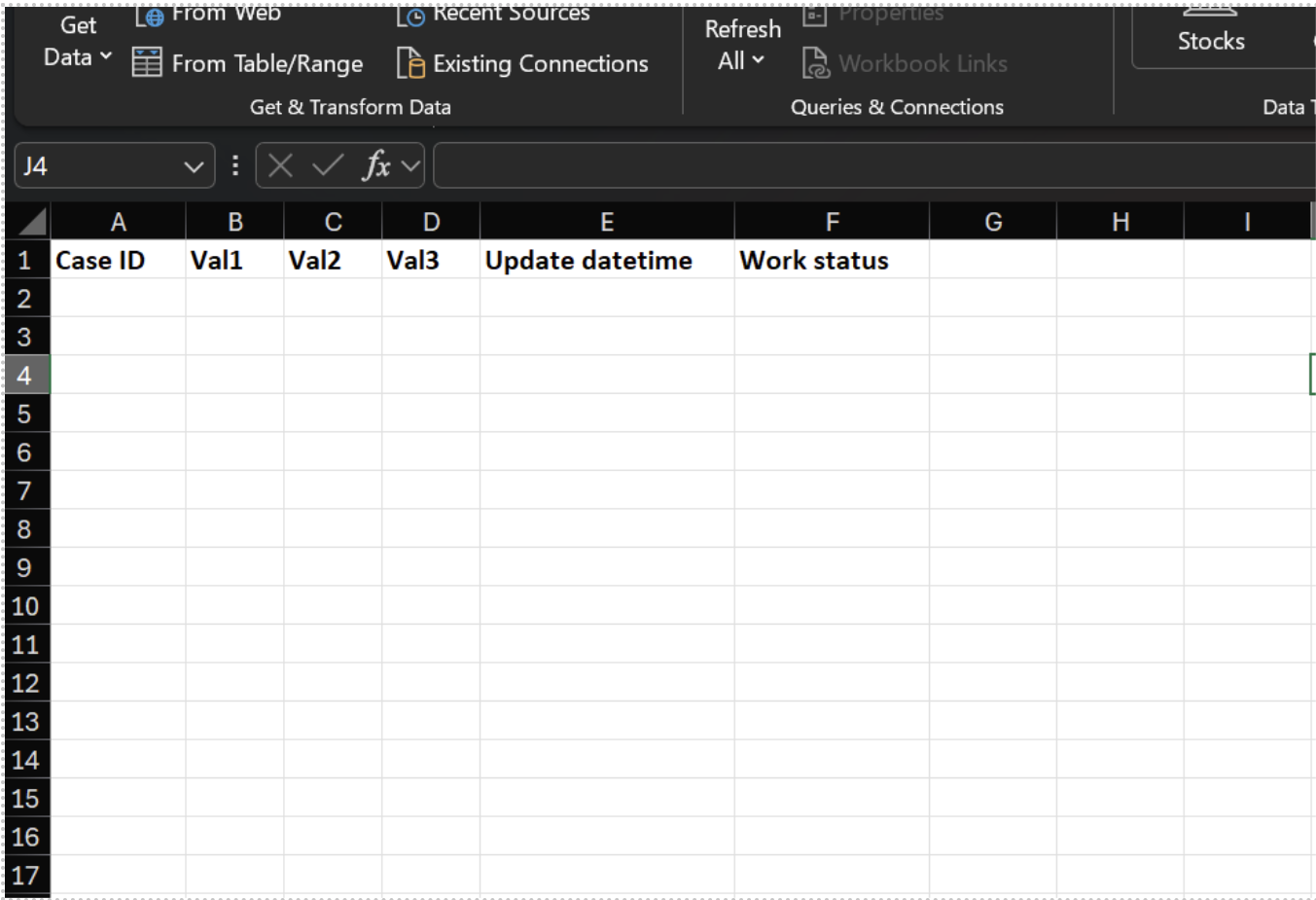
Export to Excel from Constellation list Views and reports generates files containing only headers and no rows when data pages use queryable Data Pages with dynamic filter conditions.
Symptoms and Impact
When you configure a queryable Data Page as a source for a UI View, run-time users can then filter, group, and sort search results in a tab. When a queryable Data Page is used as the source of a table, then when the table is accessed, the system loads only the necessary rows from the table.
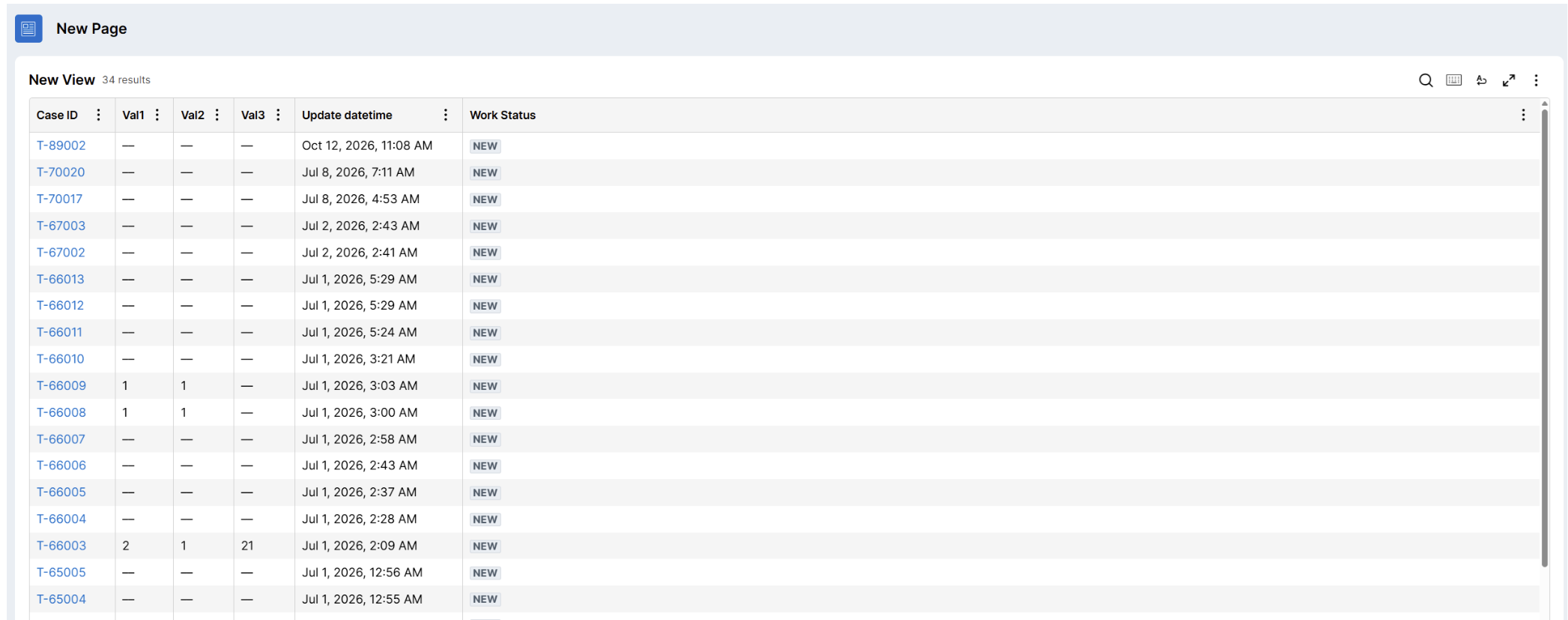
The table displays correct results in the UI at runtime, but when the user clicks Export to Excel, the exported file is empty.
This issue applies in the following scenario:
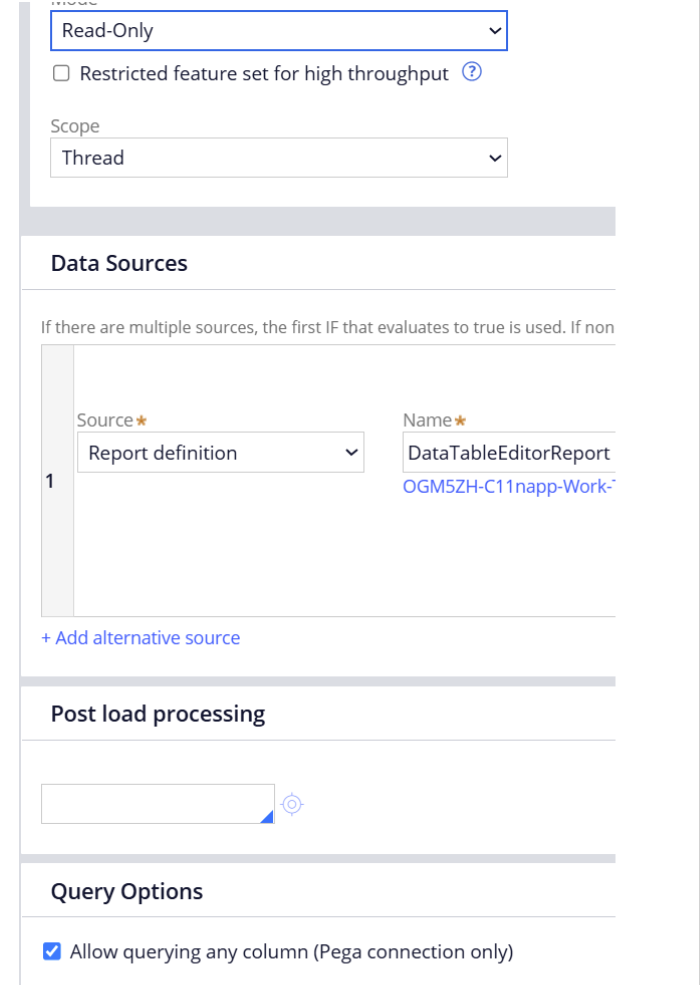
- The Data Page is configured as a List, Read-only, scoped to Thread or Requestor, and sourced from a Report Definition.
- "Allow querying any column (Pega connection only)" is enabled on the Data Page.
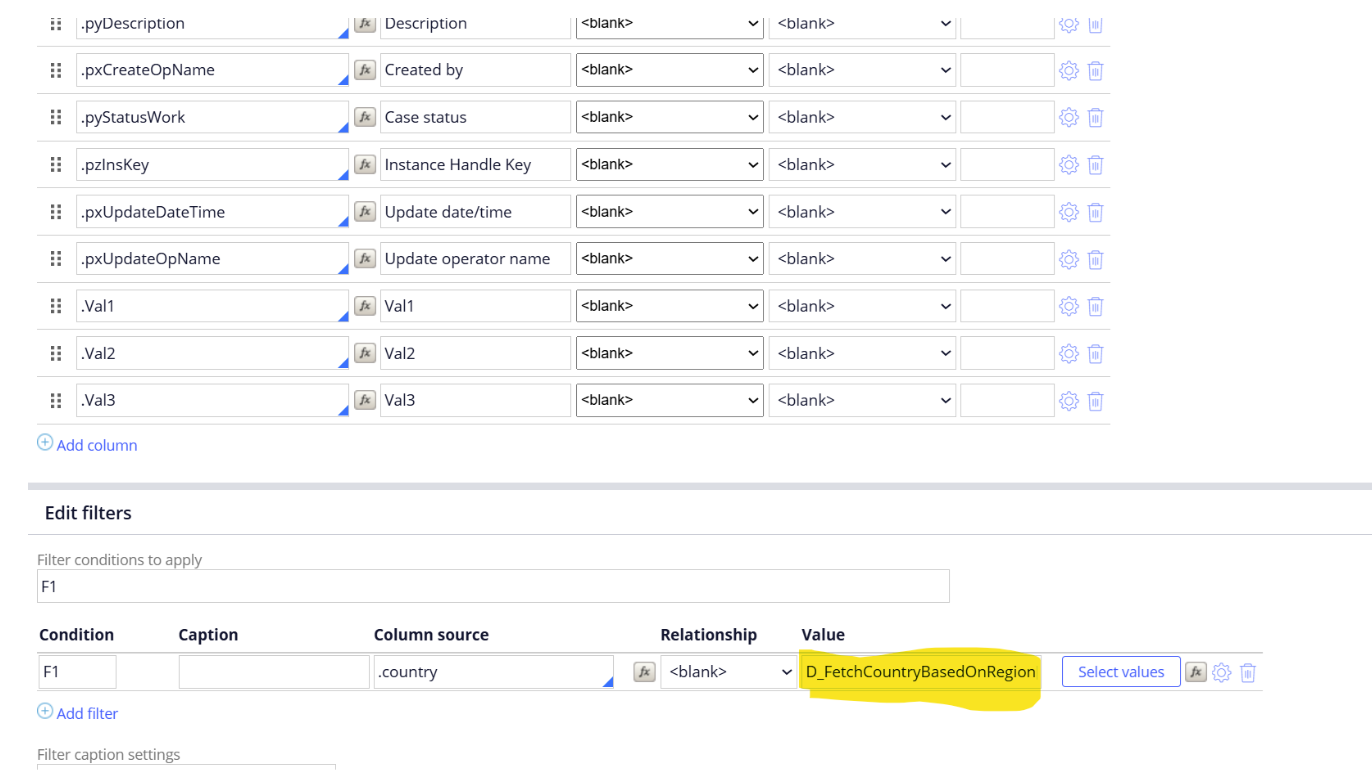
- The Report Definition contains a filter condition that references a Data Page property dynamically.
Steps to Reproduce
- Configure a Data Page (List, Read-only, Report Definition source) with "Allow querying any column" enabled.
- In the Report Definition, add a filter condition: property = datapage.CountryProperty.
- Display the Data Page as the source of a table on a landing page.
- Confirm that the UI displays filtered results correctly.
- Click — Result: the exported file will be empty.
- As a test, change the filter to a hardcoded value (e.g. property = 'Germany'). Result: Export works correctly.
Root Cause
Export to Excel is strictly governed by the Report Definition. Any filter condition in the Report Definition that references a Data Page property (datapage.property) is a dynamic, runtime-resolved reference. The export engine executes the query independently of the UI session and cannot resolve that Data Page property reference, causing the query to return zero results and produce an empty export file.
Solution
This issue has been identified as a product limitation that requires a platform enhancement.
There is currently no local change which fully replicates a filtered export from a data page.
Workaround
Option 1 — Remove the dynamic filter reference from the Report Definition
Replace the dynamic datapage.property filter condition in the Report Definition with a hardcoded static value or restructure the filter logic so it does not depend on a Data Page property reference at query time. This allows the export engine to execute the query successfully.
Note: This changes the filter logic and may not be suitable for all use cases.
Option 2 — Disable "Allow querying any column" on the Data Page
On the Data Page rule form, navigate to the Definition tab → Query options section and uncheck "Allow querying any column".
Effects of this change:
-
The Export to Excel option is removed from the table's List view in the UI, which prevents end-users from exporting the content.
-
The Data Page will no longer be available as a queryable source in Explore Data or Insights.
This known issue document will be updated when a release with the fix to Support non-Report Definition-based excel export becomes available.
References
Limitations of optimized tables sourced from queryable Data Pages