

Issue
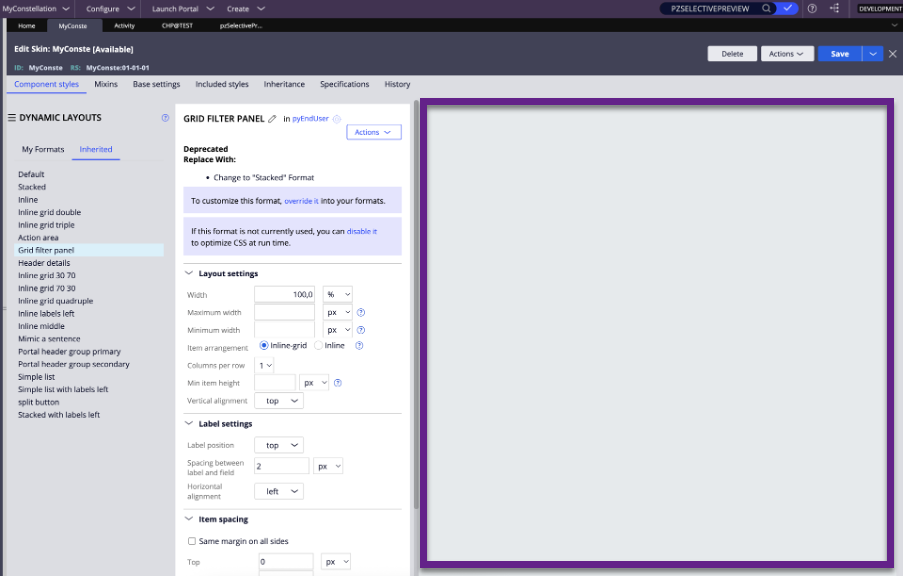
Preview panel displays as blank on attempting to view Component styles in the Skin rule.
Symptoms
Blank Preview panel in the Skin rule.
The following figure illustrates the blank preview panel:
Impact
User is unable to preview the Skin format.
Steps to reproduce
1. Open the application Skin rule on any application.
2. Select a format.
3. Observe the Preview panel.
Root Cause
Product Defect/Bug
This is a regression issue. Cross script filter is added to the 1st step of the pzSelectivePreview activity.
Solution
Perform the following local-change:
-
Perform a private edit of the pzSelectivePreview activity.
-
Comment out the first Java step.
-
Make sure that the Allow Invocation from Browser option is selected.
-
Under the Privilege Class, add @baseclass.
-
Under the Privilege Name, add AllFlows.
or
Update to 24.1.4 or 25.1.2 Pega Platform versions.