

Issue
Dropdown values within Pega applications render as blank or invisible or truncated on both Constellation UI and Traditional Pega applications.
This behavior is inconsistent across users on the same system and may vary based on browser zoom level or display settings.
Values displaying as blank
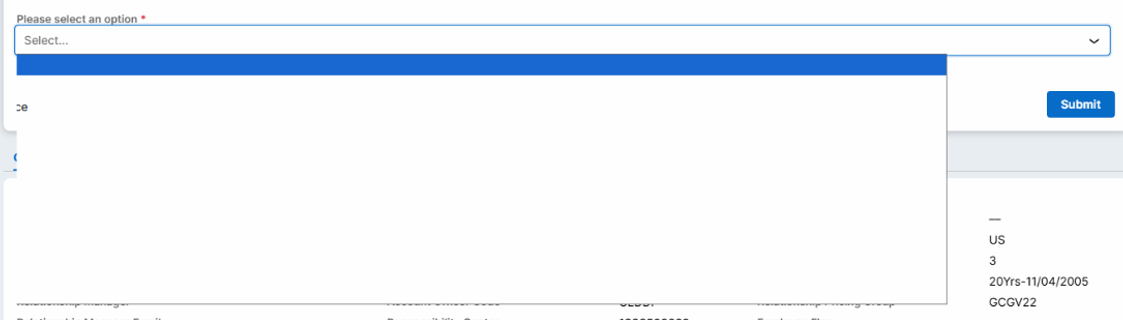
Truncated values

Root Cause
This is a third-party browser defect: Chrome 156.x browser versions. For more information, click
https://issues.chromium.org/issues/576333008
The inconsistency across users on identical system configuration is explained by differences in browser version, zoom settings, or display scaling at the individual workstation level.
Solution
Update to Chrome 157 or later versions.
Alternatively, use a different supported browser (Non-Chromium based browser such as Firefox) as a temporary measure while the Chrome update is pending.
Note
Diagnostic Steps (for future occurrences)
- Confirm the Chrome version in use on the affected user's machine (navigate to chrome://settings/help).
- If the browser version falls within the 156.x range, treat this as the primary suspect.
- Advise the client to update Chrome browser to the latest release.
- Retest the affected dropdown behavior post update.
- If the issue persists after updating Chrome, escalate for further investigation to rule out Pega-side component issue.