

Issue
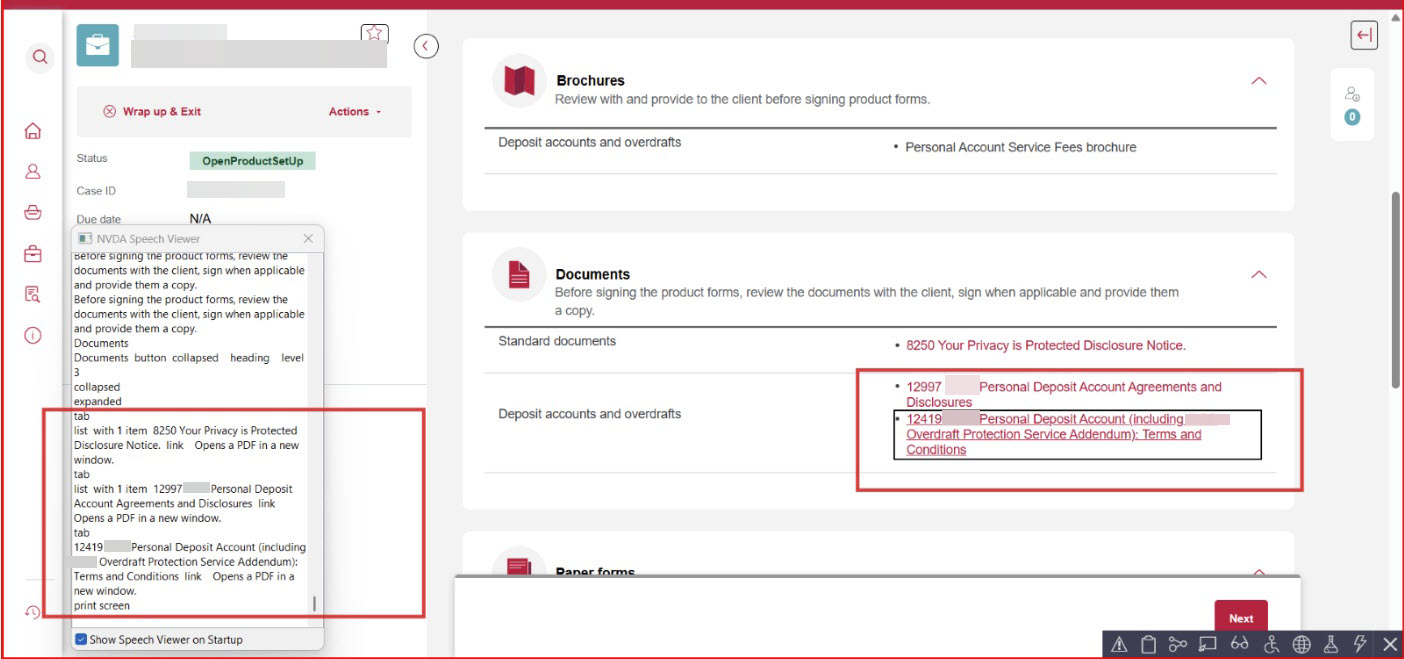
When a Dynamic Layout in a section rule is configured with an Accessibility Role of "List" (Document Structure), screen readers such as NVDA (Non Visual Desktop Access) do not announce the number of items or the positional count (for example, "1 of 3") for the child elements rendered inside that layout. Child elements, such as navigation links, are read as standalone links with no item count or position information.
The same behavior is observed with JAWS, which announces only the first link as part of a list structure while remaining child elements are not announced as list items.
Symptoms and Impact
The issue occurs specifically on Theme-Cosmos, where NVDA fails to communicate the count of items in repeating layout sections, impacting accessibility.
Steps to reproduce
- In Dev Studio, open or create a section rule using Theme-Cosmos.
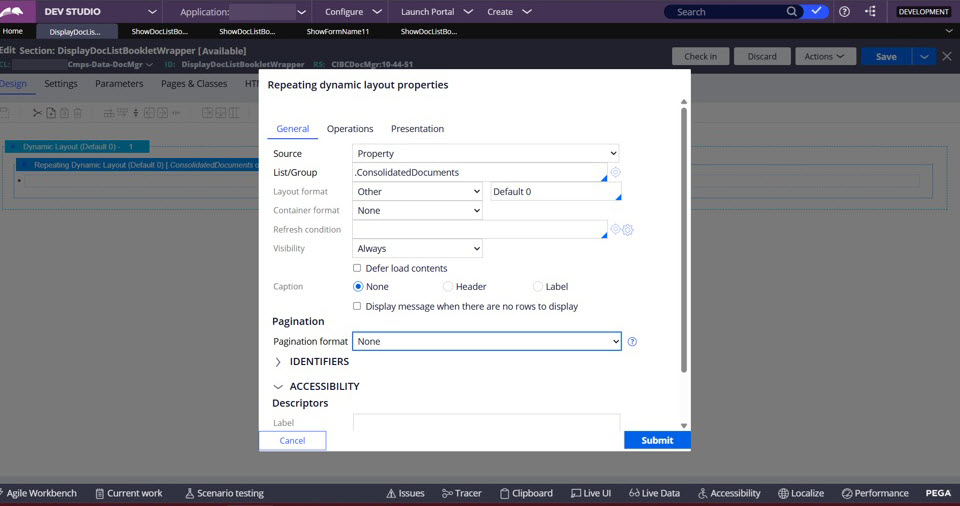
- Add a Dynamic Layout (a DIV) containing multiple child elements, for example, repeating layout items using Repeating Dynamic Layout (RDL).
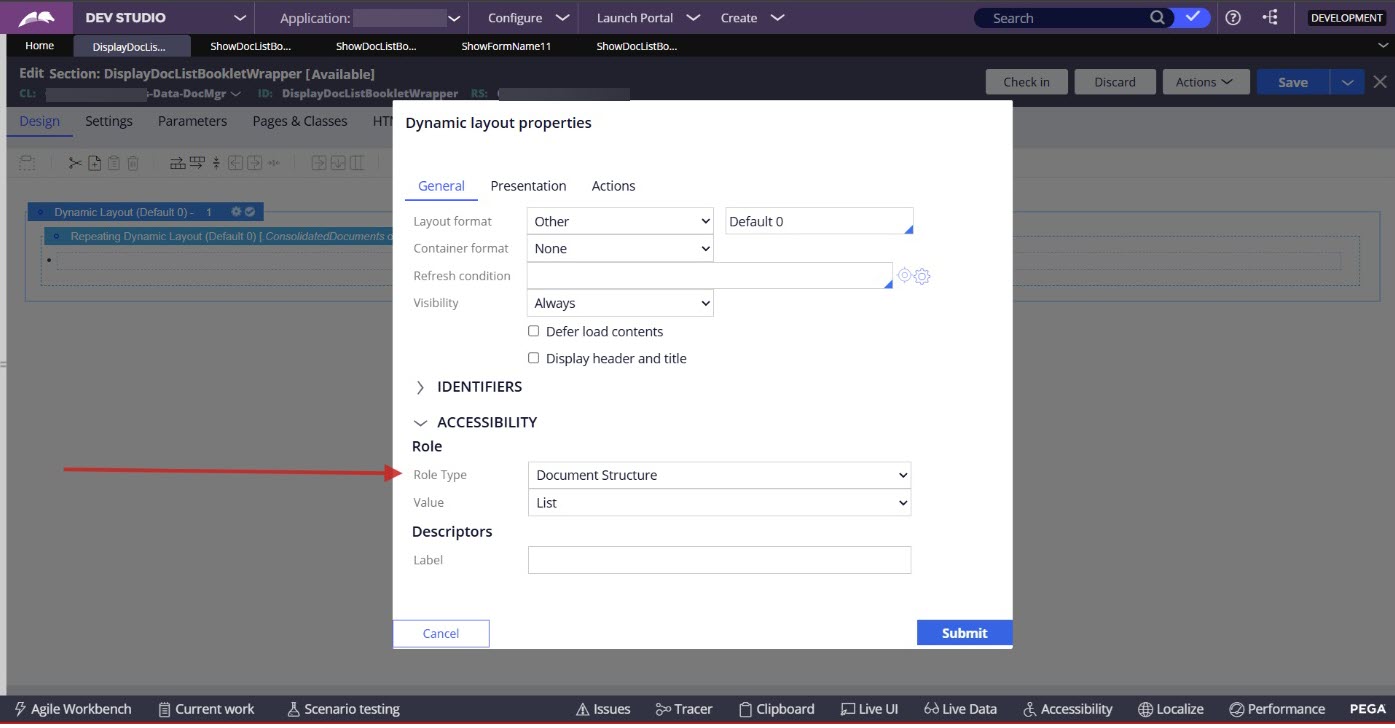
- In the Dynamic Layout's General tab, set the Accessibility Role to Document Structure and choose List as the Value.
- and run the section in a harness.
- Activate NVDA (or JAWS) and navigate through the items within the Dynamic Layout using the key or screen reader Browse Mode (also called virtual mode or scan mode).
- Expected behavior: Screen reader announces the container as a list and reads each child element with positional context, for example: "Link Name, 1 of 3."
- Actual behavior: The screen reader reads child elements (links) as standalone items with no item count or position announcement. No list item semantics are announced for child elements.
Explanation
This is expected platform behavior.
When the Accessibility Role "List" is applied to a Dynamic Layout in Pega, the role="list" attribute is added only to the parent container <div> element in the rendered HTML. This instructs assistive technologies (AT) that the parent is a list structure. However, it does not automatically assign role="listitem" to the child elements rendered inside that container.
Because the child elements do not have role="listitem" in the DOM, screen readers have no basis on which to calculate or announce positional list item counts (for example, "2 of 4"). The child elements are interpreted as standalone focusable elements (links, in this case), not as members of a list.
Additionally, using role="listbox" on a Dynamic Layout containing navigation links is semantically incorrect. The listbox role is designed for interactive widget patterns where a user selects from a set of options — it is not appropriate for document structure or navigation link groups. Applying listbox to this pattern may cause additional screen reader interpretation errors.
References
Configuration options for layouts
Limitations of Repeating Dynamic Layouts
Documented third-party software accessibility issues and known behaviors
Dynamic announcement interactions with assistive technology in Traditional UI