
Question

Aaseya IT Services
Aaseya IT Services
SA
Aaseya IT Services
Posted: May 6, 2021
Last activity: May 8, 2021
Last activity: 8 May 2021 2:34 EDT
Closed
Solved
How to customize Accept and Clear buttons in Signature control
Hi All,
I have a requirement to rename the Accept and Clear buttons to Confirm and Retake on Signature control. So I am trying to customize Accept and clear buttons on Signature control to have the same action set on New added buttons in my section.
I have gone through below article for Signature control customization. But that script is not working as expected
I have added "pega.ui.signature.acceptSignature" on Confirm and pega.ui.signature.clearSignature" on Retake buttons. 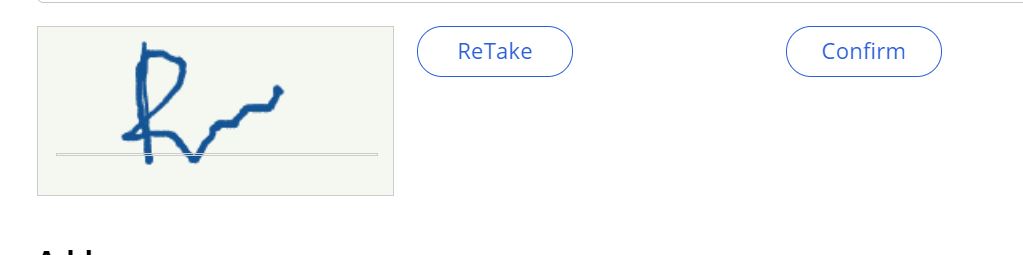
Thanks in Advance.
Accepted Solution
Posted: 4 years ago
Updated: 4 years ago
Updated: 8 May 2021 2:34 EDT

PEGA
Pegasystems Inc.
AU
Hi @SrujankumargoudB ,
That document you are referring to is applicable for version 8.4 onwards. The script is not compatible for 8.3.
I have checked the script and it looks like the passed parameters for the script might not match properly. you can tweak the passing parameter though in this way, I am able to do the same after doing below customization.
1. Configure Signature Name - for Example .TestSign
2. Use the Signature name with full page path while passing it in JS functions.
Example: if the property exist in pyWorkPage - It should be "$PpyWorkPage$pTestSign"