

Issue
Insights Dashboard menu displays the rule name instead of the intended label.
Symptoms and Impact
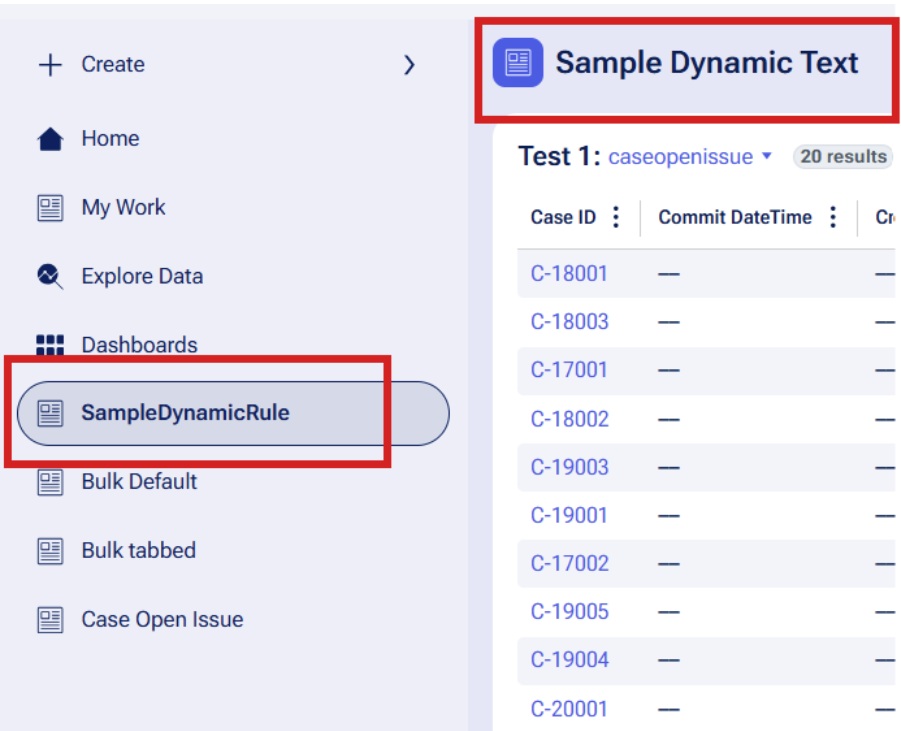
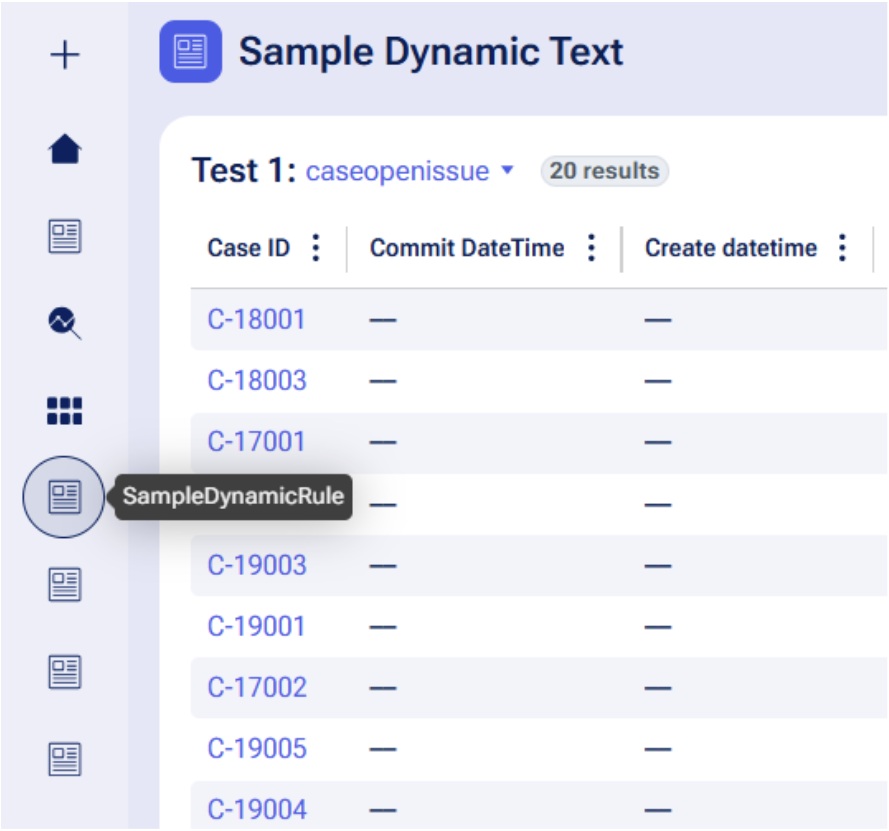
When creating a Dashboard Page and adding it to the Channel, the navigation menu and tooltip display the Dynamic Text rule name rather than the Dynamic Text, causing user confusion.
Steps to reproduce
-
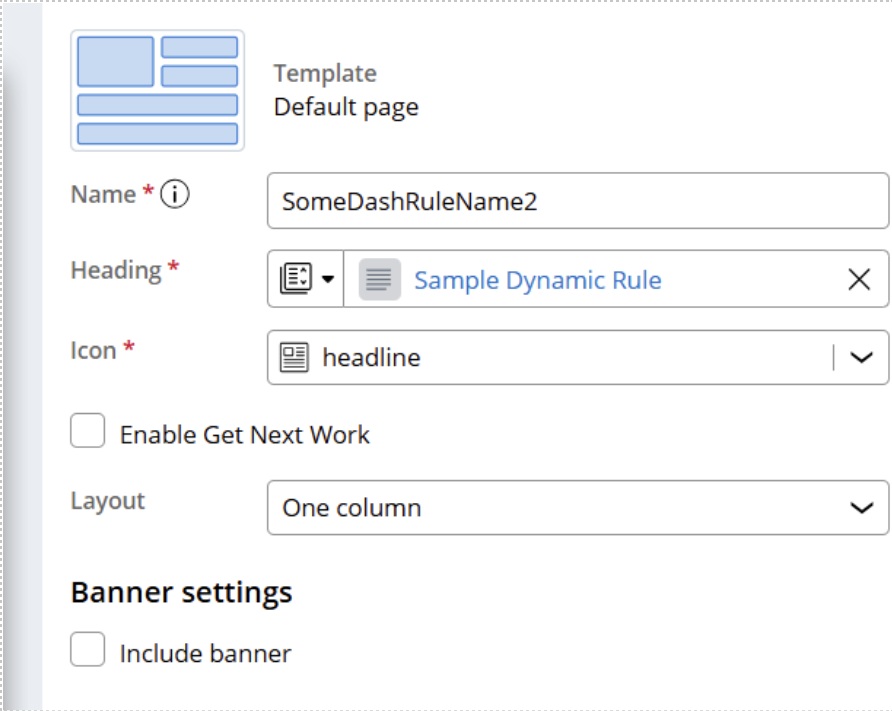
Create a Landing Page and add it to the Channel.
-
Create a Dynamic Text rule for the heading.
-
During runtime, you will see that the navigation menu and tooltip shows the Dynamic Text rule name instead of actual text.
Root Cause
This is a product feature limitation in how the portal navigation framework currently handles Dynamic Text rules when used as heading labels.
The current implementation does not support the automatic resolution of Dynamic Text rules for display in navigation menu tooltips.
The portal navigation framework populates the pyLabel property with the Dynamic Text rule name rather than the resolved display value. The client-side rendering cannot resolve the paragraph rule from the Dynamic Text rule name, so the tooltip shows the rule name instead of the label.
Solution
This issue has been identified as a product limitation that requires a platform enhancement.
Issues are prioritized based on impact, severity, and capacity. The specific release for the fix has not yet been determined. This section will be updated with release details when the fix for this issue is available.
Local change
As a workaround, keep the rule name identical to the desired display label to ensure correct tooltip text. A product enhancement request has been logged to support Dynamic Text resolution in future releases.