

Issue
In Dev Studio the visibility of default buttons in a Flow Action can be controlled using the checkbox Hide the default action section buttons but in Pega Constellation this option does not work, and the and buttons remain visible.
Symptoms and Impact
Users on a case-wide Flow Action are unable to configure it to behave as a read-only modal, so that the default action buttons (e.g. Submit, Cancel) are not displayed.
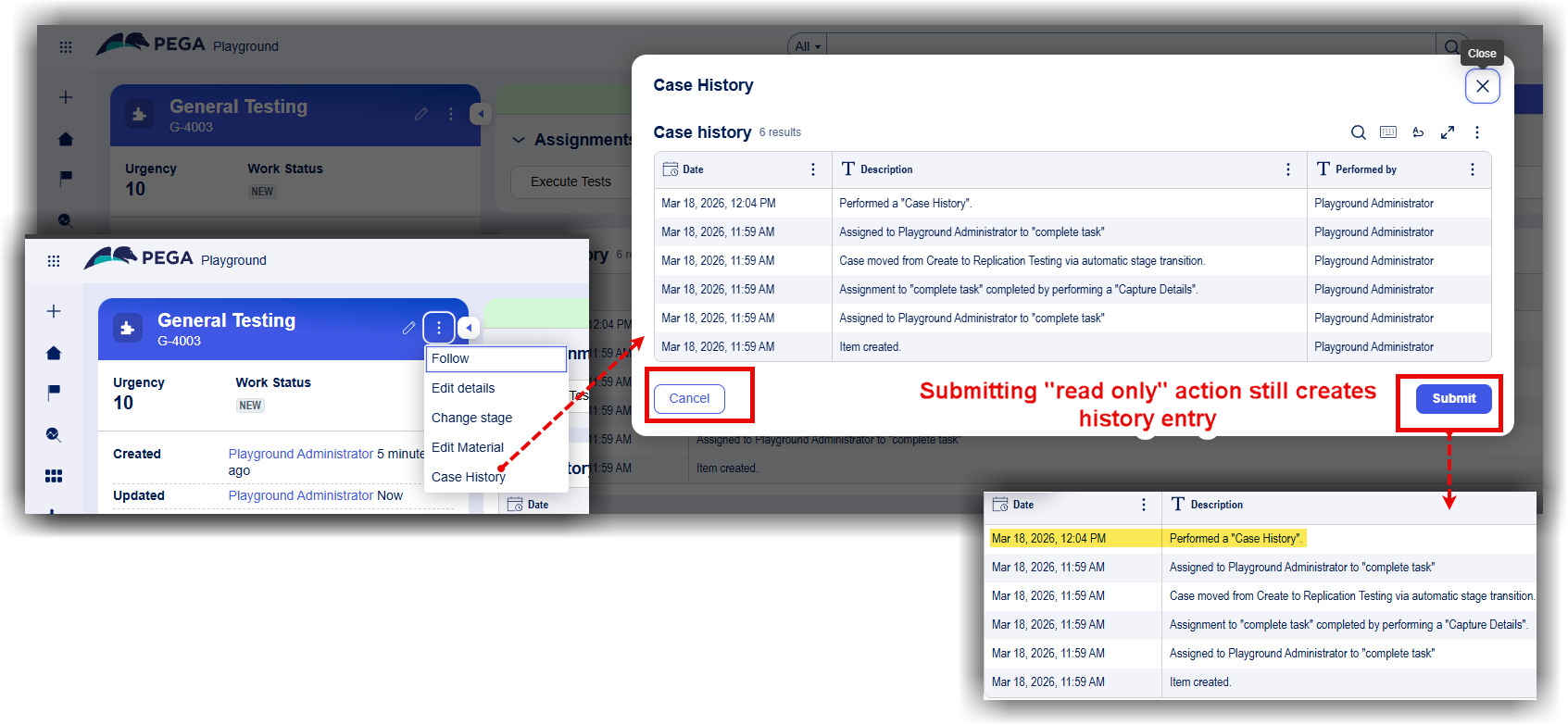
This can be illustrated for scenarios such as , where users need to view case information without performing an update. When a flow action is used this way, submitting the read only data still creates a history entry.
Viewing in a modal will create a history entry if submitted (see highlight in yellow).
Steps to reproduce
-
In App Studio on Constellation-based application, create a new View and corresponding Flow Action.
-
In the navigation pane of Dev Studio, click .
-
Expand the Process category, and then click .
-
In the list of Flow Action instances, open the Flow Action that you want to edit.
-
On the tab, select the buttons section,
-
Select the option Hide the default action section buttons.

- Run the Case - The and buttons are still visible in the Constellation portal.
Root Cause
The setting Hide the default action section buttons is a legacy Flow Action option intended for Traditional (section-based) UI.
Constellation does not use harnesses, sections, or action sections in the same way as Traditional UI. Instead, the UI is rendered using Views, and action buttons are generated and managed by the Constellation framework. As a result, settings that rely on section-based rendering—such as hiding the default action section—are not applicable.
The Flow Action rule form still exposes this checkbox without indicating that it is irrelevant for Constellation, which can lead developers to assume the configuration is supported.
Solution
There is no supported workaround to hide, remove, or replace the default action buttons in a Flow Action using the Hide the default action buttons setting in Constellation.
If the user’s requirement is to provide a read-only, case-wide local action (for example, a action that should not result in a case update), an alternative design pattern is recommended. The preferred Constellation approach is to expose this information via a read-only case tab or similar non-submittable UI construct that does not require a Flow Action or submission. This avoids unintended case edits and aligns with supported Constellation patterns.
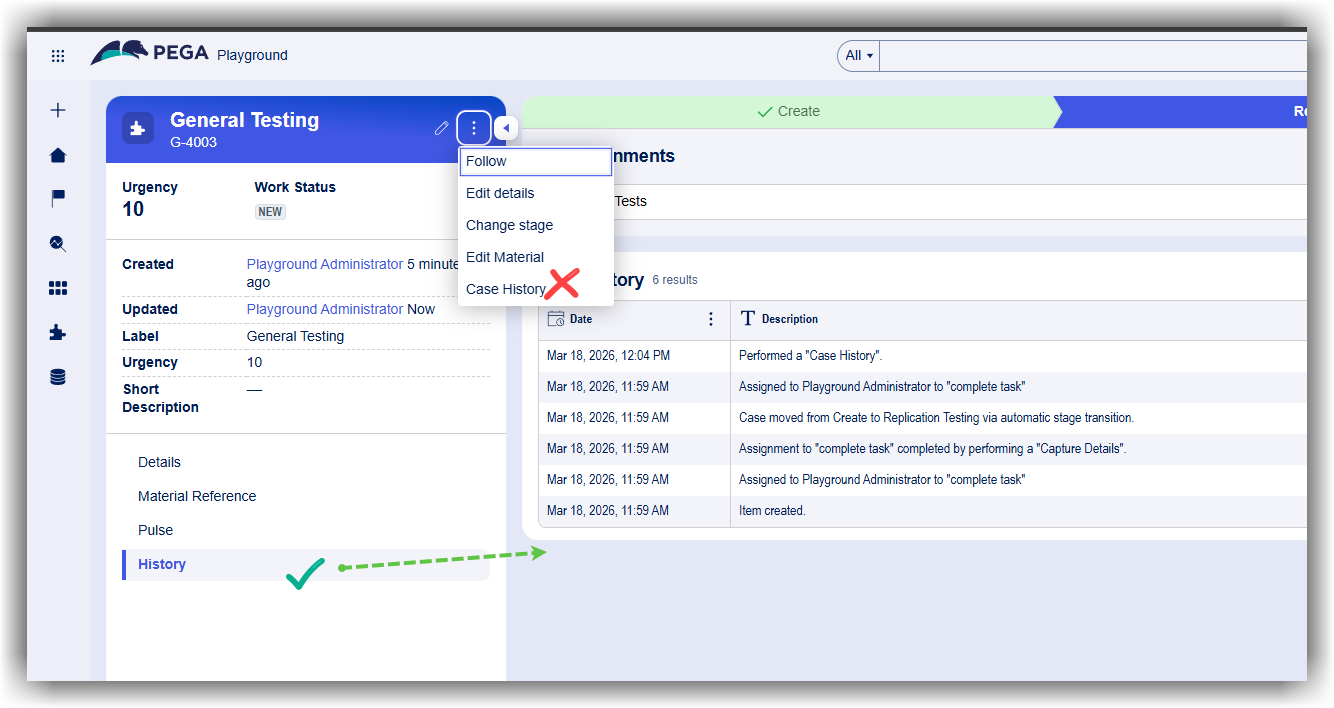
A product enhancement request has been logged to streamline the experience. The requirement is to have the product provide a flow action template for Review-Only use (with no Submit button). At this time, the targeted release version is the patch for Pega Infinity '27.