Issue
Landing page tab counters in Constellation UI do not automatically refresh when underlying data changes.
Symptoms
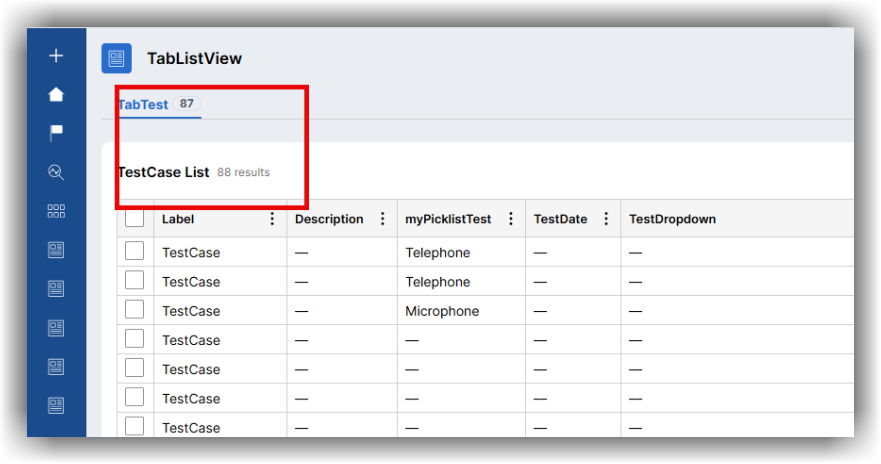
The tab counter displays incorrect counter values. After performing bulk actions that modify record counts, users need to manually refresh the page to ensure the data is correct.
Steps to reproduce
-
Configure a landing page with a tab that displays a counter based on a Data Page.
-
Perform a bulk action that changes the number of records in the tab. The tab counter value does not update.
Root Cause
This is a product bug.
Data pages configured to Reload once per interaction do not consistently refresh during complex interactions or navigation between views. Additionally, the tabbed landing page template does not automatically trigger a refresh when returning to the view. These combined limitations caused tab counters to remain stale until a manual browser refresh is performed.
Solution
This issue has been addressed in recent patch releases of Pega Infinity™.
On Pega Platform releases where the fix is not implemented, the Data Page does not refresh without user intervention. In such cases, a local workaround involving either logging out and back in, or a manual refresh of the browser is required, making sure the Data Page refreshes per interaction.
In the later releases, a new setting has been introduced to enable automatic tab counter updates:
-
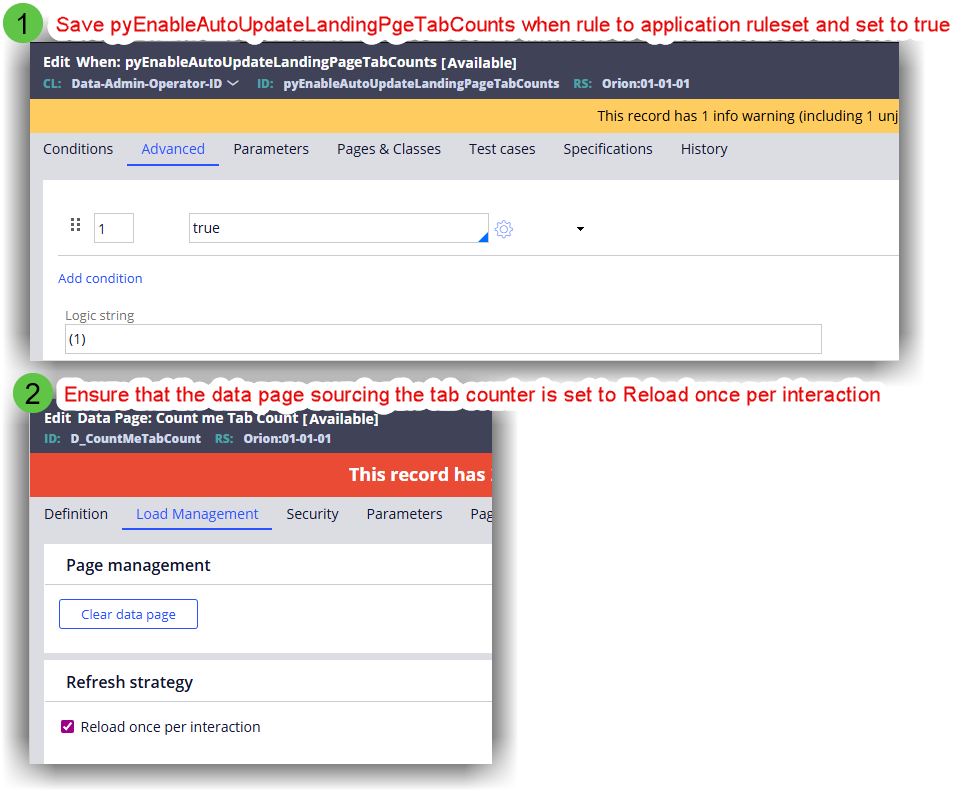
pyEnableAutoUpdateLandingPageTabCounts (this is controlled by a When rule)
How to enable this feature
-
Set pyEnableAutoUpdateLandingPageTabCounts to true.
-
Configure the Data Page sourcing the tab counter to refresh once per interaction.