

Issue
After migrating an application from UI-Kit to Pega Constellation and converting flow actions to views, Cases can no longer be opened correctly in Dev Studio or Infinity Studio. The Case either opens in Traditional UI review mode, displays as blank, or does not render as a Constellation Case, despite functioning correctly in the external Constellation portal.
Symptoms and Impact
- Opening a Case in Dev Studio or Infinity Studio shows it in Traditional UI review mode instead of as a Constellation Case.
- The same Case opens and functions correctly in the external Constellation user portal.
- No explicit error message may be shown — the Case simply does not render as expected in the studio environments.
- The issue occurs specifically on Case Types that were migrated from UI-Kit to Constellation, not on Case Types natively created in Constellation.
Steps to Reproduce
- Create a Case Type in a UI-Kit application.
- Migrate the application to Constellation and convert flow actions to views.
- Open the migrated Case Type in Dev Studio or Infinity Studio. Result: The Case opens in Traditional UI review mode or does not render correctly as a Constellation Case.
- Open the same Case from the external Constellation portal. Result: The Case opens and functions correctly.
Root Cause
The issue occurs because the harnesses used to display work objects as constellation Cases in Dev/Infinity Studio will be missing when an application is moved from traditional UI to Constellation.
When a new Case Type is natively created in Constellation, the platform automatically generates four harnesses in the Case Type's work class:
- Review
- Perform
- pyCreate
- TabbedScreenflow7
These harnesses are required for the Case to load and render correctly as a Constellation Case when opened in Dev Studio or Infinity Studio.
When a Case Type is migrated from UI-Kit to Constellation (rather than created natively), these three harnesses are not auto-generated. Their absence causes Dev Studio and Infinity Studio to fall back to Traditional UI review mode when attempting to open the Case, because the platform cannot find the Constellation-specific harnesses needed for proper rendering.
The external portal is unaffected because it does not rely on these same harnesses for Case rendering.
Solution
To resolve the display issue the following harnesses must be created for each Case type, and sections must be added to the harnesses respectively:
Steps:
1. In Dev Studio, navigate to the work class of the migrated Case Type (for example, <YourApp>-Work-<CaseTypeName>).
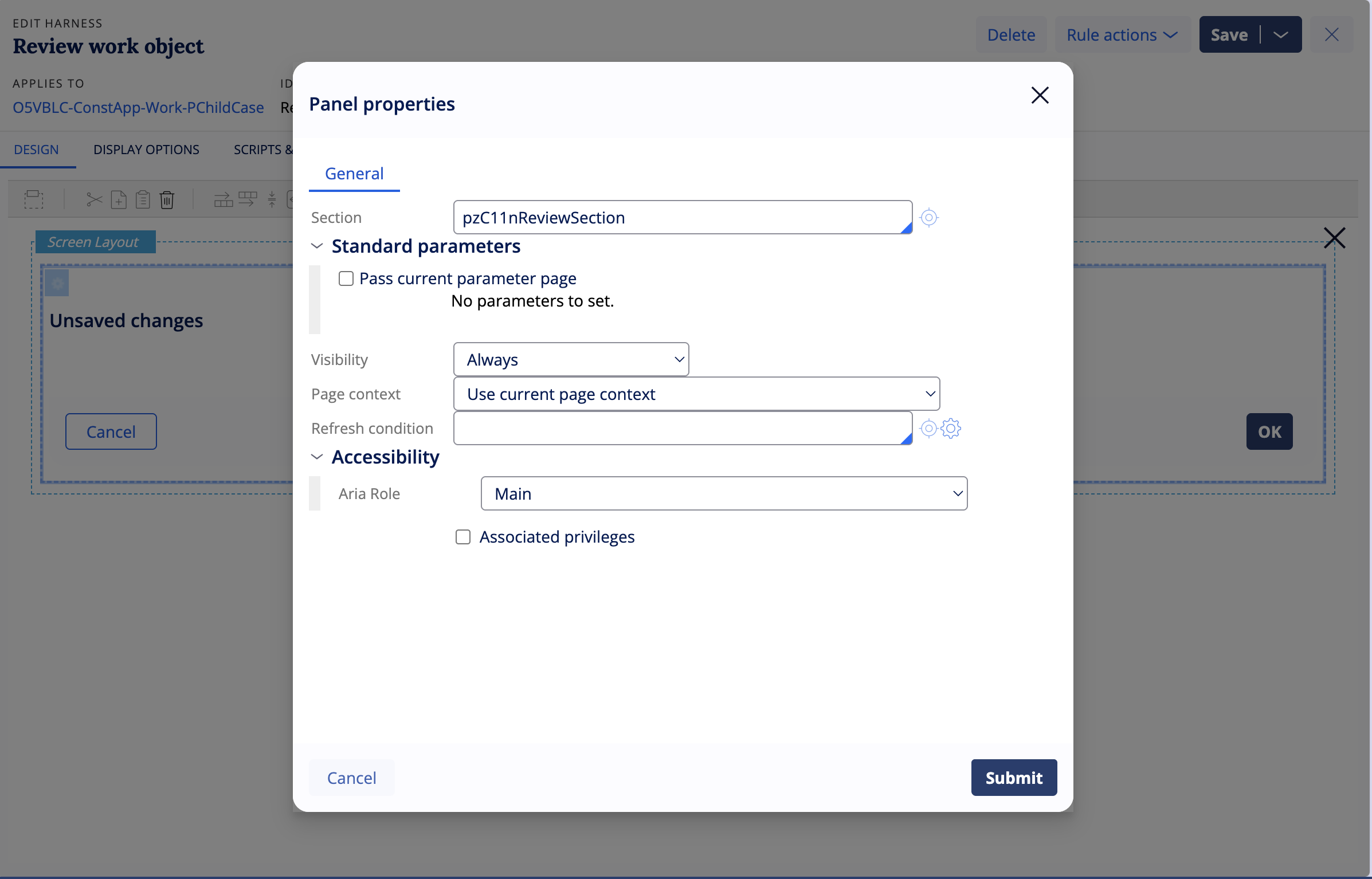
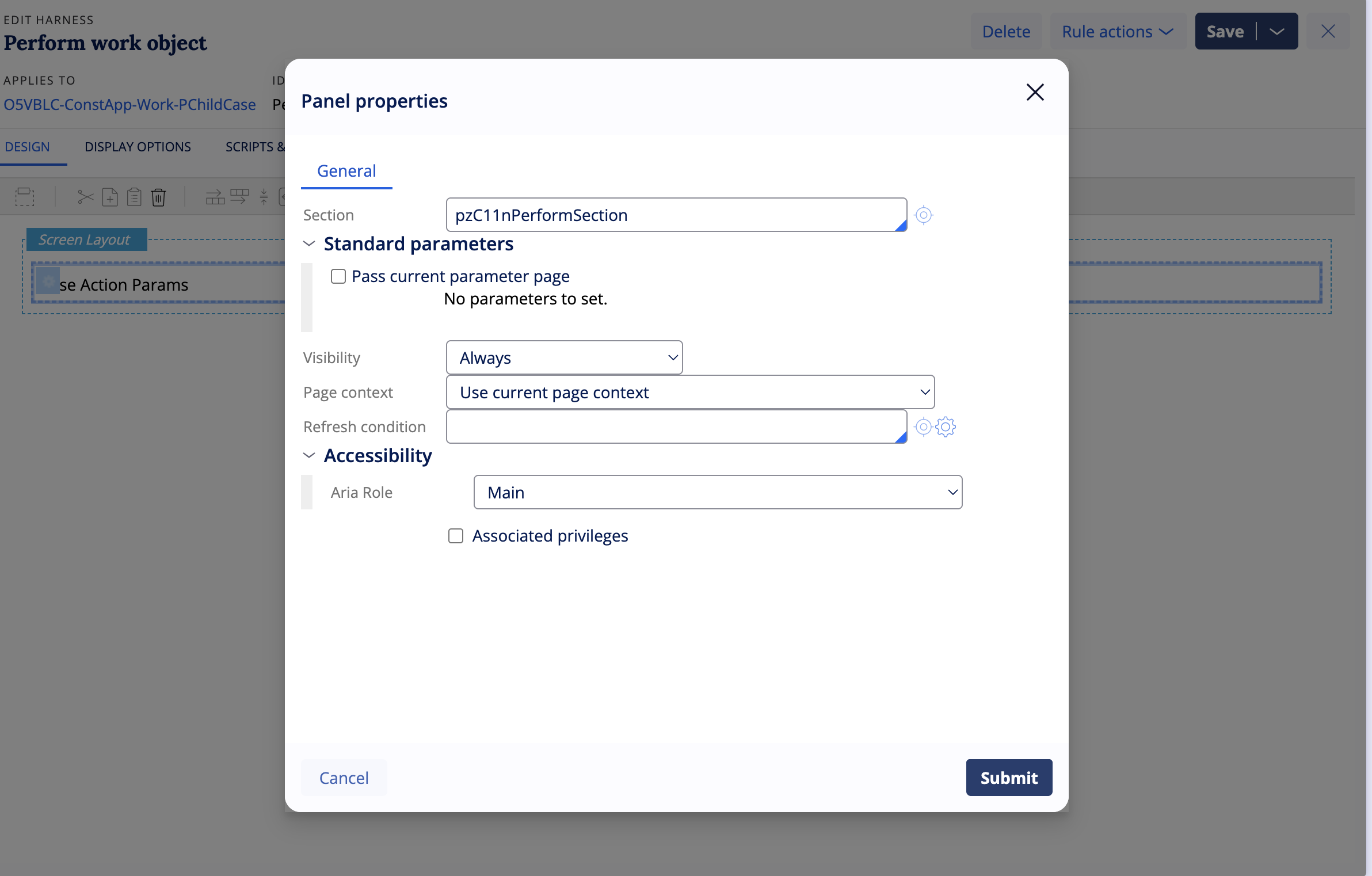
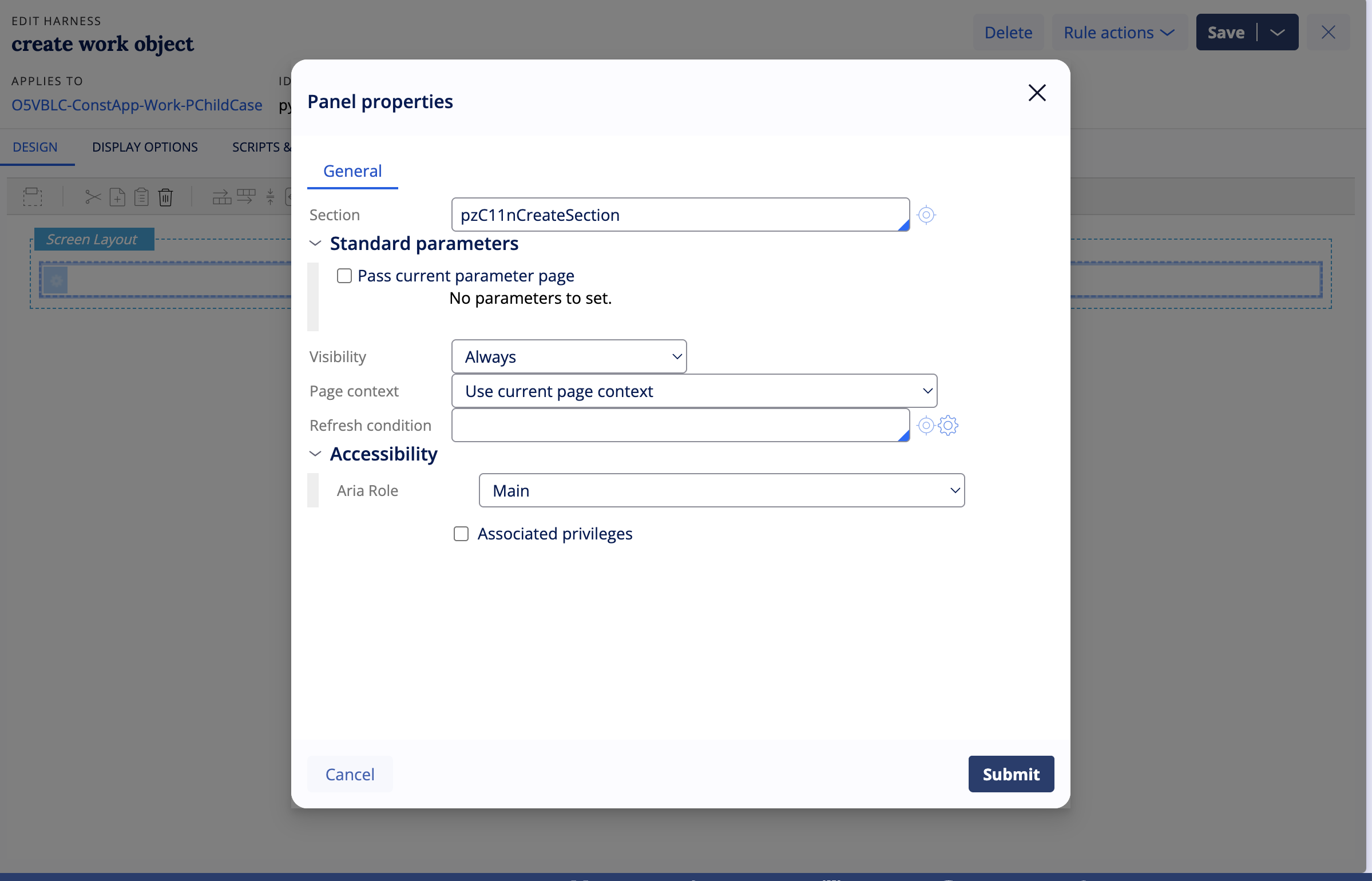
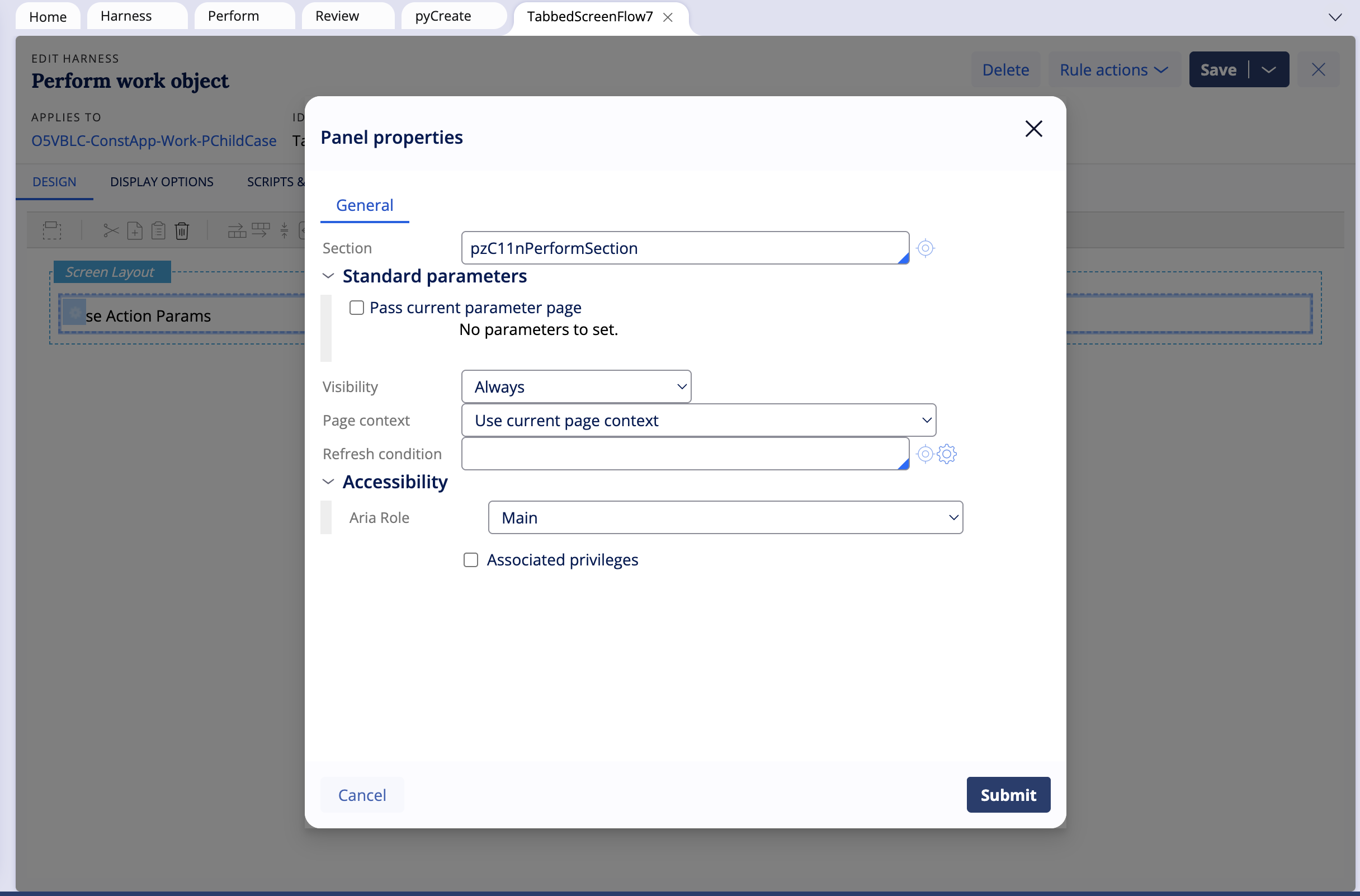
2. Create four Constellation harnesses and add the respective sections:
- Review using pzC11nReviewSection
- Perform using pzC11nPerformSection
- pyCreate using pzC11nCreateSection
- TabbedScreenflow7 using pzC11nPerformSection
3. Save the harnesses in the appropriate work class within your development branch.
4. Test by opening the Case type in Dev Studio or Infinity Studio.
5. Confirm the Case now loads as a Constellation Case rather than in Traditional UI review mode.
Architectural Note
Opening Constellation Cases directly in Dev Studio or Infinity Studio is supported for Platform Constellation™ applications but has known limitations. Constellation views and Case development are primarily intended to be done in App Studio. While Dev Studio does display Constellation Cases to a degree, this is not the fully supported development path for Constellation View execution. Always validate Case behavior from the external Constellation portal as the authoritative runtime environment.
Prevention — Post-Migration Checklist
When migrating Case Types from UI-Kit to Constellation, include the following validation step in your post-migration checklist:
- After completing the migration, verify that all required Constellation harnesses are present in the target work class for each migrated Case type.
- If harnesses are missing, manually create them in the appropriate class before testing in Dev Studio or Infinity Studio.
- Use a natively created Constellation Case type as a reference to identify the correct harness names and configuration.
- Include this harness verification step as a standard gate in all Constellation migration procedures.
References
Constellation in traditional UI
Constellation – Case UI loading in web portal but distorted in Dev Studio
CLSA Community: Integrating Constellation with your existing apps in Infinity '23