

Description
This article is a follow-on to Unable to configure case status badge
Unable to configure case status badge article documents the product behavior in releases prior to Pega Infinity 26, where the visual variant (color) of a case status badge cannot be configured. Rather than extending the original article with release-specific guidance, this separate article documents the new capability introduced in Pega Infinity 26.
Pega Infinity 26 introduces Status badge of Text and picklist fields that allows read-only text and picklist fields to be rendered as status badges with a configurable variant.
This enhancement enables application developers to control the visual presentation of badge-based fields, including case status values displayed within Constellation applications.
Explanation
Infinity 26 introduces a property-based approach for badge variants, similar to the existing approach used for currency presentation.
A property reference can be configured to hold the desired badge variant value. The value can be populated dynamically through application logic and it can be used when rendering the field as a status badge.
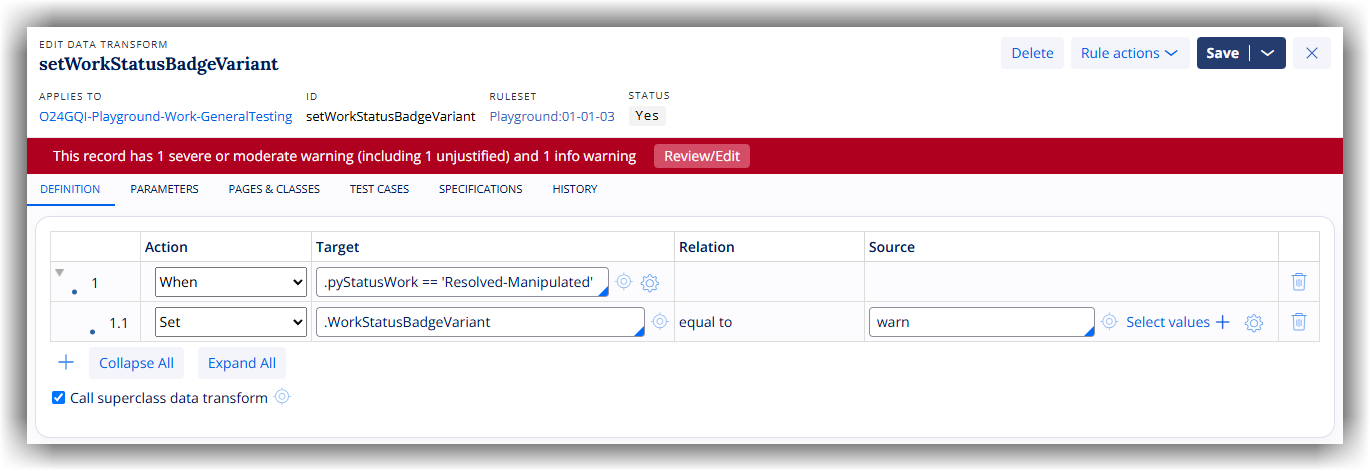
For example, a preprocessing data transform on a flow action can determine the appropriate badge variant based on business logic and populate the configured property accordingly.
Following are some of the possible variants:
- pending
- warn
- info
- success
- urgent
When the field is displayed as a status badge, the configured variant controls the visual styling applied to the badge.
Example configuration
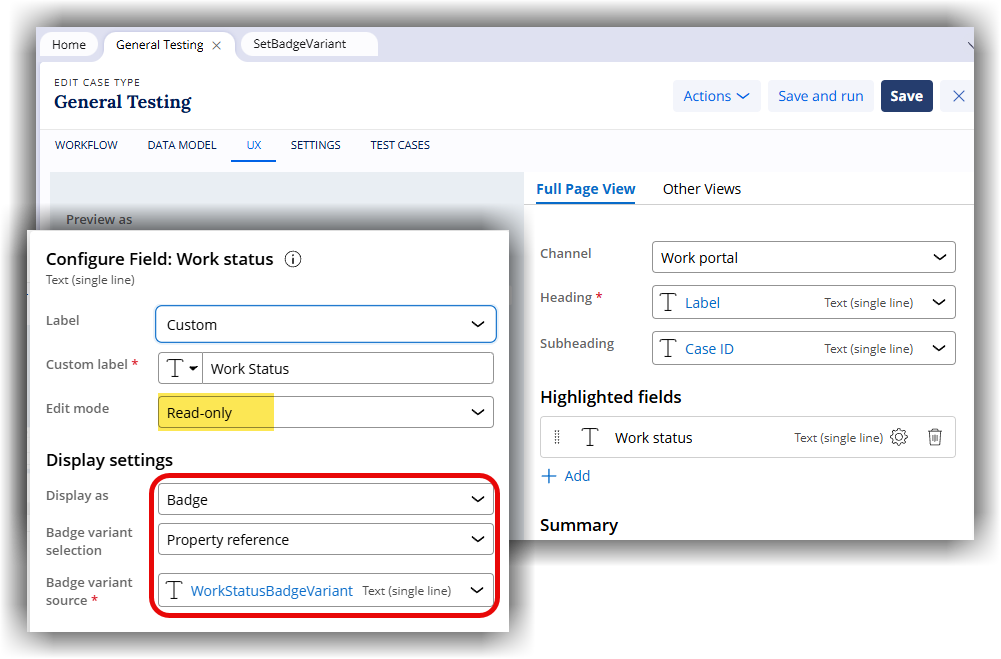
The following figure illustrates the configuration of a case Full Page View using the field WorkStatusBadgeVariant which is created in the case data model and linked to the Work status field.
The following figure illustrates the configuration of a Data Transform set as the preprocessing for the flow action. The variant is set based on the work status.
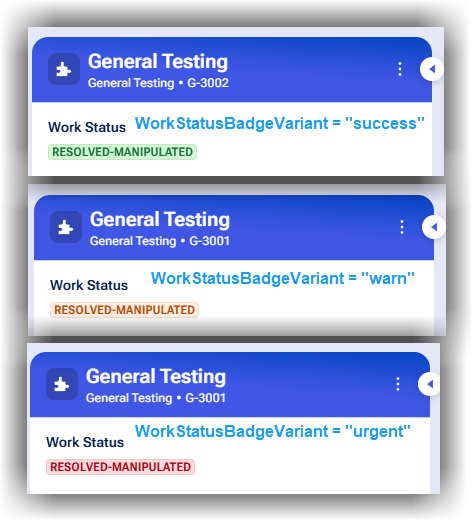
At runtime, the variant of the badge is set dynamically based on the WorkStatusBadgeVariant field.
Note that this does not provide a global override for the Work Status badge variant across the application. As a result, in other areas of the UI (such as landing pages, reports, and Insights), the status badge continues to use the default hard‑coded keyword-based mapping.