
Question

Morgan Stanley
IN
Last activity: 26 Feb 2021 7:19 EST
How to conditionalize expand/collapse icon in optimized Tree grid
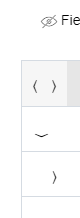
I just have a single level hierarchy Tree grid as shown below. How do i avoid showing the expand icon in last level.
Accepted Solution
Updated: 26 Feb 2021 7:19 EST

Pegasystems Inc.
US
Morgan Stanley
IN
@RichardMarsot for optimized hierarchical grid's can we conditionally display the expand and collapse icon.
In my case, i just have a single level hierarchy, but i still get the expand icon for last level. Trying to figure out if there is a way to avoid showing it in last level.
Morgan Stanley
IN
@RichardMarsot Kindly help with disabling/removing expand icon in leaf nodes in an optimized hierarchical table
Accepted Solution
Updated: 26 Feb 2021 7:19 EST
Pegasystems Inc.
US
@Avinash.HaridasuTree table loads the content inside the tree dynamically on expand (defer load) - as such when expending a nodes, the inner row will automatically have the expand icon render - if there is nothing to expand, clicking on the icon will results in a no-op and the expand icon will be removed.
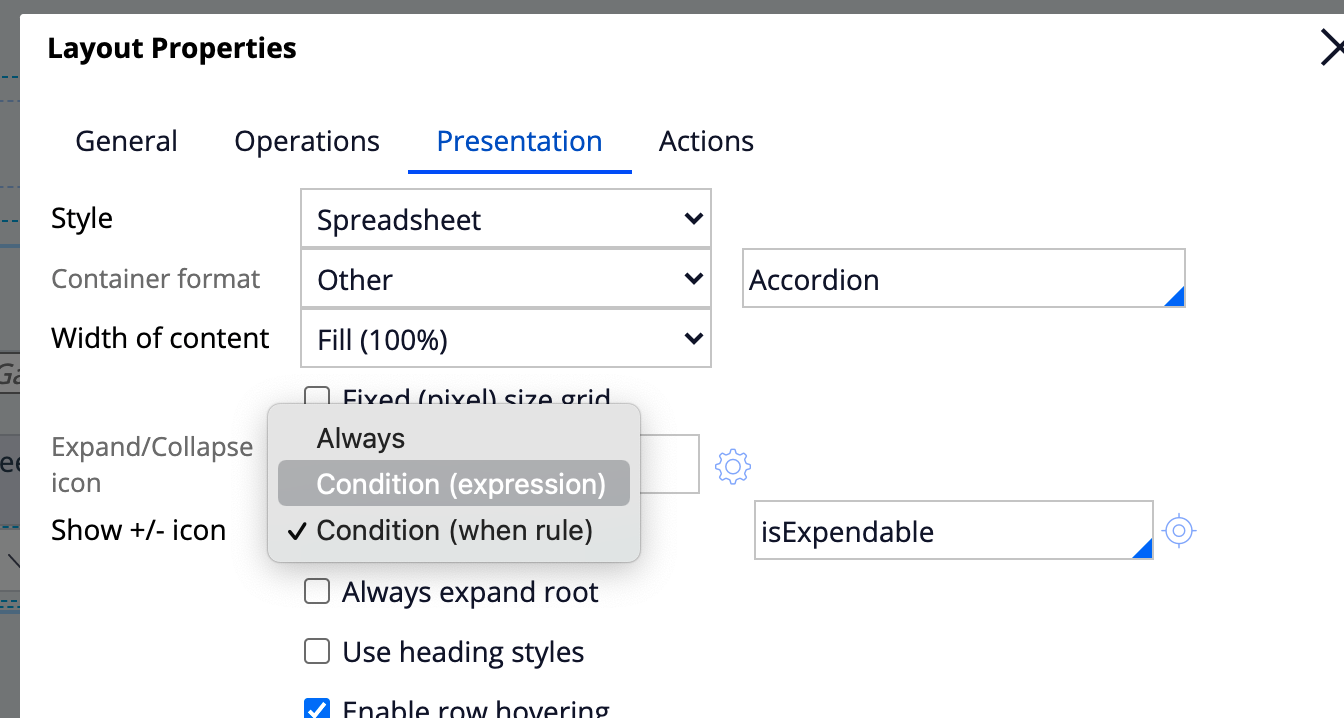
If you switch to the legacy tree grid, it is possible to control if the expand icon should be rendered. You can use an expression or a when rule if you need a more complex logic (using a RUF).
If you are using an optimized tree grid - this functionality is not present -It is possible to achieve this functionality is you know that the tree grid has a constant depth for all the parent leafs by using CSS to hide the expand collapse button.
Each level has the aria-level present in the DOM -
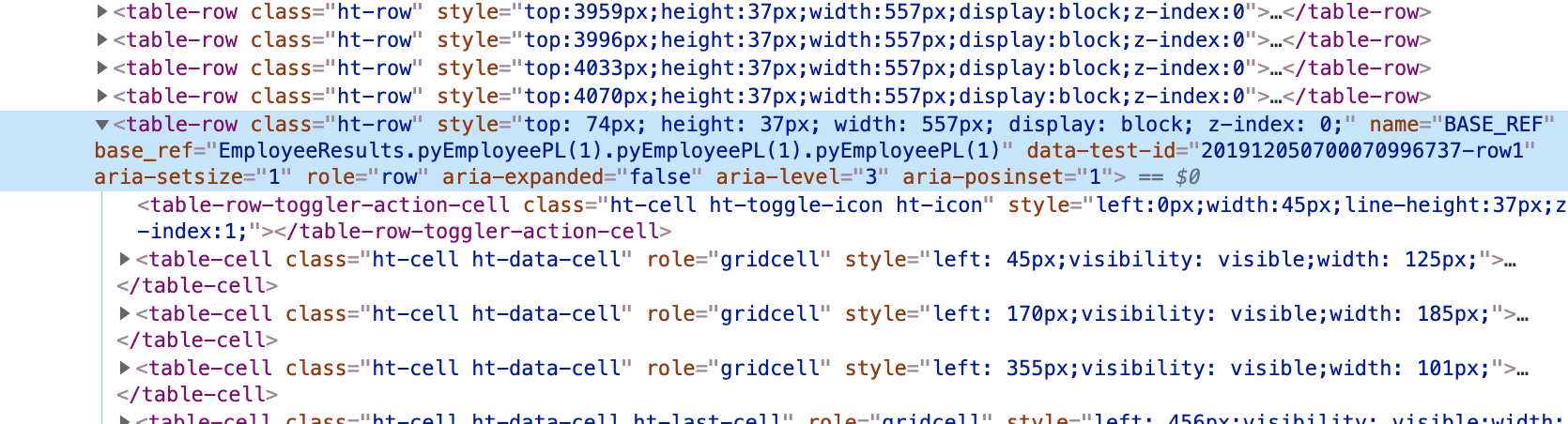
you can easily hide the expand icon. Here is an example of selector that will hide the expand icon on the 2nd level
@Avinash.HaridasuTree table loads the content inside the tree dynamically on expand (defer load) - as such when expending a nodes, the inner row will automatically have the expand icon render - if there is nothing to expand, clicking on the icon will results in a no-op and the expand icon will be removed.
If you switch to the legacy tree grid, it is possible to control if the expand icon should be rendered. You can use an expression or a when rule if you need a more complex logic (using a RUF).
If you are using an optimized tree grid - this functionality is not present -It is possible to achieve this functionality is you know that the tree grid has a constant depth for all the parent leafs by using CSS to hide the expand collapse button.
Each level has the aria-level present in the DOM -
you can easily hide the expand icon. Here is an example of selector that will hide the expand icon on the 2nd level
.ht-row[aria-level='2'] .ht-toggle-icon {
  display:none;
}
@Avinash.HaridasuTree table loads the content inside the tree dynamically on expand (defer load) - as such when expending a nodes, the inner row will automatically have the expand icon render - if there is nothing to expand, clicking on the icon will results in a no-op and the expand icon will be removed.
If you switch to the legacy tree grid, it is possible to control if the expand icon should be rendered. You can use an expression or a when rule if you need a more complex logic (using a RUF).
If you are using an optimized tree grid - this functionality is not present -It is possible to achieve this functionality is you know that the tree grid has a constant depth for all the parent leafs by using CSS to hide the expand collapse button.
Each level has the aria-level present in the DOM -
you can easily hide the expand icon. Here is an example of selector that will hide the expand icon on the 2nd level
@Avinash.HaridasuTree table loads the content inside the tree dynamically on expand (defer load) - as such when expending a nodes, the inner row will automatically have the expand icon render - if there is nothing to expand, clicking on the icon will results in a no-op and the expand icon will be removed.
If you switch to the legacy tree grid, it is possible to control if the expand icon should be rendered. You can use an expression or a when rule if you need a more complex logic (using a RUF).
If you are using an optimized tree grid - this functionality is not present -It is possible to achieve this functionality is you know that the tree grid has a constant depth for all the parent leafs by using CSS to hide the expand collapse button.
Each level has the aria-level present in the DOM -
you can easily hide the expand icon. Here is an example of selector that will hide the expand icon on the 2nd level