
Question

Anthem, Inc.
US
Last activity: 29 Aug 2022 14:44 EDT
Dynamic Layout width is not expanding based on table layout in Pega 8
We need to bring in the table layout within the same dynamic layout container. I have 11 columns in the table(and may increase up to 16) and whenever the column size expands, table is going outside of the dynamic layout. The expectation is that table should be within the same container so the table background blends with the dynamic layout background. Attached the configuration that I have applied to the table.
I have tried to apply the overlay-auto-x and y in the advanced configuration of the layout but that is introducing the scrollbar with the table layout. We are fine to have horizontal scrollbar at the browser level, but not within the layout as it is causing inconvenience dealing with the data.
Accepted Solution
Updated: 29 Aug 2022 14:44 EDT
Capgemini
GB
Capgemini
GB
Most Pega screens, including the case harness are designed to fit into the viewport and cannot expand if the content is too big to fit into the allowed space. Since your table can't fit, it's just overflowing out of the containing structure. You also can't fix it by adding CSS to your content sections because the issue is with the outer structure and not your sections.
You can change this behaviour but it is not necessarily recommended because it can cause issues with the structure of the rest of the page, so any changes to this have to be done carefully.
However you can add some basic css overrides and see if it works for your use case without breaking anything.
I am assuming that your table is in a case view, if it is somewhere else like in the dashboard directly then a different css selector will be required.
Add this CSS override to your applications custom CSS file (if you don't have one, create a text file rule with extension css, and include in your application skin):
.workarea-view-content > div[data-node-id='pxCaseMain'] {
  width: fit-content;
}
This will allow the harness to expand based on content and change the display of the case form with a very long table like this:
Most Pega screens, including the case harness are designed to fit into the viewport and cannot expand if the content is too big to fit into the allowed space. Since your table can't fit, it's just overflowing out of the containing structure. You also can't fix it by adding CSS to your content sections because the issue is with the outer structure and not your sections.
You can change this behaviour but it is not necessarily recommended because it can cause issues with the structure of the rest of the page, so any changes to this have to be done carefully.
However you can add some basic css overrides and see if it works for your use case without breaking anything.
I am assuming that your table is in a case view, if it is somewhere else like in the dashboard directly then a different css selector will be required.
Add this CSS override to your applications custom CSS file (if you don't have one, create a text file rule with extension css, and include in your application skin):
.workarea-view-content > div[data-node-id='pxCaseMain'] {
  width: fit-content;
}
This will allow the harness to expand based on content and change the display of the case form with a very long table like this:
Updated: 25 Aug 2022 0:24 EDT
Anthem, Inc.
US
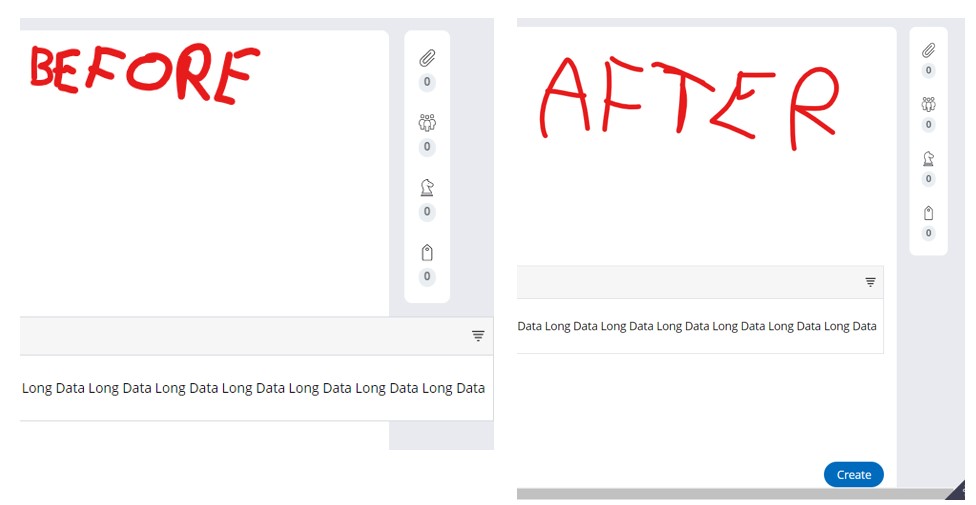
Thanks Joe for your response. I have applied the css that you provided and it worked for layout that's just above it. But it is still not within the topmost container. I have tried to apply the same css in the top layout, but its changing the entire view. Added both the screenshots.
As we are using Theme-Cosmos, I am not able to much customization unless I switch it to full section editor.
Accepted Solution
Updated: 29 Aug 2022 14:44 EDT
Capgemini
GB
It's not clear what problem you are describing now. Did you apply the CSS as I suggested in a custom CSS file? Your screenshots look completely different to mine.
As I said, your options are limited because the change you want is only possible by changing the design of the overall screen layout, which can have unintended results and end up requiring a lot of work even for simple changes (and you will need good front end skills to do it).
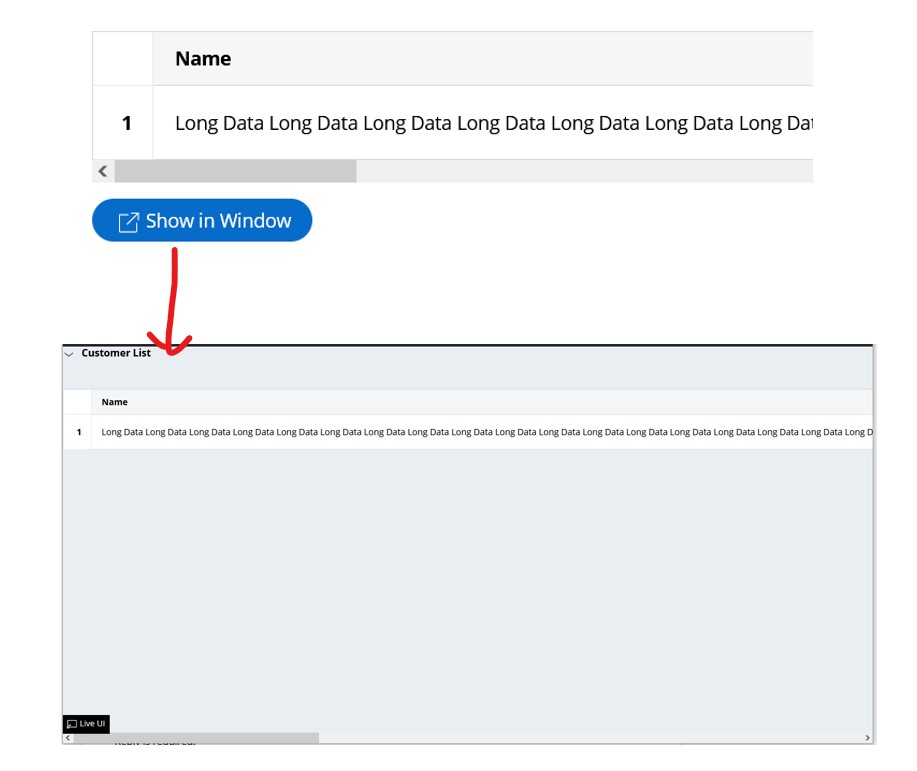
An easier option is to allow users to open the table in a new window so that you can completely control the display. For example: (this is a button configured to open a harness in a new window. I have put the table section in a new harness rule with a basic screen layout)

Evoke Technologies
US
@SravanthiM2905 Also do try to wrap up the values in columns if any!
@SravanthiM2905
It's not clear what problem you are describing now. Did you apply the CSS as I suggested in a custom CSS file? Your screenshots look completely different to mine.
As I said, your options are limited because the change you want is only possible by changing the design of the overall screen layout, which can have unintended results and end up requiring a lot of work even for simple changes (and you will need good front end skills to do it).
An easier option is to allow users to open the table in a new window so that you can completely control the display. For example: (this is a button configured to open a harness in a new window. I have put the table section in a new harness rule with a basic screen layout)