

Issue
When tabbing through the controls in the preview pane, users hear an incorrect keyboard instruction for the resize slider, so they cannot find out how to resize the panel using the keyboard.
Symptoms and Impact
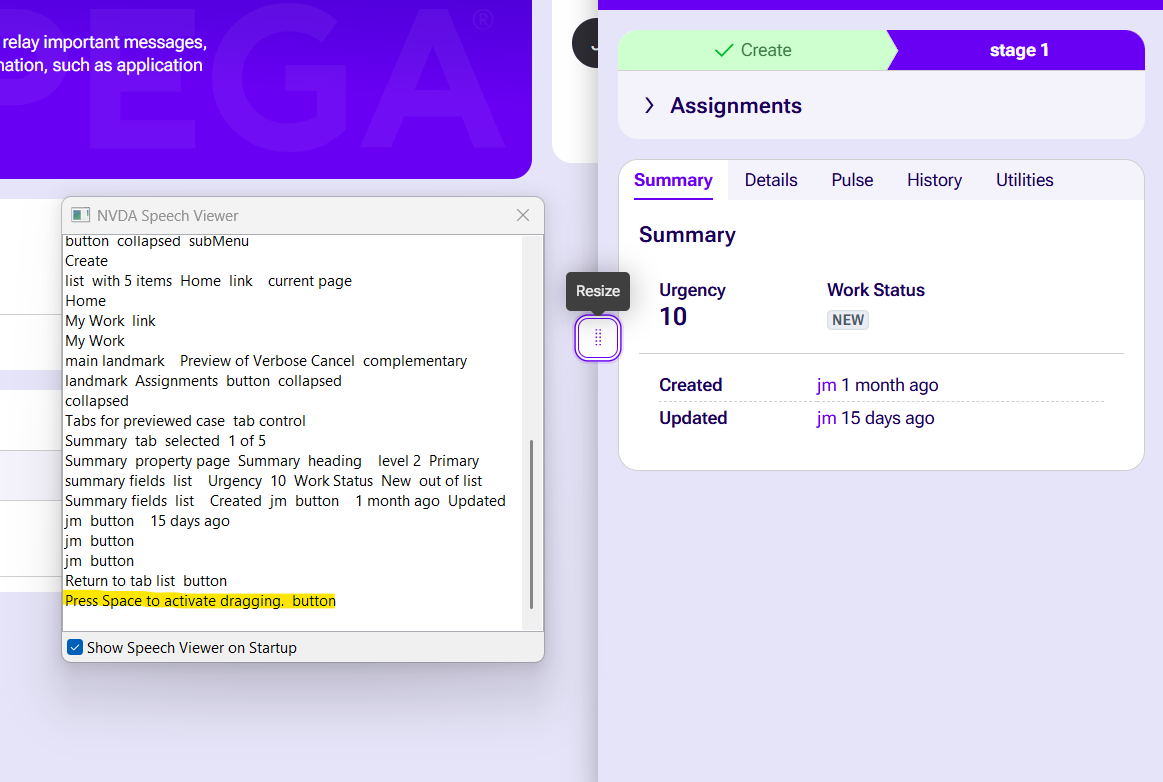
In Pega Platform™ '25.1.3, users who rely on keyboard navigation cannot resize the preview pane by following the guidance they are given. When the resize slider receives focus, the screen reader reads a usage instruction as the control's name instead of a descriptive name, and that instruction is wrong: it tells users to press Spacebar to drag, whereas the correct keyboard interaction is Ctrl+Spacebar. Pressing Spacebar alone does not resize the panel.
This affects any user who navigates the preview pane by keyboard, including users who rely on assistive technology. Because the announced instruction is incorrect, these users cannot discover how to resize the panel and must fall back on a mouse.
Steps to reproduce
- Open Pega Platform and navigate to a screen that contains a preview pane with a resize slider (for example, the Interaction Manager search results view).
- Use the Tab key to move focus through the controls in the preview pane.
- Tab to the resize slider control.
- Result: The slider receives focus, and the screen reader announces the instruction "press Spacebar to drag" as the name of the control. No descriptive name for the control is announced.
- Follow the announced instruction and press Spacebar.
- Result: The panel does not resize, because the announced key is incorrect. Nothing tells the user that Ctrl+Spacebar is required, so the only discoverable way to resize the panel is with a mouse.
Root Cause
In Pega Platform '25.1.3, the accessible name of the resize button in the preview pane was set to its usage instruction rather than to a descriptive name, and the instruction itself was incorrect: it told users to press Spacebar to drag instead of Ctrl+Spacebar. Screen reader users therefore heard an instruction in place of the control's name, and keyboard users who followed that instruction could not resize the panel.
Solution
The keyboard instructions for the resize slider have been corrected in the following releases:
- In Pega Platform '25.1.5 and '26.1, the announced instruction is corrected and now tells users to press Ctrl+Spacebar to drag the slider.
- In Pega Platform '27.1, the control is announced with the name "Resize", followed by the corrected instruction to press Ctrl+Spacebar to drag the slider.
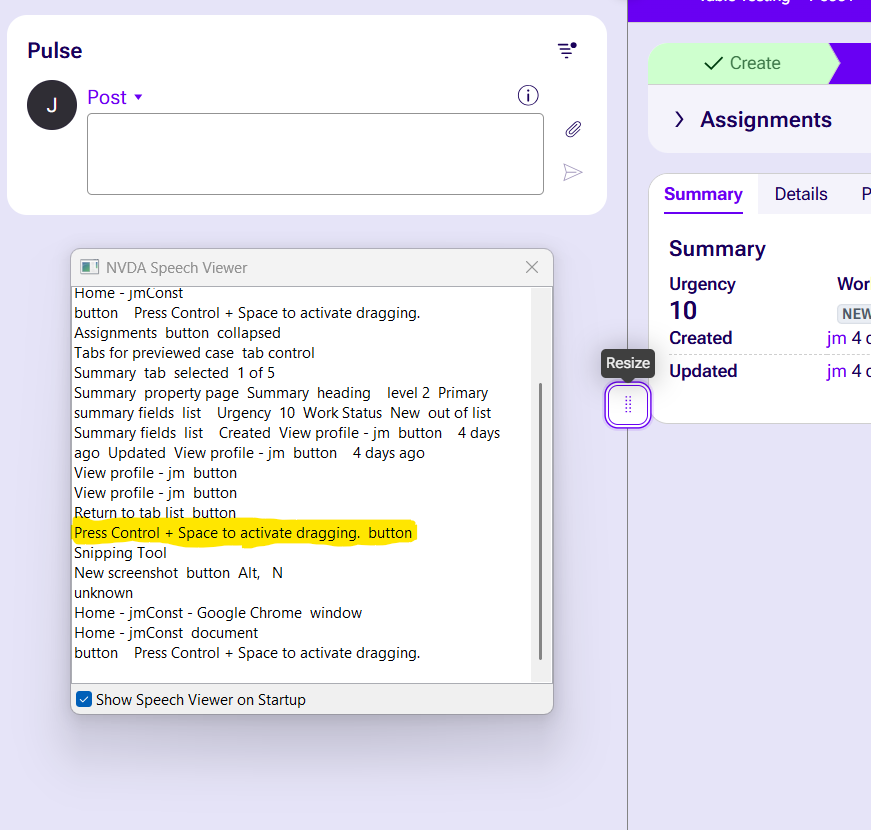
To resolve the issue, upgrade to Pega Platform '25.1.5, '26.1 or later. On earlier '25.1 releases, keyboard users can resize the panel by moving focus to the resize slider and pressing Ctrl+Spacebar, even though the announced instruction refers to Spacebar only. All resize sliders should operate using the same key commands.
References
Accessible keyboard navigation patterns
Accessibility in Pega > Keyboard shortcuts
Pega Customer Service accessibility features
Configuring a responsive user interface
Accessibility in Pega Platform