

Issue
Web Mashup displays an error message instead of the Pega Login screen.
Issue with the Web Mashup URL occurs after updating Pega platform 23.1.3 to Pega Platform 25.1.3.
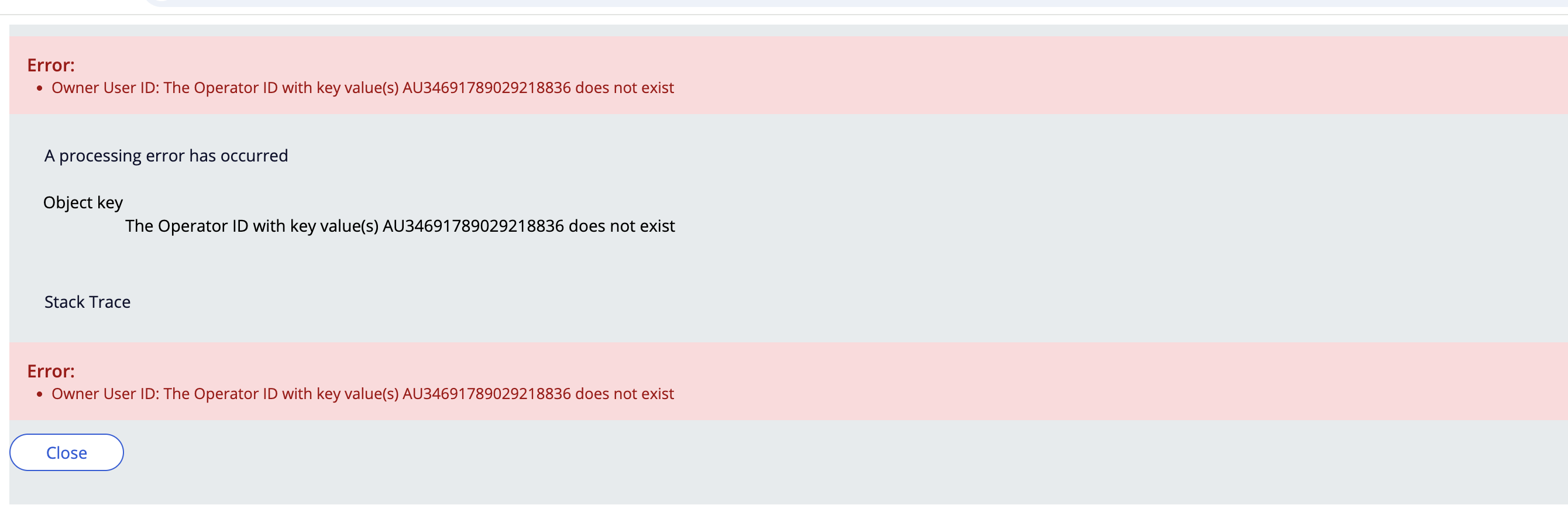
When the Web Mashup code is generated and embedded in the target web application, the expected Pega Login screen is not rendered. Error message displays with the AU94351783054957122 operator.
Error
Owner User ID: The Operator ID with key value(s) AU94351783054957122 does not exist.
Steps to reproduce
- Set up a Pega environment running on Pega Platform 25.1.X.
- Create an anonymous authentication.
- Configure Web Mashup for anonymous case creation.
- Generate the Web Mashup code with an anonymous authentication.
- Embed the generated Web Mashup code in the target web application.
- Launch the web application and access the embedded Web Mashup.
- Observe that the above error screen displays instead of the expected Pega Login screen.
Root Cause
The issue is introduced by the change to Work-.pyOwnerUserID on Pega Platform 25.1.X
pyOwnerUserID property gets modified after updating Pega Platform 8.8.1 to Pega Platform 25.1.
The new validation attempts to resolve it in Data-Admin-Operator-ID, fails to find a matching record, and throws ClassKeyValidationFailed-InstanceNotFound / "operator definition was not found", preventing case creation.
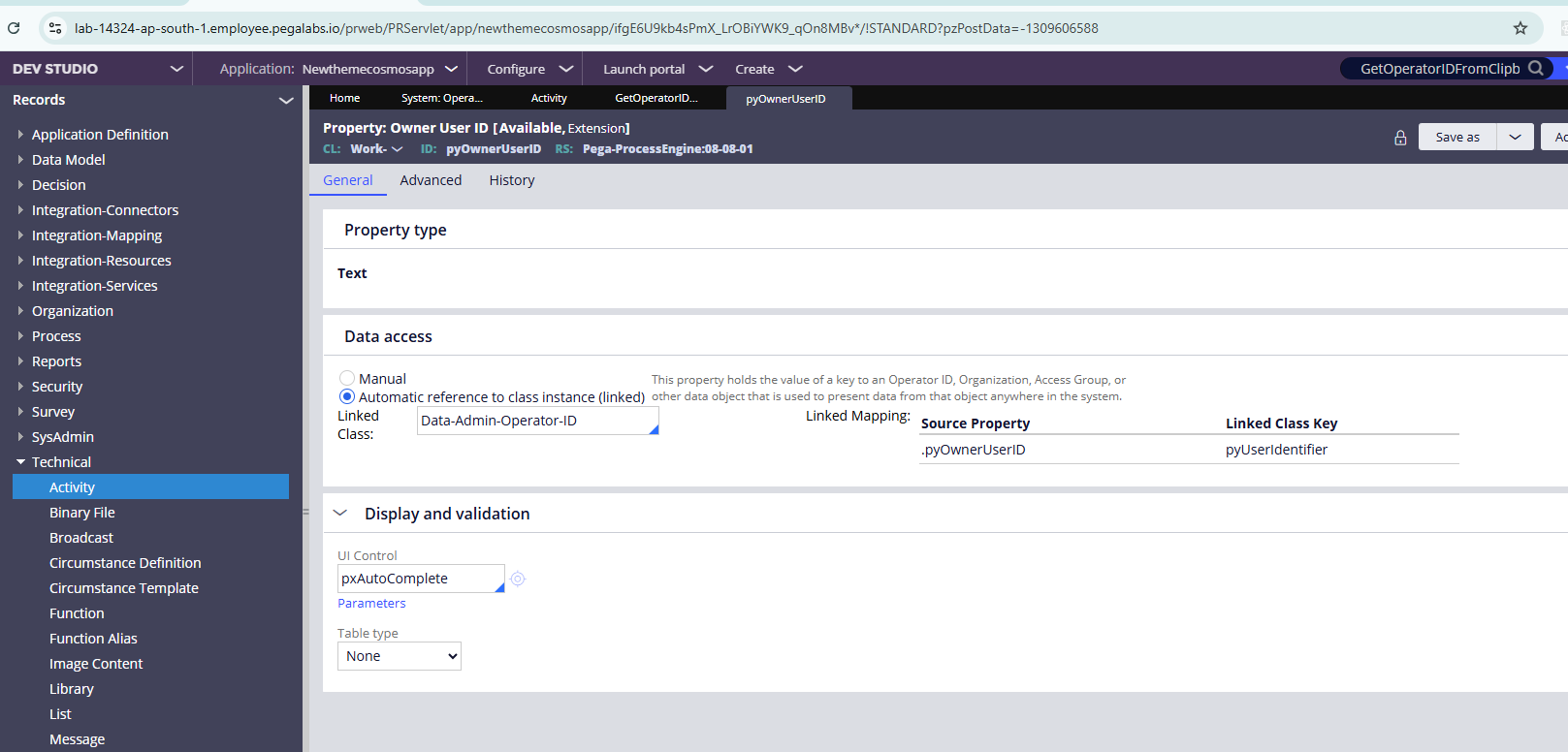
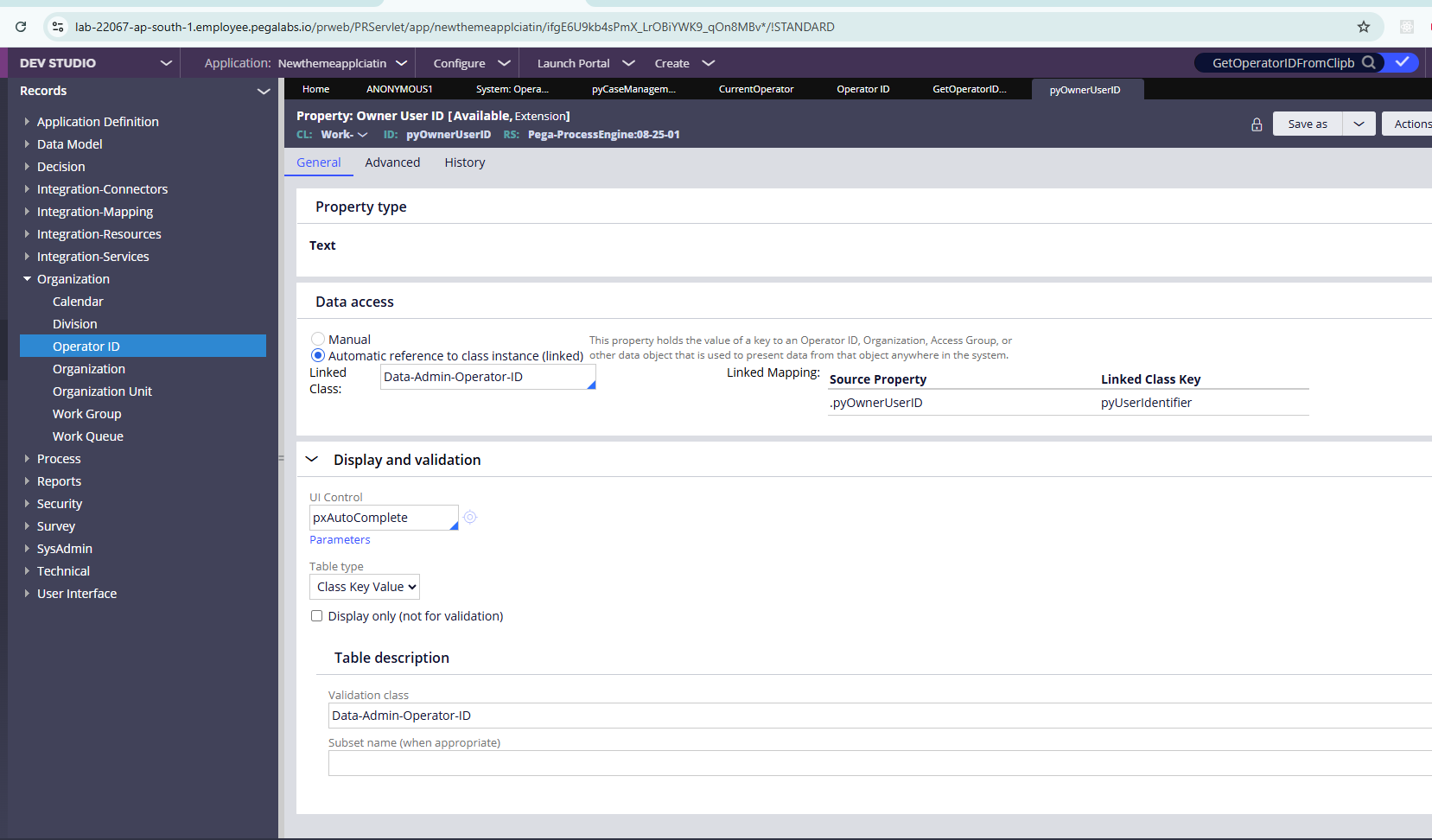
The following screenshots show the difference between the two versions:
In the working ruleset version (08-08-01), Work-.pyOwnerUserID property has Table type set to None.
In the ruleset version 08-25-01, the same property (Work-.pyOwnerUserID) has Table type value set to Class Key Value with validation against Data-Admin-Operator-ID.
Resolution
Revert the Work-.pyOwnerUserID property Table type value to its previous configuration (i.e, Table type Class Key value to None).