

Issue
The SmartInfo component does not function correctly for end users in the Theme Cosmos portal on Pega Platform 24.2.3, preventing access to critical business information.
The SmartInfo control is deprecated and incompatible with the modern JavaScript and DOM event handling used by the Theme Cosmos UI, causing hover-triggered popups to fail in Theme Cosmos portal runtime environments.
Symptoms and Impact
- SmartInfo works in Dev Studio but fails in the Theme Cosmos portal.
- No popup or content appears on hover over table cells.
- The browser console shows an error related to the HTMLSpanElement.onmouseover event.
- Users lack access to essential contextual information, impacting application usage.
This issue impacts users who rely on contextual business information. The SmartInfo content does not appear for end users in the Theme Cosmos portal.
Steps to reproduce
- Configure by using Show SmartInfo on a table cell.
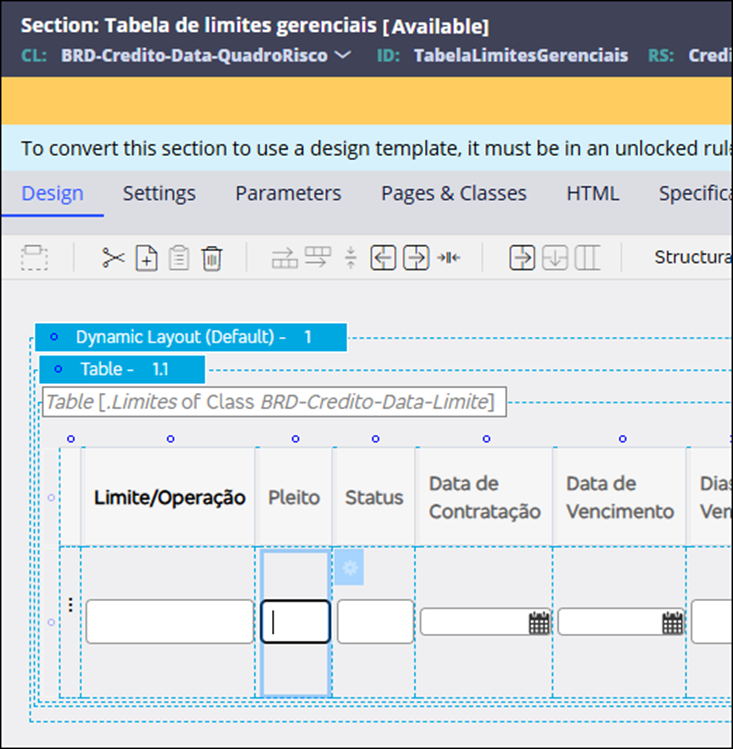
- Set the trigger event to Hover (onmouseover).
- Hover over the table cell in the Theme Cosmos portal. Observe that the SmartInfo popup does not appear.
Root Cause
SmartInfo was designed for legacy UI frameworks and does not integrate with the Theme Cosmos architecture. The legacy event handling fails on table cells in the Theme Cosmos portal runtime, preventing the popup from displaying correctly.
The incompatibility stems from legacy event handling mechanisms that fail to trigger the SmartInfo popup on hover events over table cells. The issue does not occur in Dev Studio because of differences in rendering engines and event processing.
Solution
- Remove the Show SmartInfo action from the table cell's action set.
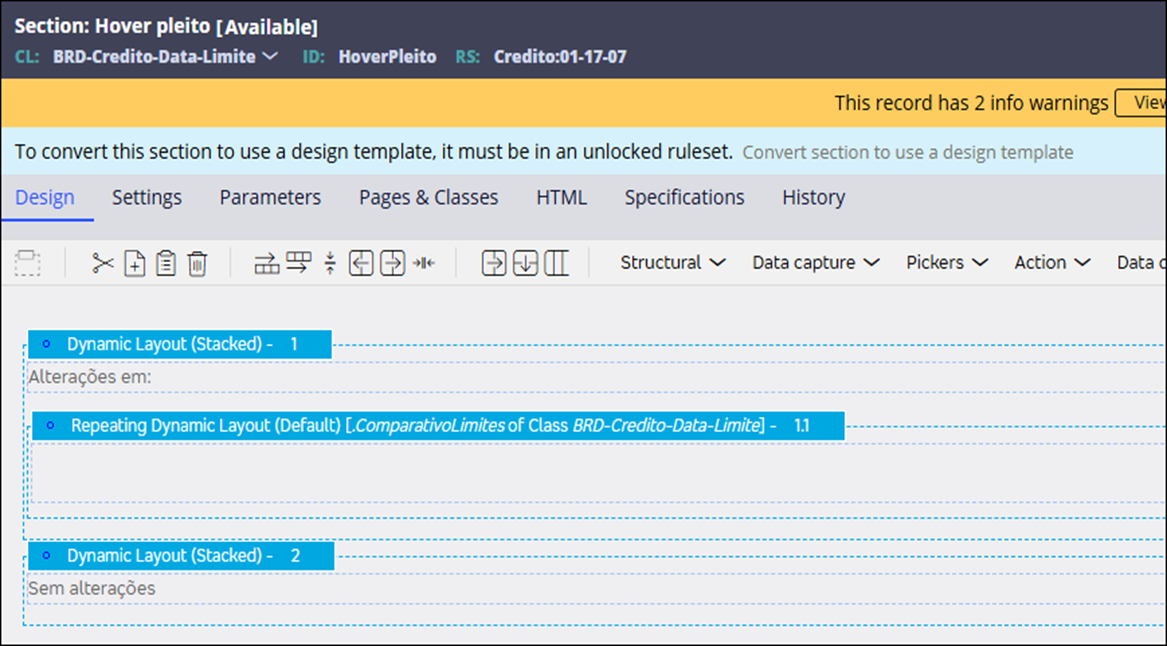
- Create a Local Action that references the business information section and set it to display as tooltip.
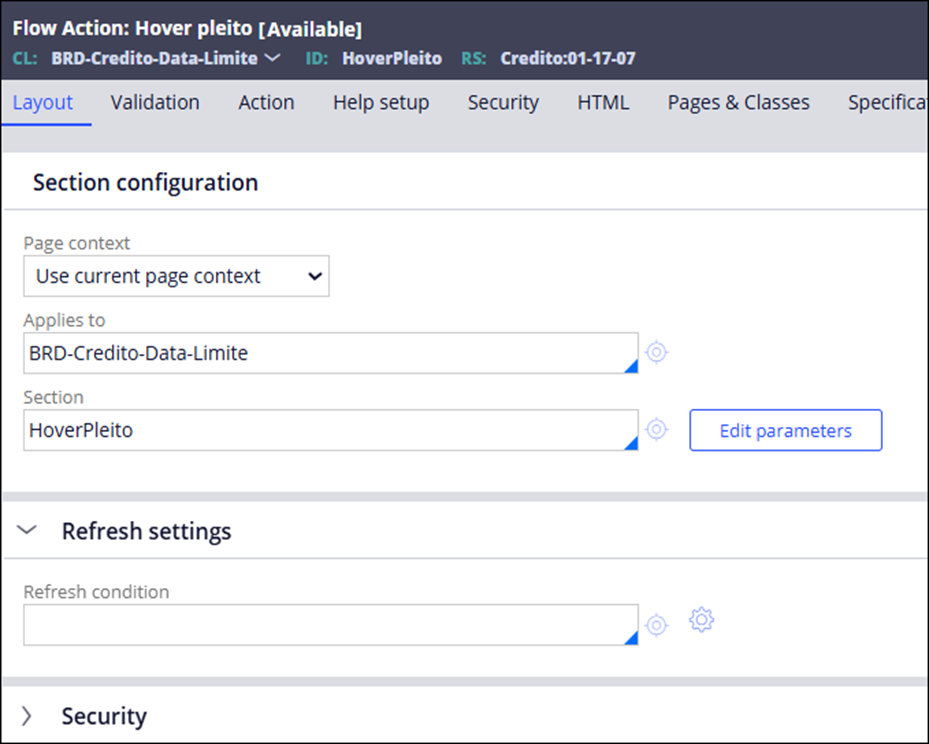
- Configure the Local Action for overlay rendering by adding the parameter
mdcTarget=actertiaryin navigation actions.
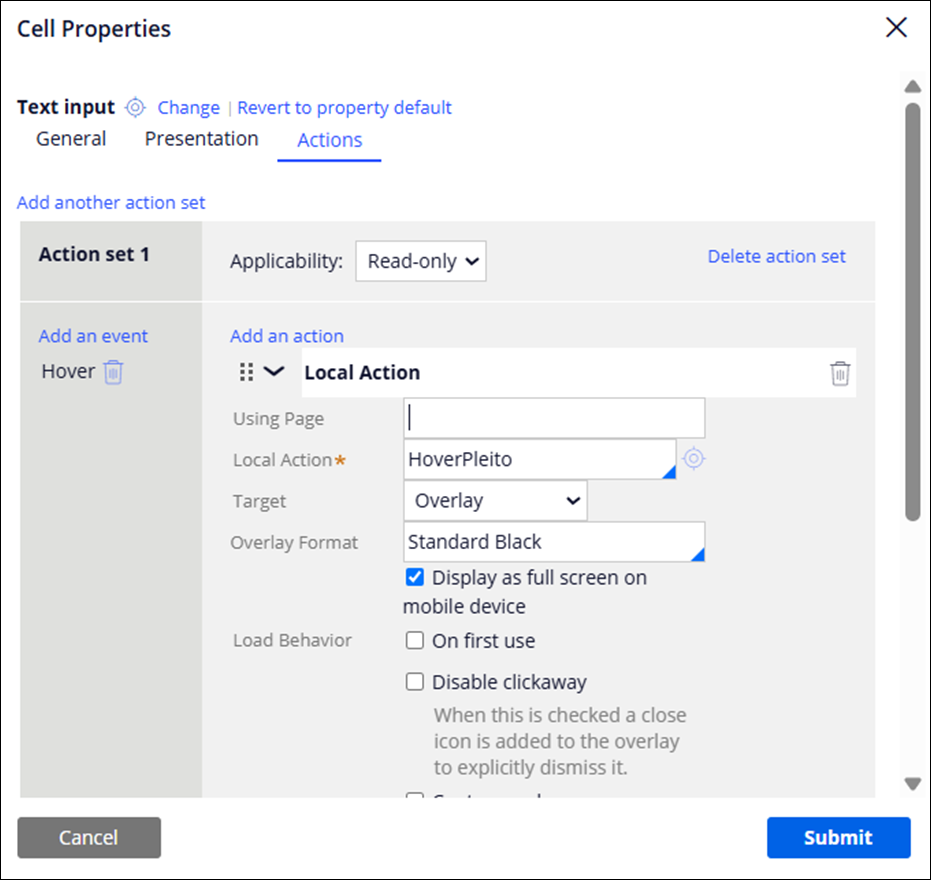
- Associate the Local Action with the table cell and set the trigger to Hover.
- Optionally, add accessibility roles to the overlay's dynamic layout for screen reader support.
The following configuration images show the Flow Action and the section used by the Local Action.
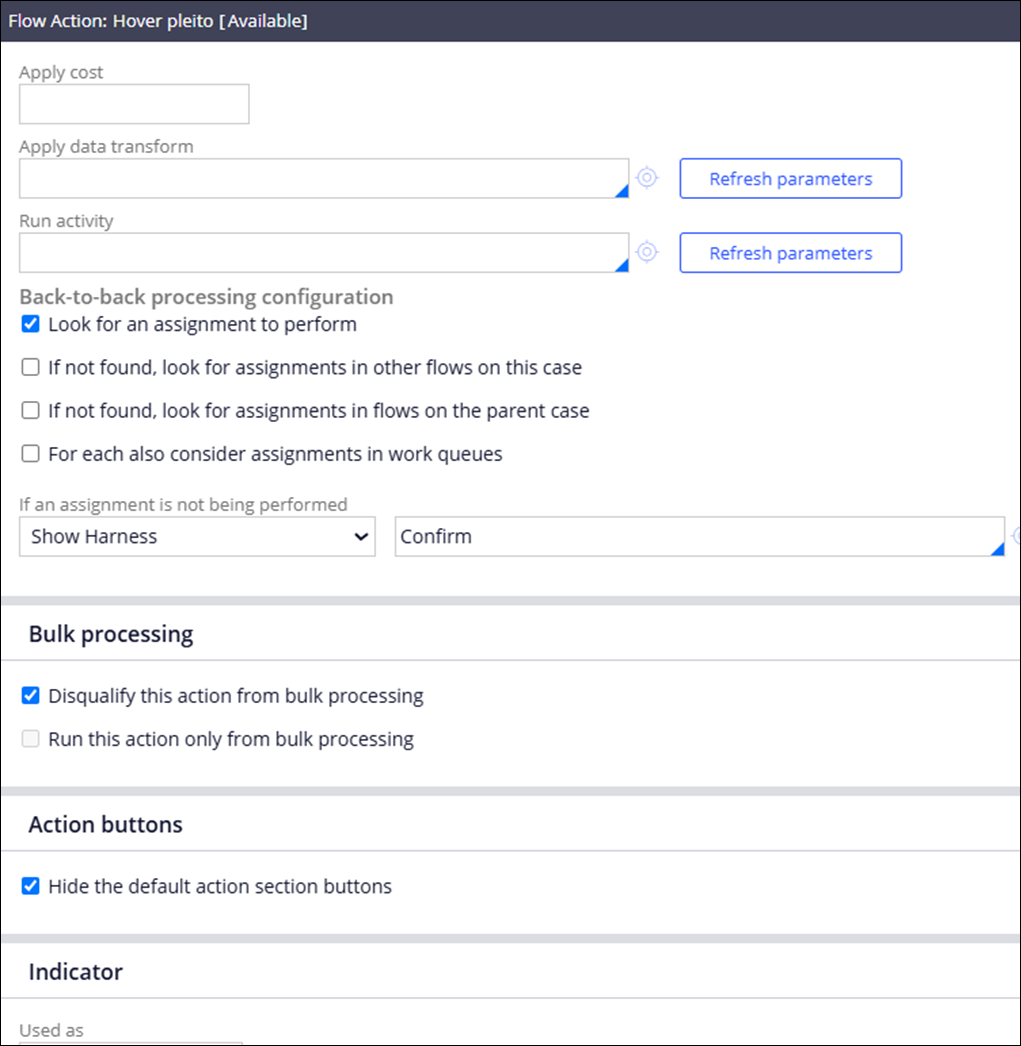
After the configuration, hovering over the table cell displays the tooltip with the relevant business information.
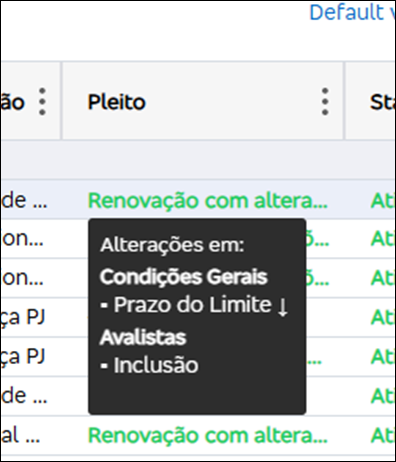
As a best practice, replace the Show SmartInfo action with a Local Action displayed through a tooltip (overlay).
Local Action overlay limitation
After implementing the Local Action solution, the Local Action overlay opens correctly on hover but does not close automatically when the mouse moves away. The popup remains visible and requires manual dismissal by clicking away or pressing the Escape key.
This is expected platform behavior, not a defect. SmartInfo had built-in automatic closure when the mouse moved away, but Local Action with Overlay supports dismissal only through click-away or the Escape key.
Temporary workarounds
- Create a custom format for SmartInfo with max-width, max-height, and overflow-y styling.
- Wrap the table in a Dynamic Layout and configure SmartInfo on the Dynamic Layout's action set.
These temporary workarounds can mitigate some UI issues but do not resolve the architectural limitations.