

Issue
The pyRelatedWork section does not refresh automatically after a related case is updated.
Symptoms and Impact
Pega Platform™ offers functionality to link one case to another. The Related cases widget is available to add to the utilities column through App Studio when activated for the Case Type.
The Related cases pane shows stale data unless the user manually triggers ->, causing UI inconsistency and potential confusion.
Steps to Reproduce
-
Create a Case.
-
Select the appropriate values to ensure the required update on related cases and .
-
Once submitted, the Related Cases pane should be refreshed with the old case ID. Result: the Case is not populated in the widget.
Root Cause
The Related cases pane fails to update post-submission due to stale parameters passed to D_pxGetAssociations data page.
The pyRelatedWork functionality includes:
-
Properties for managing related work associations
-
When rules for checking related work conditions (pxHasRelatedWork, pxCanDisplayRelatedWork)
-
Report definitions for retrieving related work data
-
Data pages for related work management (D_pxGetRelatedWork).
Solution
The Related cases widget is not displayed on-screen out of the box. Any user who adds the Related cases widget needs to add a Refresh condition for the display to work correctly.
Local change:
-
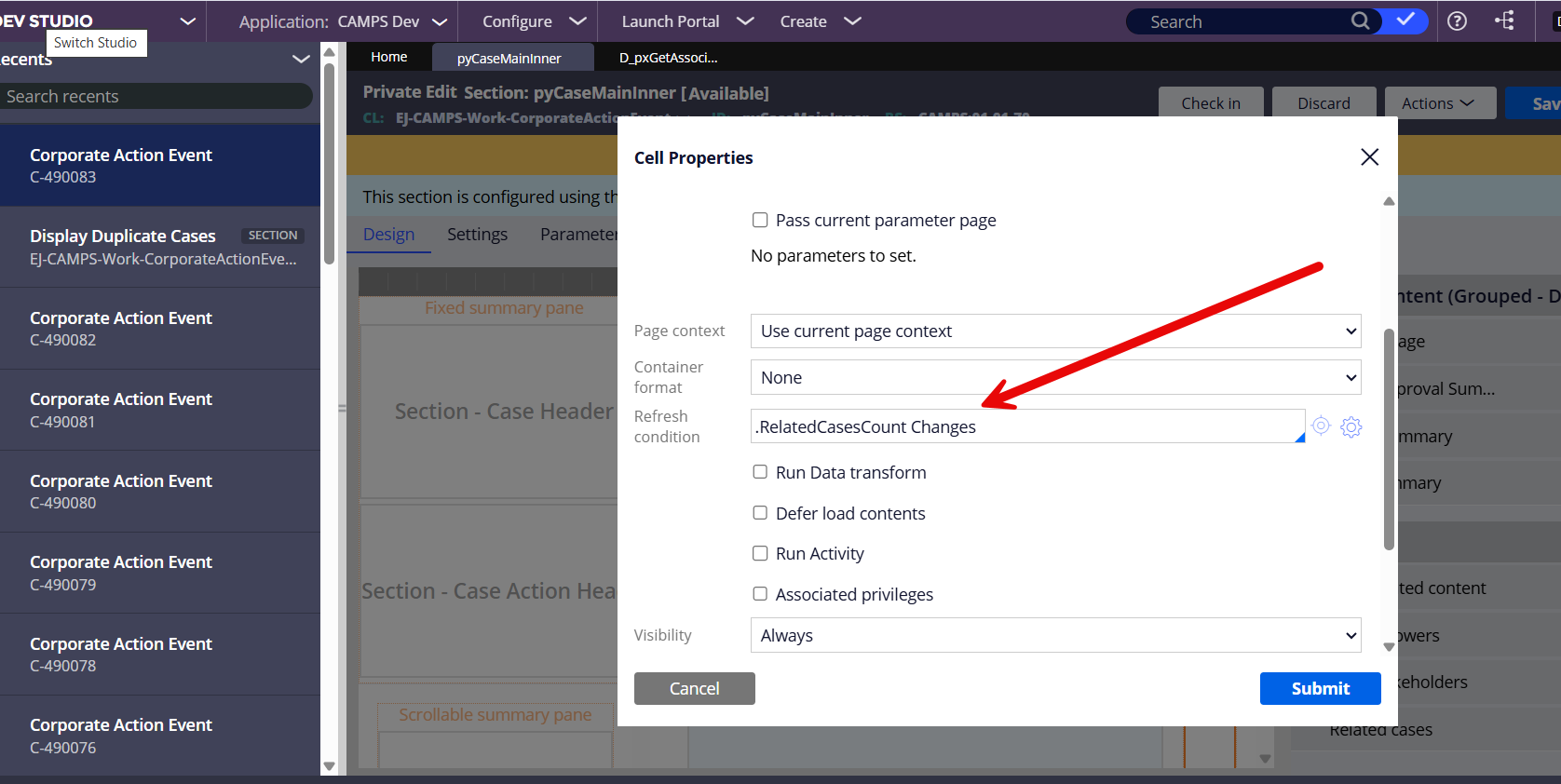
Save As pyCaseMainInner OOTB section into the Application ruleset.
-
Embed section pyRelatedWork in this section.
-
Set the Refresh condition to .RelatedCasesCount Changes.
See documentation Defining refresh conditions for UI areas for user experience guidelines.