

Issue
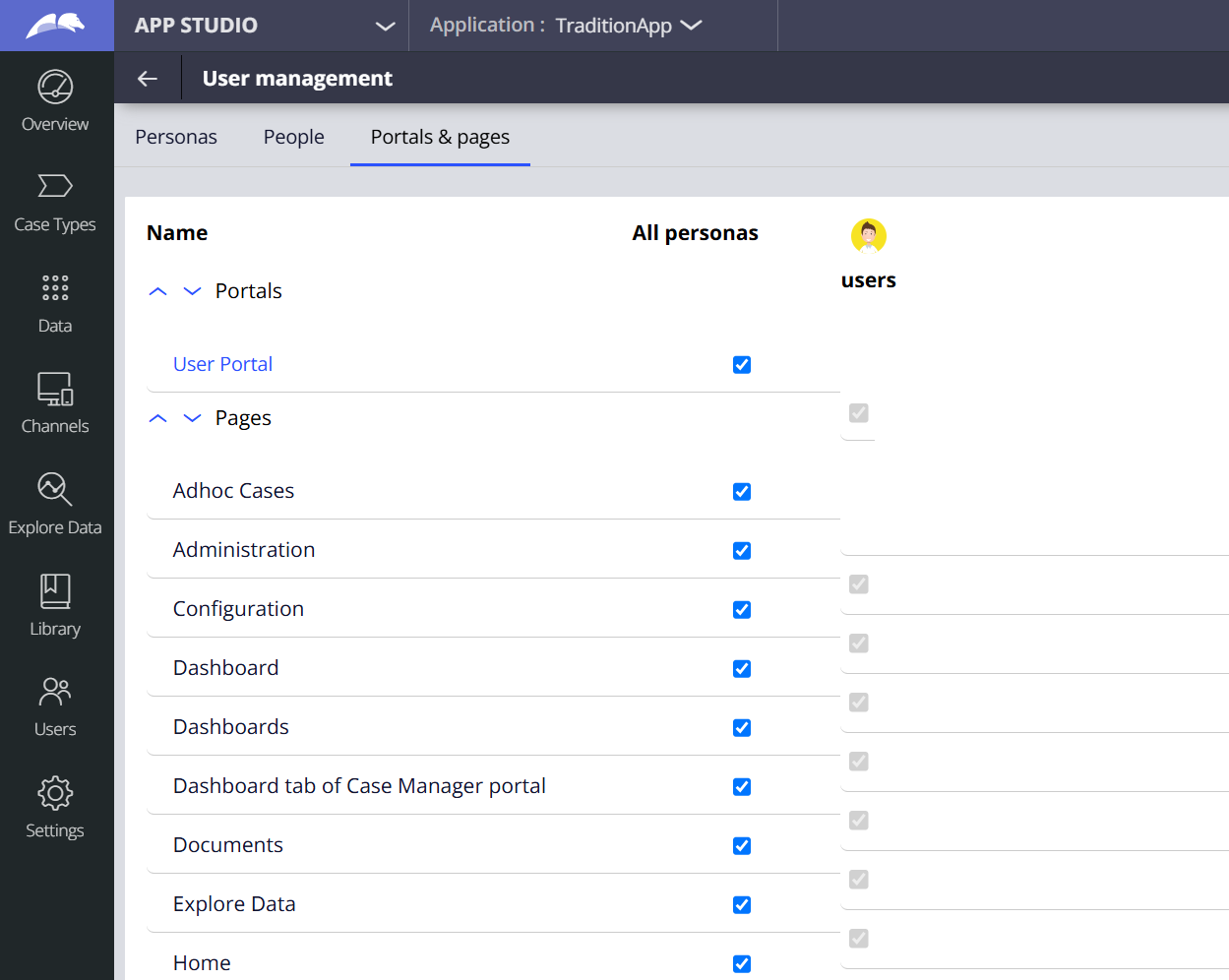
In Theme-Cosmos applications on Pega Platform '26.1.0 and '26.1.1, the screen in App Studio renders incorrectly. The layout is visually distorted and misaligned, making it difficult to review or manage the access permissions assigned to each Persona.
Symptoms and Impact
screen render improperly, making it difficult to view access details. Affects user experience and access management.
Steps to Reproduce
- Open a Theme-Cosmos application on Pega Platform '26.1.0 or '26.1.1.
- Log in to App Studio.
- Navigate to Users → User Management → Portals & pages. Result: The Persona & pages configuration screen is distorted and misaligned.
Root Cause
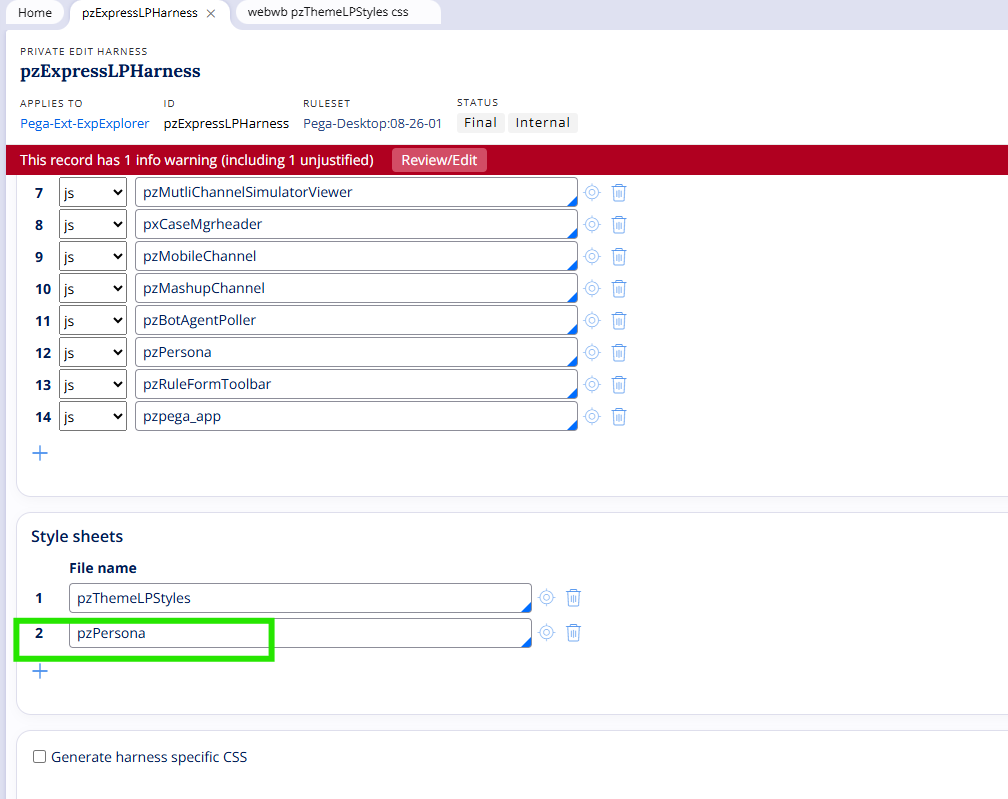
The pzPersona.css file was inadvertently omitted from the Scripts & Styles tab of the Pega-Ext-ExpExplorer.pzExpressLPHarness harness rule in Pega Platform '26.1. Without this stylesheet, the Persona & pages screen cannot render correctly.
Solution
A fix is included in the upcoming Pega Platform patch release.
Local Change (Workaround)
Until the patch is released restore correct rendering by embedding the missing CSS directly in the UserWorkForm rule at the application layer.
The following steps will resolve the issue in App and Infinity studio.
1. Open the pzPersona.css file and copy all of its CSS content.
2. In Infinity Studio, open (or create an application-layer copy of) the UserWorkForm rule for your application.
3. Add a <style> tag inside the rule and paste the copied CSS content within it.
4.Include the below additional style to adjust a small additional misalignment which is seen specifically in Infinity studio->:
body>div[node_name="pzExpressLPHarness"] div.persona-matrix-header-right { margin-top: 8px;}
5. Save and check in the rule.
6. Clear the browser cache and retest the Portal & pages screen in App and Infinity Studio.
Note: This change is made at the application layer only — no platform (pz) rules are modified. It can be reverted cleanly after applying the upcoming patch.