

Issue
Raw Dynamic Layout metadata is displayed as visible text in the end-user portal instead of remaining within the generated HTML element.
Symptoms and Impact
Users see internal layout attributes, including data-ui-meta, data-test-id, and data-layout-id, directly above the Dynamic Layout header. The metadata disrupts the portal display and exposes internal rendering information that should not be visible to end users.
Steps to reproduce
- Create or use a Traditional UI Theme Cosmos application.
- Create a Page List property.
- Use a data transform to populate the Page List before the section renders, for example, as preprocessing on the flow action.
- Declare the Page List and its item class on the parent section’s Pages and Classes tab.
- Create a section that applies to the Page List item class.
- Add a Dynamic Layout to the item-class section.
- Enable .
- Set to .
- Disable Defer load contents.
- Embed the item-class section in the parent section.
- In the embedded section properties, set:
- Page context to Use clipboard page
- Clipboard page to the Page List reference followed by ()
- Class to the Page List item class
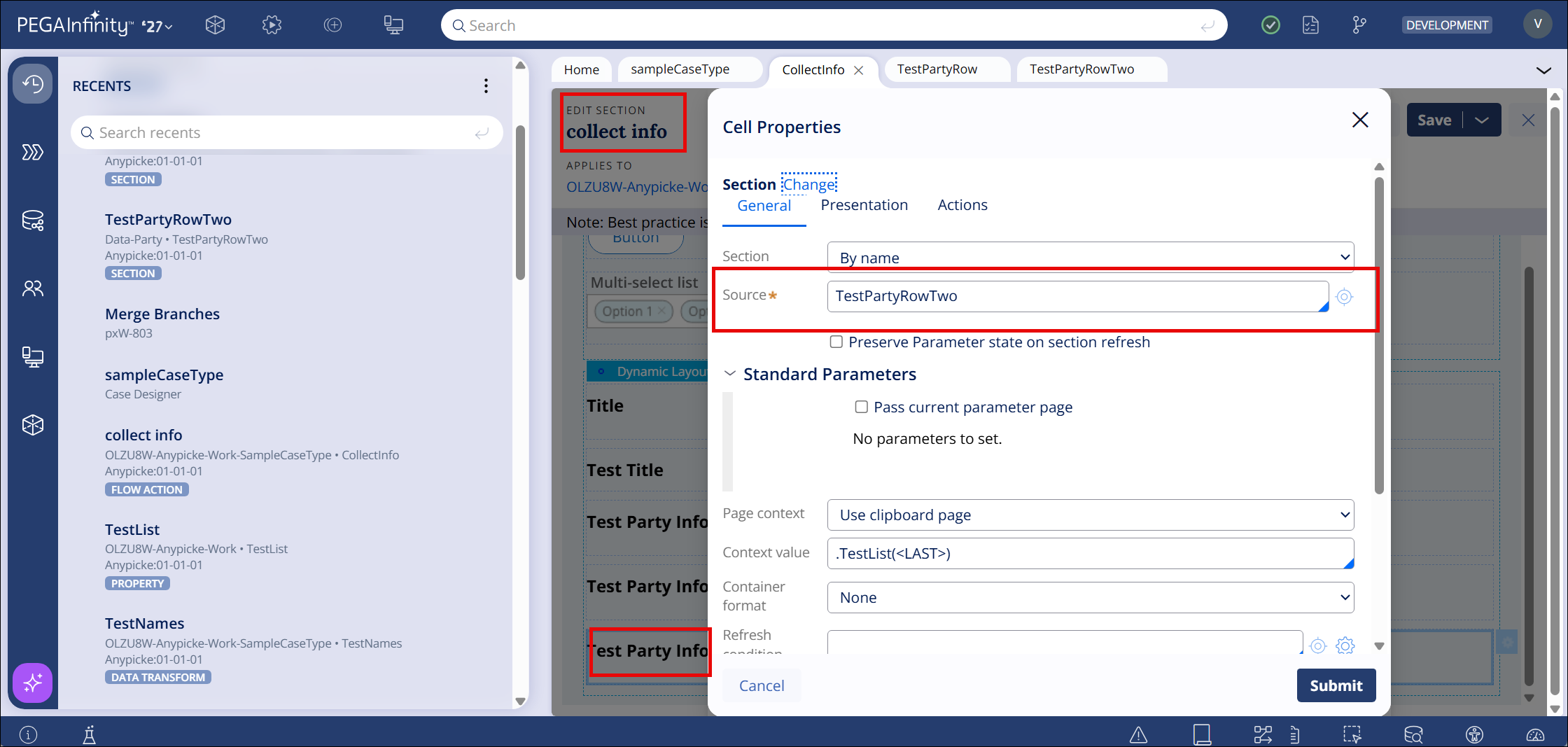
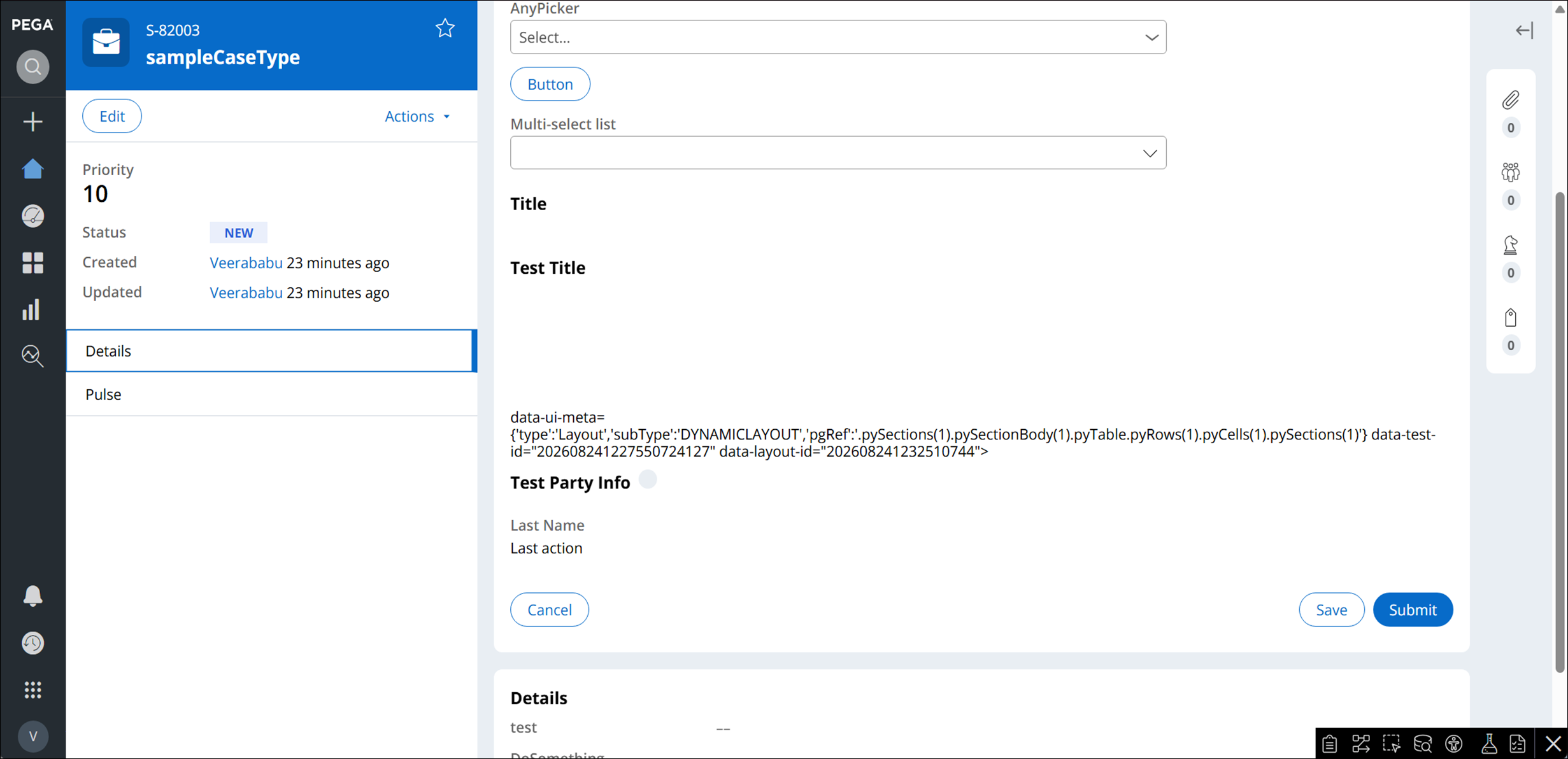
- Run the case and open the assignment containing the parent section. Observe the raw layout metadata displayed immediately above the Bar header.
Expected result: The layout metadata remains within the generated HTML element. The Dynamic Layout header renders normally without displaying internal attributes.
Actual result: The data-ui-meta, data-test-id, and data-layout-id attributes are rendered as visible text immediately before the Dynamic Layout header.
Root Cause
This issue is caused by a product defect in the client-side layout container template, pzpega_ui_template_layout_container. The template retrieves the current Page List context and uses the value inside the page reference to construct the layout’s param_name attribute.
When the symbolic LAST predicate in a Page List context such as .TestList(<LAST>) has not been resolved to a numeric Page List index, the template uses the unresolved predicate while assembling the opening HTML tag. This results in malformed tag construction and causes the remaining layout attributes to render as visible text instead of HTML attributes.
Solution
Update to one of the following Pega Infinity versions:
- Pega Infinity 25.1.4
- Pega Infinity 26.1.2
- Pega Infinity 27.1
The correction ensures that layouts referencing Page List elements with symbolic contexts are assembled correctly and that the layout metadata remains encoded as HTML attributes.
Workaround
Until you update to a version containing the correction, use one of the following configuration changes:
- Enable Defer load contents.
- Disable Display header and title.