One place to see every AI model Pega supports and how they are used.
We're excited to announce the new Model Availability Dashboard on Pega Support Center. Generative AI evolves rapidly, and keeping track of which large language models (LLMs) Pega supports, which features they power, where they're deployed, and when they retire has become essential to planning confident, uninterrupted AI deployments. This dashboard brings all of that into a single, interactive view.
Get ahead of model changes
AI models change fast. New models arrive, defaults shift, and older models reach deprecation. Until now, that information lived across multiple documents and advisories. The Model Availability Dashboard gives you a single source of truth so you can plan model choices, validate feature support, confirm regional data residency, and stay ahead of model deprecations before they affect your applications.
Explore the data your way
The dashboard is organized into four views:
-
Pega Features & Models: See which default model powers each Pega GenAI feature (for example, Infinity Studio AI Assistant, GenAI Connect, GenAI Coach, GenAI Agents, Knowledge Agent, and Blueprint) and whether the model is client-selectable for that feature.
-
Default Models: Review the models mapped to the Pega-Default-Smart, Pega-Default-Fast, and Pega-Design-Time aliases, so you always know Pega's recommended defaults.
-
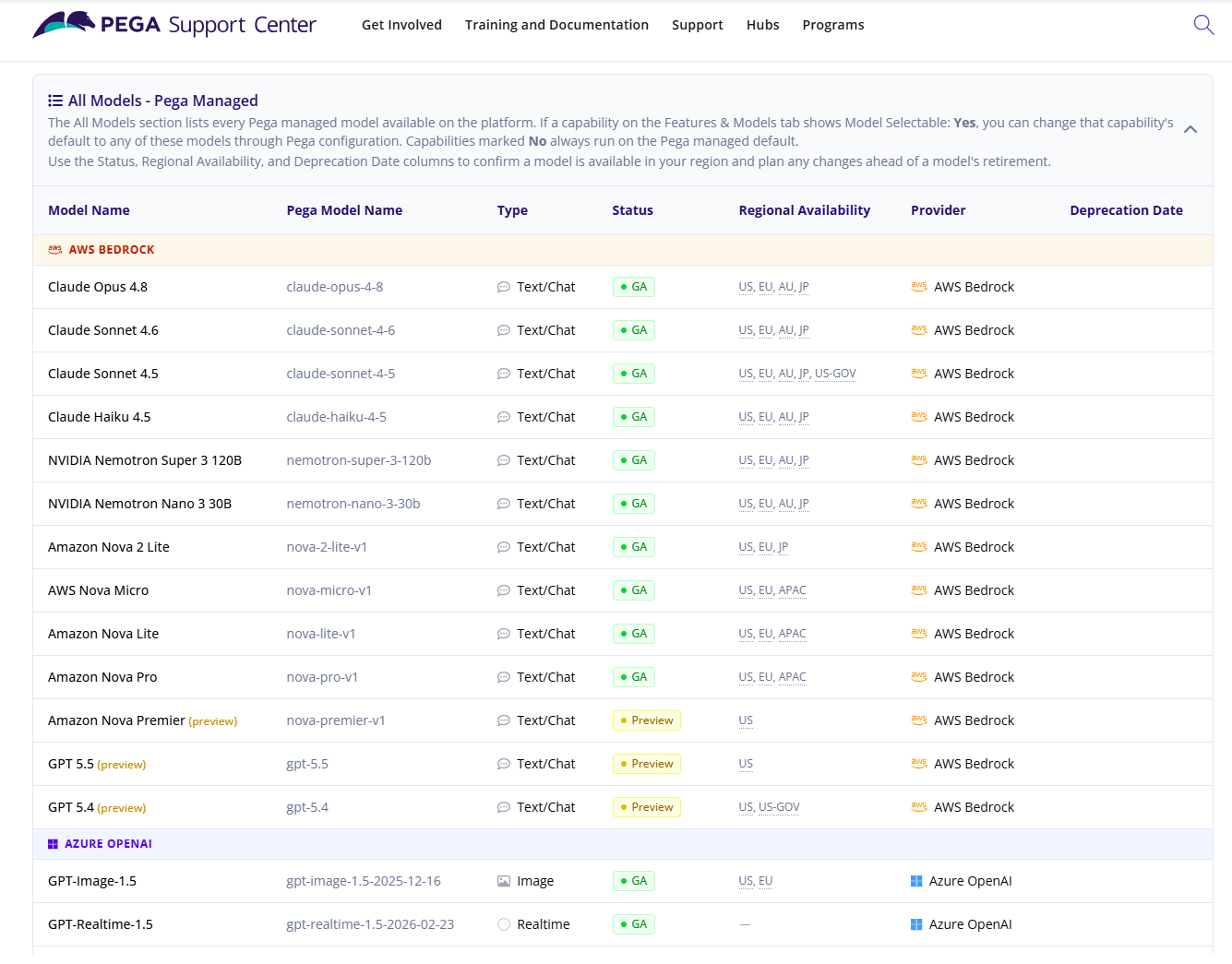
All Models: Browse the full catalog of text/chat, image, and real-time models across AWS Bedrock, Azure OpenAI, and Google Cloud Vertex AI, including status (GA or Preview), regional availability, and intelligence level.
-
Embedding Models: View all supported embedding models by provider, with status and regional availability.
-
Pega Blueprint Models: Understand the models that power Pega Blueprint
Dive into the details
For every model, the dashboard surfaces:
-
Feature mapping: which Pega features and products the model supports, and whether it can be swapped.
-
Deployment location: the provider and regional availability (US, EU, AU, JP, APAC, US-GOV, and more), aligned to your Pega Cloud Deployment Region.
-
Lifecycle status: GA vs. Preview, plus deprecation dates and the replacement model where applicable, so you can plan migrations early.
Planning for model deprecation
When a model nears retirement, the dashboard shows its deprecation date and recommended replacement. Pega also notifies you in the product through PEGA0175 alert: GenAI model nearing deprecation date and PEGA0176 alert: GenAI model no longer available in Pega Diagnostic Center (PDC).
Note: Because AI models evolve rapidly, this dashboard is updated frequently. Monitor it regularly to stay current on newly added models, default changes, and upcoming deprecations.
Try it today
Go to the Model Availability Dashboard on Pega Support Center and explore!