
Question

BlueRose Technologies
IN
Last activity: 4 Oct 2018 13:54 EDT
How to configure Container settings in a Section Include from Skin rule
I have a section included in another section. In the section include configuration, in the Container Settings I have used "Header Type" as "Collapsible". Now, I want to change the background color of the header bar configured from the skin rule so that everywhere there is a section include, it should refer the same background. PFA screenshot for the configuration of section include. Can anybody help me on this? Thanks in advance.
**Moderation Team has archived post**
This post has been archived for educational purposes. Contents and links will no longer be updated. If you have the same/similar question, please write a new post.
Accepted Solution

Pegasystems Inc.
IN

Pegasystems Inc.
GB
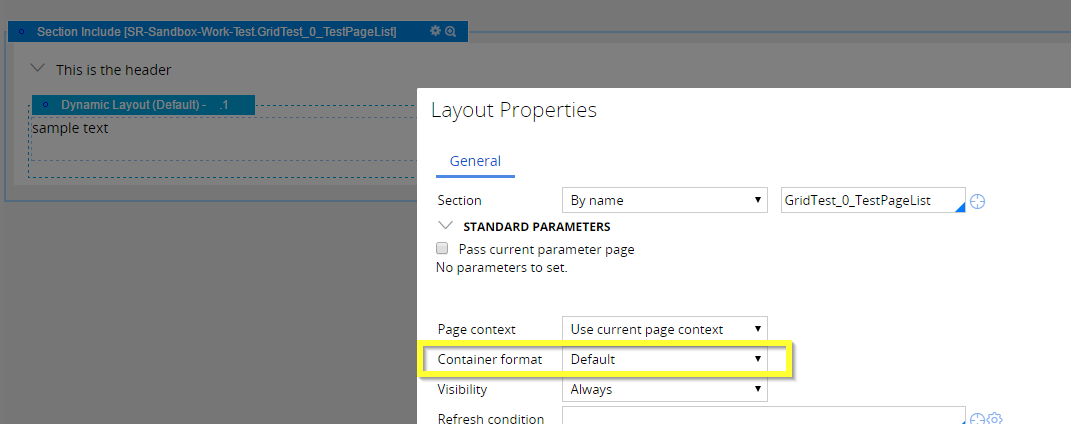
The background colour for the header is set in the Container styles in the skin. You will need to configure a container format with the required colour settings. Here is an example:
I have configured the "Default" Containers / Header format (though you could create your own), to have a blue background (I have also enabled the setting to make the expanded and collapsed header have the same style).

I have assigned this Default style to the section include Container. By default this is none I think.
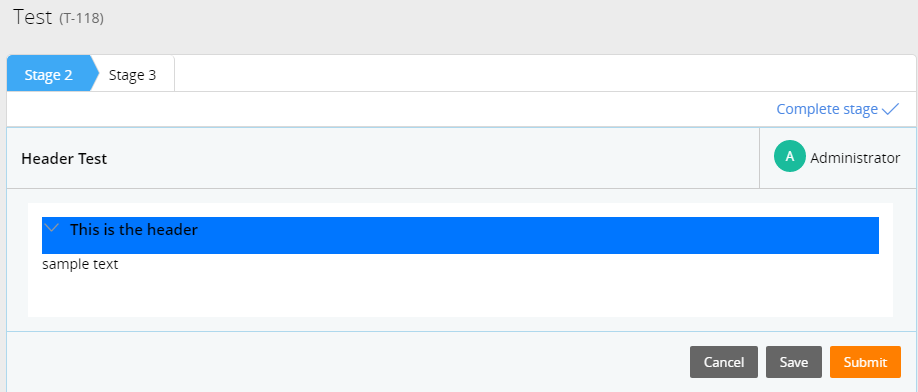
Now the header is blue:
The background colour for the header is set in the Container styles in the skin. You will need to configure a container format with the required colour settings. Here is an example:
I have configured the "Default" Containers / Header format (though you could create your own), to have a blue background (I have also enabled the setting to make the expanded and collapsed header have the same style).
I have assigned this Default style to the section include Container. By default this is none I think.
Now the header is blue:
BlueRose Technologies
IN
Hi Marc,
Thanks a lot for your detailed reply.
However, I am surprised on the screenshot of the "Layout Properties" you shared. Which version of Pega did you use? I am using Pega v7.1.7 I dont find a way to refer a container format in my configuration of Section Include. PFA screenshot.
Scopus Soluções de TI
BR
Have you found a way to change the container settings in the Section Include? I'm facing the same problem here and the Section Include does not inherit container settings from layout which its included.
Pegasystems Inc.
GB
My example is from 7.2.1 but the setting was present in 7.1.7.
Looking again at your screen shot it seems you are embeddeding in the section inside a dynamic layout rather than directly in the parent section which is the configuration in my example. That's fine, you just need to open the settings for the parent layout and set it there rather than directly on the section include.
Accepted Solution
Pegasystems Inc.
IN
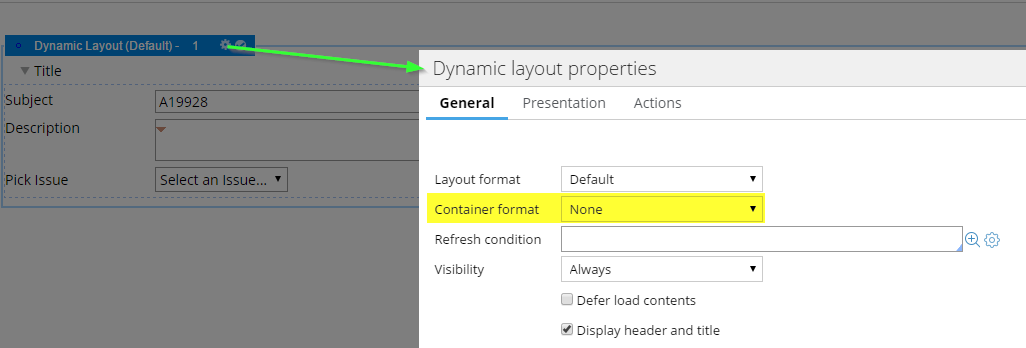
The container format is there in section include in Pega 7.1.7 too. Please find the attachment
May be the section you are including is in a layout and not directly in a section itself.
In that case, the container format will be in layout properties.
The container format is there in section include in Pega 7.1.7 too. Please find the attachment
May be the section you are including is in a layout and not directly in a section itself.
In that case, the container format will be in layout properties.