
Question

Pegasystems Inc.
JP
Last activity: 16 Sep 2021 7:05 EDT
how to conditionally change row background color for optimized cosmos table?
I am trying to change the row background color conditionally by embedding inline style as below.
<pega:when test="IsKeiyakuManryou">background-color: #a9a9a9;</pega:when>
However, it seems the same jsp code does not work if "allow optimize code" option is checked. (see screeshot below)
Is there a way to conditionally change row background color for optimized cosmos table?
I am trying to change the row background color conditionally by embedding inline style as below.
<pega:when test="IsKeiyakuManryou">background-color: #a9a9a9;</pega:when>
However, it seems the same jsp code does not work if "allow optimize code" option is checked. (see screeshot below)
Is there a way to conditionally change row background color for optimized cosmos table?
| Optimize code | settings | rendered screen |
|---|---|---|
| Not allow | 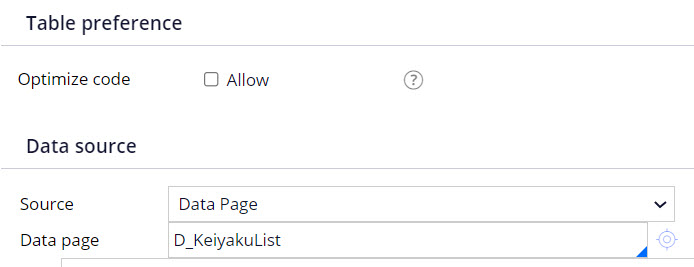 |
 |
| allow | 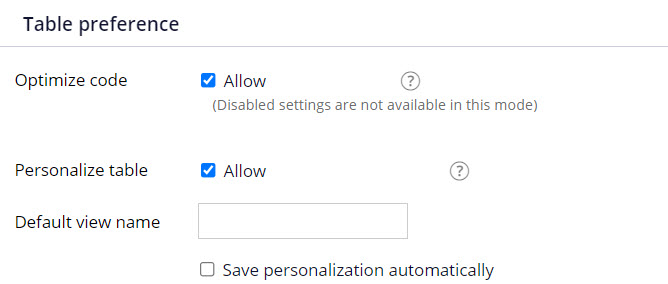 |
 |

Pegasystems Inc.
US
Updated: 13 Jul 2021 19:29 EDT
Pegasystems Inc.
JP
@RichardMarsot , thanks for your advice. Good to know that Cell read/write style can be set dynamically. However, binding a property which contains CSS class name is not a good solution from the architecture perspective, because UI logics are introduce into business logic layer. JSP tag approach is not ideal, but it is better than property binding in my opinion. Highlighting cells/rows conditionally are very frequent requirements from end users. I wish Cosmos UI authoring tool provide convenient way for implementing these dynamic styling requirements in the near future..
Pegasystems Inc.
US
@Chunzhi_Hong using a property ref as helper class is a recommended best practices when using different styles depending on some property value - for example a status badge. Instead of using multiple instances of the same component with different when rules or condition expressions, it is better to use a helper class based on prop ref.
the prop ref that generates the classname is a transient property and use a declare expression backed by a decision table. As such changing the presentation (e.g. classname) can all be done outside of the ui and in the decision table.
Using JSP tags is not a good approach and will generate a guardrail warning as more of the UI is not generated on the client.
If you mainly want to toggle the background of a cell depending on a when rule, you can also in the nested section have 2 dynamic layout that are using visible when on the when condition.
de Volksbank
NL
@RichardMarsot and @Chunzhi_Hong I am also looking for solution to the same problem which is discussed here. I am able to follow the steps and able to add class to td- for that particular cell in table.
Now, I struck in highlighting the entire row based on that class. I would be great if you help with some CSS/JQuery which refers to that class and make that entire row bold/highlight in different color.
Thanks,
Bhanuprakash G.
@Chunzhi_Hong optimized table uses client side rendering and the old approach of using jsp tag inside a header cell is no longer supported.
To achieve a similar approach, include a section in the cell that should be styled conditionally
In the section property panel, use a property ref for the read and read-write class- this property could be a declared expression that will generate a class name depending on the case data.
In the section, add your property inside an inline-middle layout
For example, I am adding the pyID to the cell
The class will be added to the td - you can then add any custom styling but adding the some override CSS to your skin