
Question

ai4process
GB
ai4process
Posted: Jan 2, 2025
Last activity: Jan 4, 2025
Last activity: 4 Jan 2025 11:54 EST
Closed
fields of embedded object missing from view
I have a Policy object and a Person object.
I have my "Edit" view for my person object which has 3 fields.
However when I try to reuse my "Edit" Person view in A policy view it has no fields.
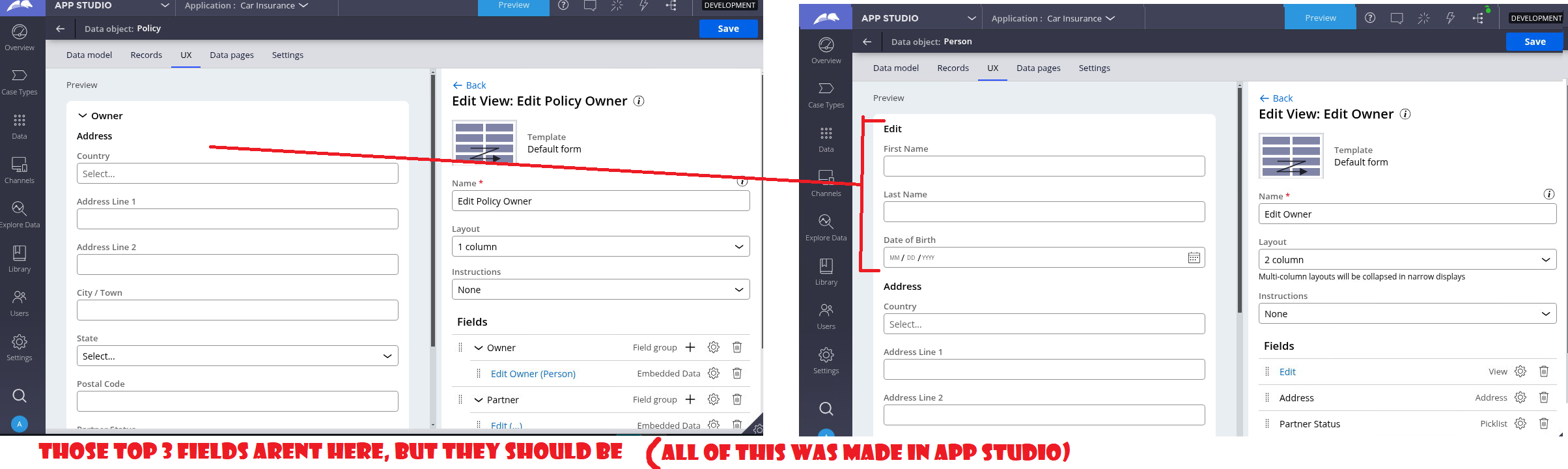
Attempted solution)
When I google this problem the solution I usually find is "mark fields as relevant"
But when I try this the "mark as relevant" button is greyed out and inactive. As shown here.
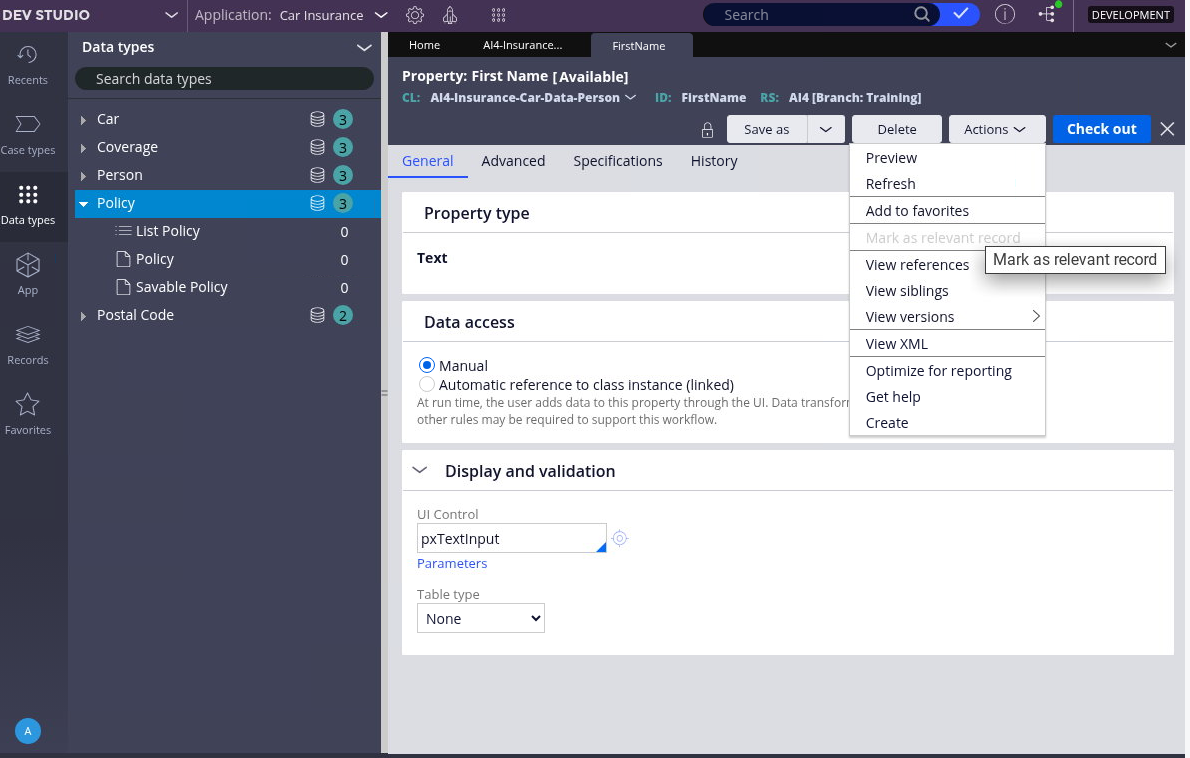
Why are the fields not visible. What do I have to do?
***Edited by Moderator Marije to add Capability tags***
To see attachments, please log in.
Posted: 1 year ago

HCA Healthcare
HCA Healthcare
US
@JackF17108719The issue where fields from the
Personobject are missing in thePolicyview often happens when the fields are not properly marked as relevant or the view is not correctly referenced. To fix this, ensure thePersonfields are marked as relevant inRecords > SysAdmin > Relevant Records. If the "Mark as Relevant" button is greyed out, the fields may already be marked or you may lack permission to modify them. Verify if visibility conditions are hiding the fields and set them to "Always Visible" for testing. Check if thePersonview is added using aReferencecomponent or embedded section in thePolicyview and ensure the page property referencingPersonis correctly defined in the data model. IfPersonis used as a Field Group, confirm the fields are properly included. Also, make sure there are no inheritance or class mapping issues causing the fields to be hidden. Re-add the fields manually if necessary and ensure proper data binding to the embeddedPersonproperties