
Question

BT
IN
Last activity: 22 Aug 2025 9:04 EDT
Constellation worklist Wizard Search Results Customization.
In Constellation 24.2.2 version we want search results in worklist Wizard to be Customized to display few properties from workpage. 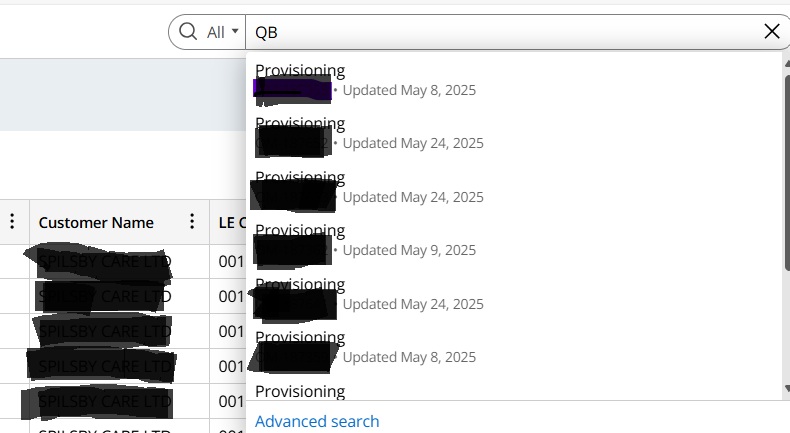
From the above Screenshot search Results shows only OOTB Properties Caseid and Update datetime. But we need display our Customized Properties in the search Results.
Ex: Customername, OrderReference,
We Couldn't find the exact view to modify this in App studio. can any one help us Where do we need to find this View and to modify the Search results property.

HCA Healthcare
US

Pegasystems Inc.
PL
My Work is a Landing Page.
To access it's configuration in App Studio please go to Channels -> Work Portal-> select Landing Pages -> and select My Work Landing Page.
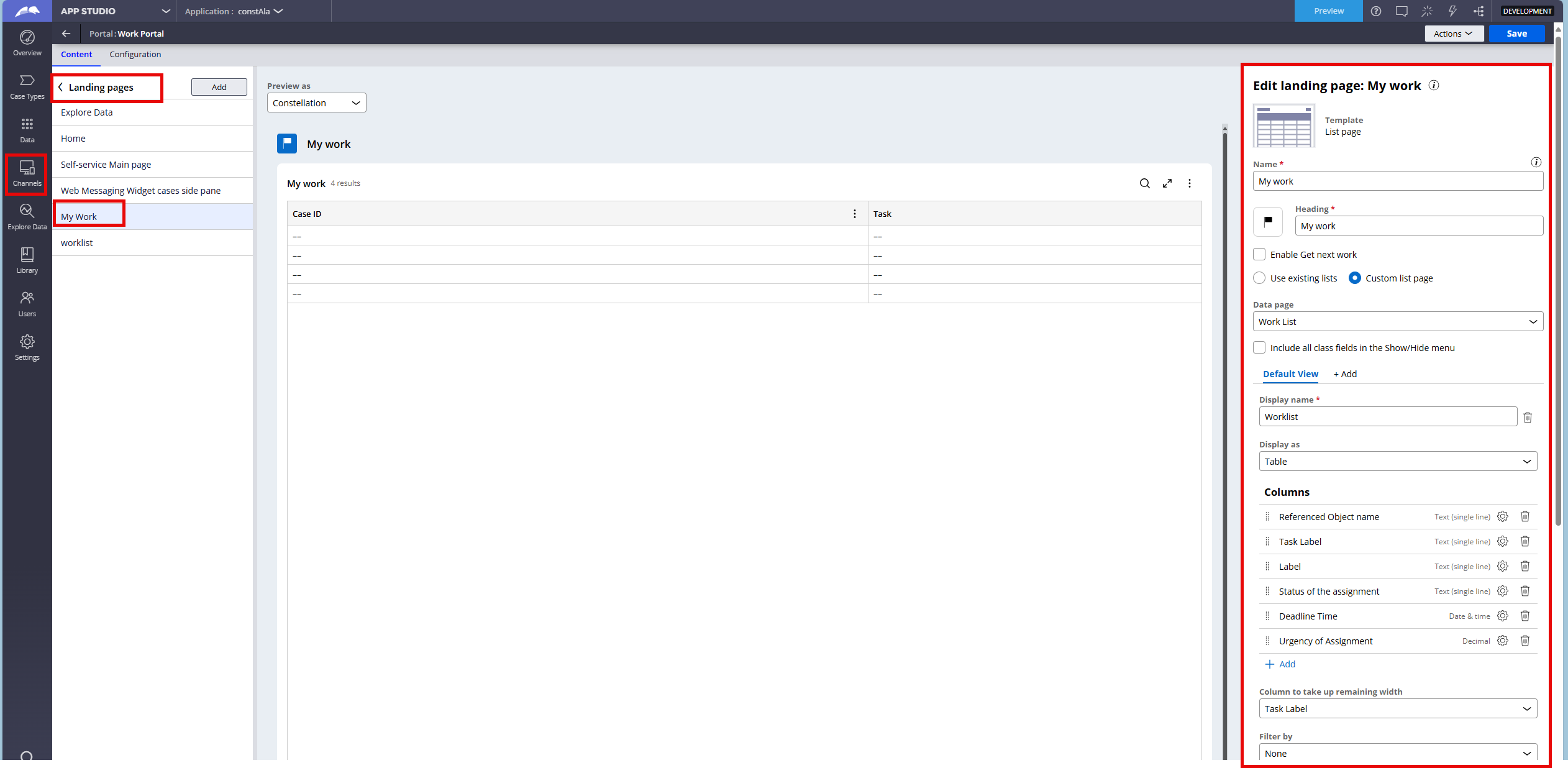
There you can modify your landing page or create a new one.
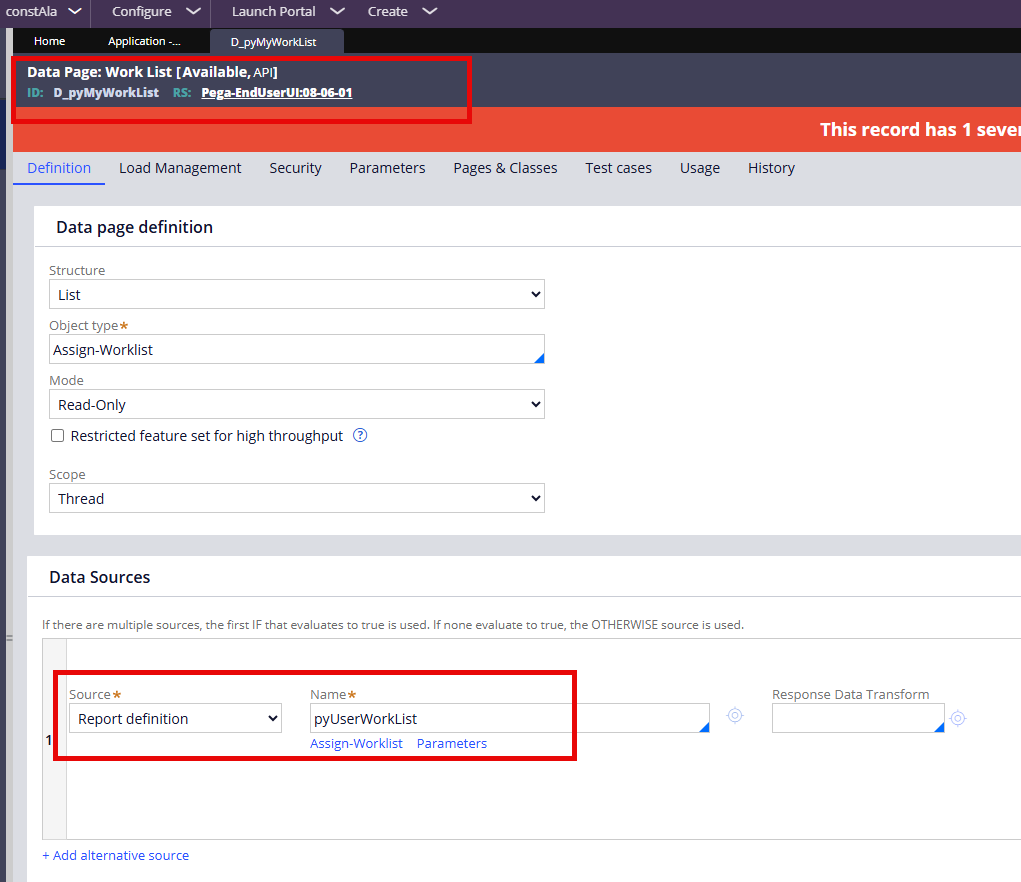
This Landing Page is based on D_pyMyWorkList data padge.
It is available and you can modify it or create your own version of this page to match your requirements.
For more information about Landing Pages please visit our Pega Academy Page Portals and landing pages in Constellation | Pega Academy and Constellation landing pages | Pega Academy
and refer to Pega documentation - Landing pages.
Hope this helps.
@SambaiahA17454168
I think, you cannot change the columns shown in the Worklist wizard’s search results; that list is not configurable in App Studio/Dev Studio yet, which is why you can’t find a view to edit.
The practical approach is to build your own landing page with a List view of cases/assignments, add CustomerName and OrderReference as columns, and use promoted filters for search. If you must stick to the OOTB search list, a common workaround is to populate pyLabel or pyDescription with those values (for example “CustomerName – OrderRef – Summary”) via a declare trigger or post-save activity so they appear in the result row. To make those fields searchable (even if not shown as columns), add them to the search index as custom search properties and reindex your class. If you’re using the Customer Service unified Worklist/Queue, you can add custom columns through the provided extension data transforms on the unified worklist data pages instead of the wizard.
Under the hood, global search results come from D_pySearch, so ensure your case type is indexed and the properties you care about are included in the index. you can’t edit that wizard’s result view today either build a custom list page (recommended) or surface key values in pyLabel/pyDescription as a lightweight workaround