Question

Capgemini
Capgemini
IN
Capgemini
Posted: Jan 27, 2022
Last activity: Jan 27, 2022
Last activity: 27 Jan 2022 15:57 EST
Closed
Add Case ID and Case Link to Pulse Message in Pega 8.5
Hi All,
Please share me inputs on how to add / customize Pulse Outgoing message with a Case ID and Case ID link, Once clicked we need to open the Case.
***Edited by Moderator Marissa to add Capability tags***
To see attachments, please log in.
Posted: 4 years ago

Lventur
Lventur
IN
@SudheerY1191
All the pulse related mail will get triggered from Queue Processor - pyProcessNotification.
Inside this queue processor you will be having an extension activity via which you can place our application specific pulse mail logic. When a pulse comment is getting added in to work object, back-end task will be getting triggered to queue-processor for triggering mail.
Inside system we will be having many pega OOTB pulse notification rules which will be responsible for triggering mail in various scenario's, in each notification rule we will be having a Correspondence.
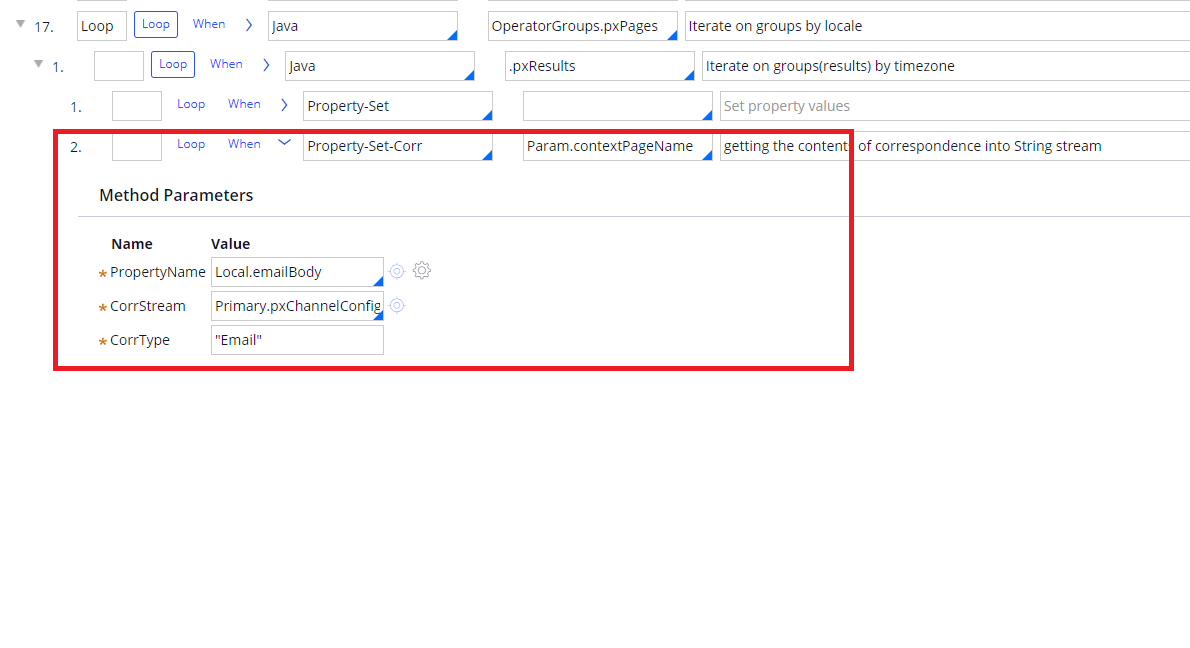
For your scenario you could just override pega OOTB correspondence content in needed pulse notification rule and place the business specific content. Pega will just take the correspondence rule and will try to extract the content, this mail content extraction will get executed on Param.contextPageName page. Param.contextPageName will have all the work object information, so you could just create a correspondence fragment which will have logic to generate case link and place it inside needed correspondence.
This configuration should help you to get case id link in pulse mail.