
Question

Tata Consultancy Services
Tata Consultancy Services
IN
Tata Consultancy Services
Posted: Aug 20, 2024
Last activity: Nov 1, 2024
Last activity: 1 Nov 2024 8:39 EDT
Closed
Solved
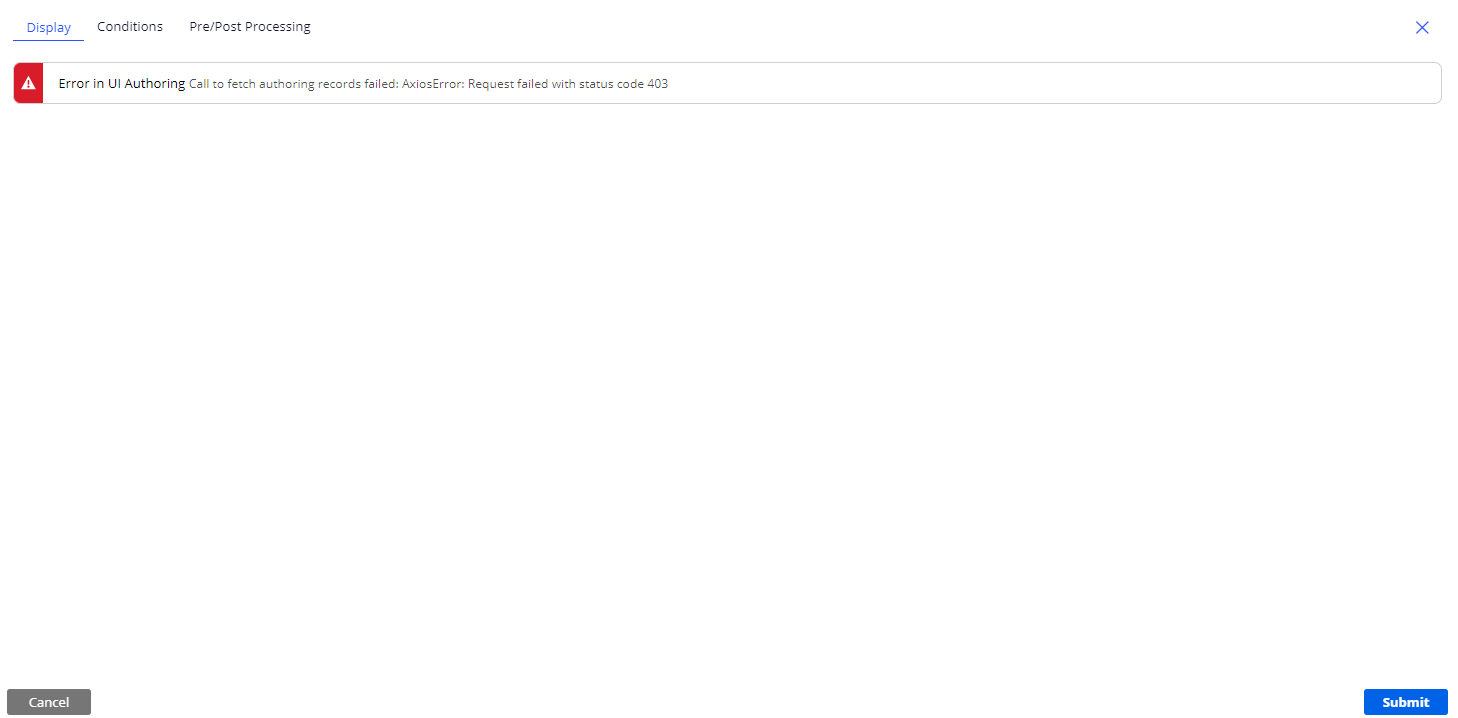
403 error while trying to configure view in a case type under display in constellation application
Hi Team,
I am not able to see any information under display tab while configuring view in a case type.
Steps Followed:
- Created a new application using constellation.
- Created a case type.
- trying to add a view by selecting configure view but getting below error.
***Edited by Moderator Marije to change type from Pega Academy to Product; update capability tags***
Accepted Solution
Posted: 1 year ago
Updated: 1 year ago
Updated: 1 Nov 2024 8:39 EDT

MOD
Pegasystems Inc.
GB
@Gayatri Nistala The 403 error typically indicates a permissions issue. Here are a few steps you can follow to troubleshoot and resolve this issue:
1. **Check Permissions**: Ensure that the user account you are using has the necessary permissions to configure views in the Constellation application. You may need to verify the roles and access groups assigned to your user account.
2. **Verify DSS Configuration**: Make sure that the DSS (Dynamic System Settings) configurations are correctly set. Specifically, check the `ConstellationSvcURL` and `ConstellationPegaStaticURL` settings. For example, you could use `https://community.constellation.pega.io/c11n-appstatic` instead of the production URL.
3. **Initialization**: Ensure that your Pega instance has been properly initialized. Sometimes, initialization can take up to 5 minutes, so please be patient.
4. **Network Issues**: Check if there are any network restrictions or proxy settings that might be blocking the request to fetch authoring records.
If the issue persists, you may need to reach out to your system administrator or Pega support for further assistance.
⚠ This is a GenAI-powered tool. All generated answers require validation against the provided references.
Cosmos React (Constellation) Case Type View is not opening - V 8.8