
Question

Virtusa
Virtusa
IN
Virtusa
Posted: Jul 15, 2024
Last activity: Aug 5, 2024
Last activity: 5 Aug 2024 10:20 EDT
Closed
Solved
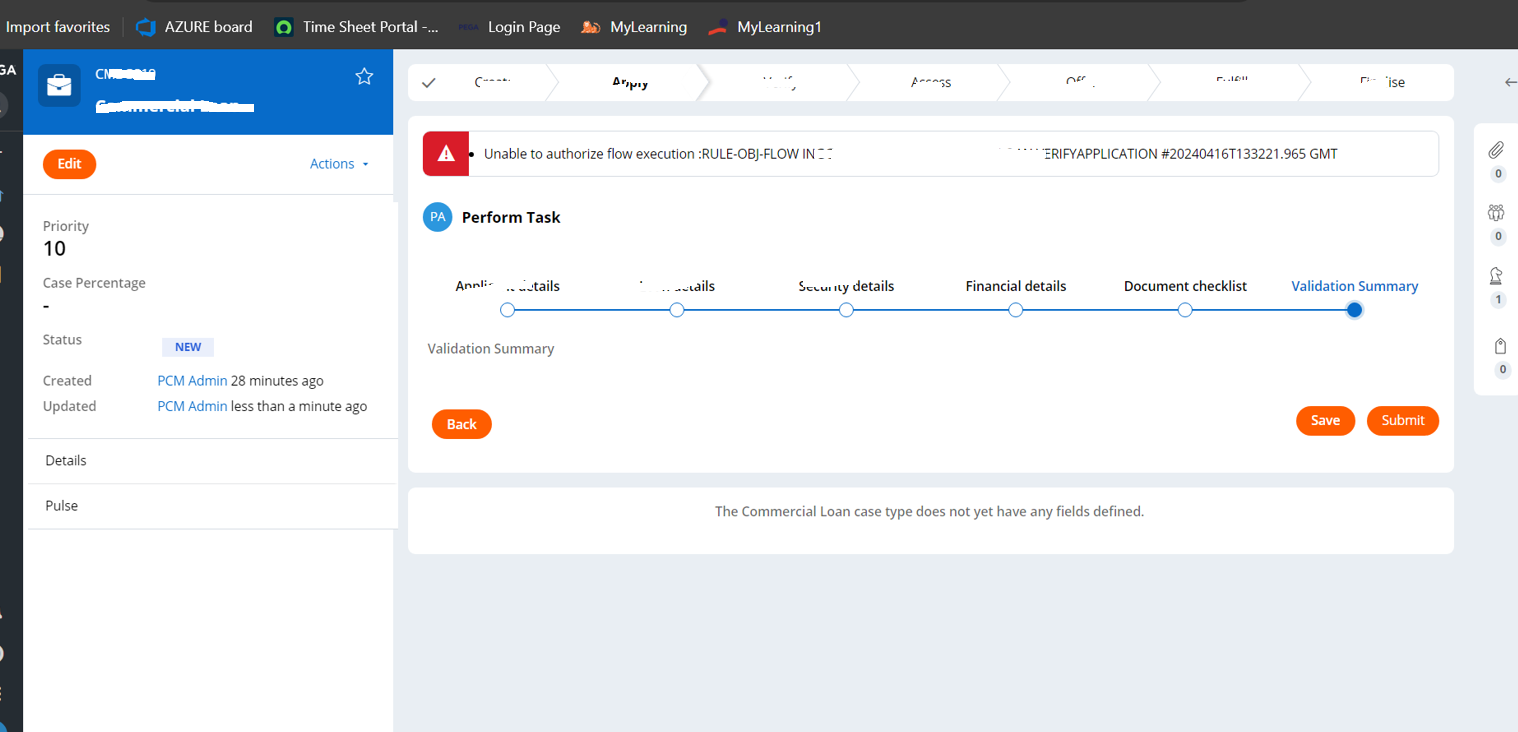
Unable to authorize flow execution :RULE-OBJ-FLOW Error on Submit of Flow1 for User1 . As he doesn't have access to Flow2 .
User1 has privilege to access Flow1 and not Flow2. When user submits the Flow1 he is shown with below error message as he doesn't have access to Flow2. How does the routing work in this scenario.
We do have 2suggestions to fix this currently:
1. In the flow action, we can add the privilege to provide the access. And the Flow2 access would be given to User1.
2. Currently submit happens for a user session. Instead if we can use System organized assignment to Auto submit utility .But this might take some time right.
We would like to know preferred and best practice for this issue . And any further suggestion to fix this.
***Edited by Moderator Rupashree S. to add Capability tags***
Accepted Solution
Posted: 1 year ago
Updated: 1 year ago
Updated: 5 Aug 2024 10:20 EDT
Aaseya IT Services Pvt Ltd
Aaseya IT Services Pvt Ltd
SA
@amulyaP17019825
The preferred approach may depend on factors such as the complexity of the flows, the specific requirements of your application, and the level of control and visibility you want to provide to the user. In general, it is recommended to follow the principle of least privilege, where users are granted only the privileges necessary for their assigned tasks. Therefore, it is often preferable to implement the first suggestion by adding the necessary privilege in the flow action and providing appropriate error messaging or redirection.
Additional Suggestions:
Here are a couple of additional suggestions to consider:
Role-Based Access Control: Evaluate your access control strategy and consider if it is possible to assign User1 to a role that has access to both Flow1 and Flow2. This approach ensures that users with similar responsibilities have consistent access permissions.
User Training and Documentation: Provide clear documentation or training materials to users explaining the access restrictions and the expected actions they should take to avoid encountering errors. This can help users understand the system behavior and prevent confusion or frustration.