
Discussion

Evonsys (PVT) LTD
LK
Last activity: 16 Feb 2026 9:27 EST
How to Change the Primary Key of a Data Type in Pega Cloud
Sometimes you realize the “Primary Key” you picked early on isn’t the best long-term identifier.
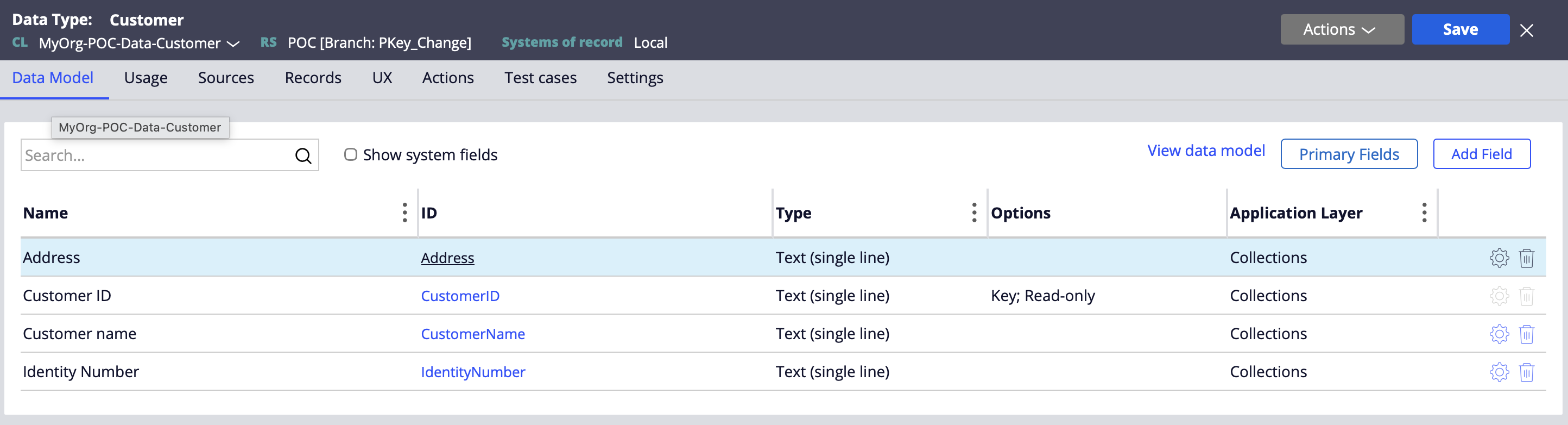
This is a practical, production-friendly approach that aligns with how Pega Cloud environments are typically operated (no direct DB access, controlled execution via rules like Connect SQL + activities).
Step-by-step: CustomerID ➜ IdentityNumber
1) Export the table data (if records exist)
If the table already has data, export it first.
2) Truncate the table
Because you can’t drop a primary key cleanly while rows still exist (and because you want a clean re-import path), truncate the physical table.
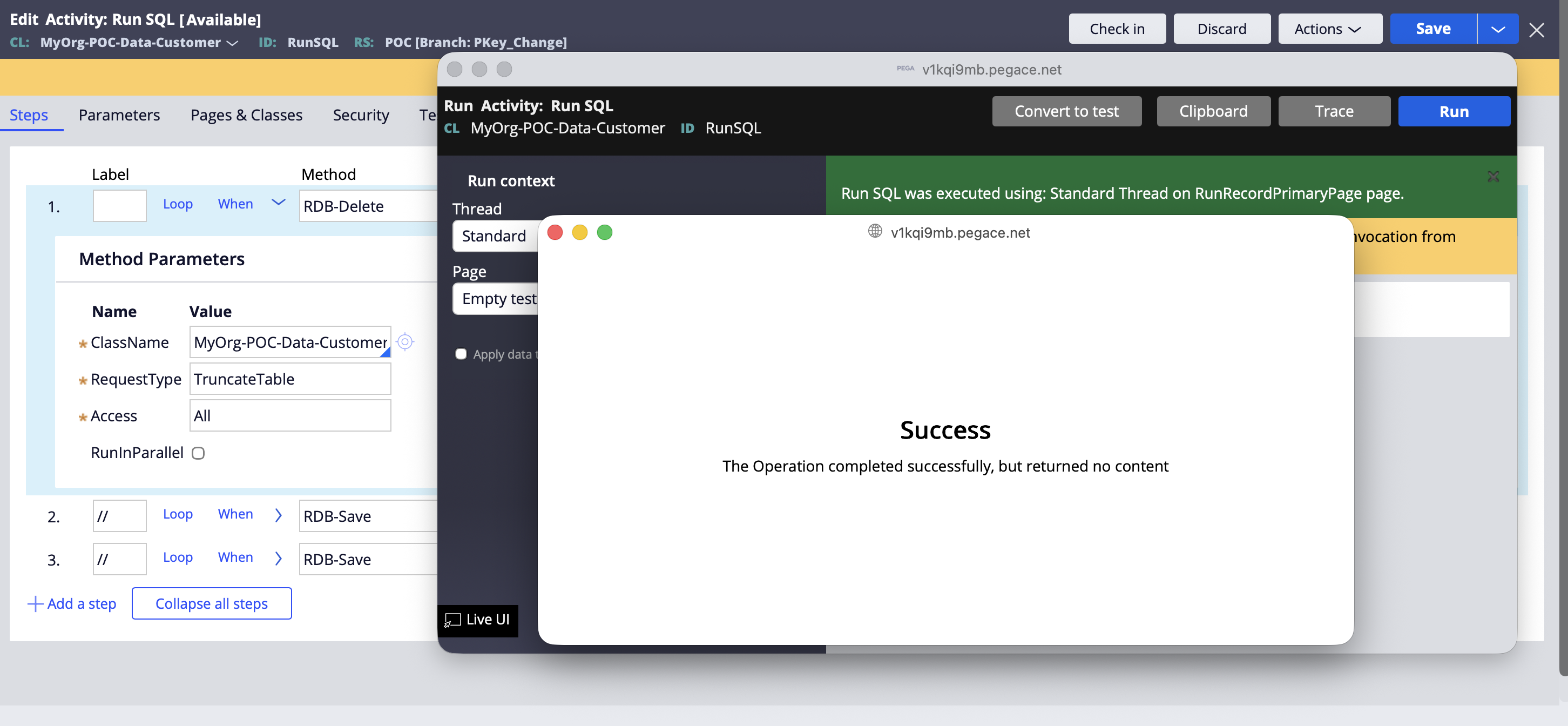
- Create a Connect SQL rule to write the SQL query to truncate the table.
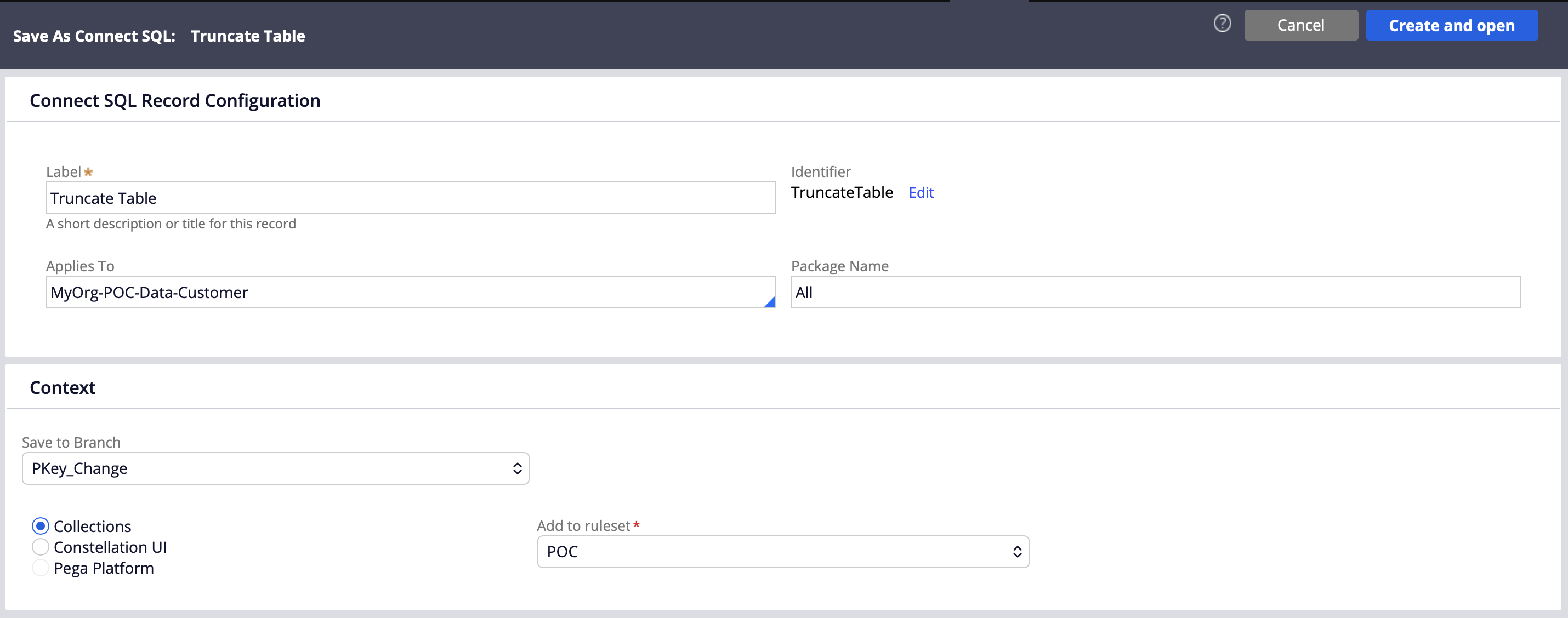
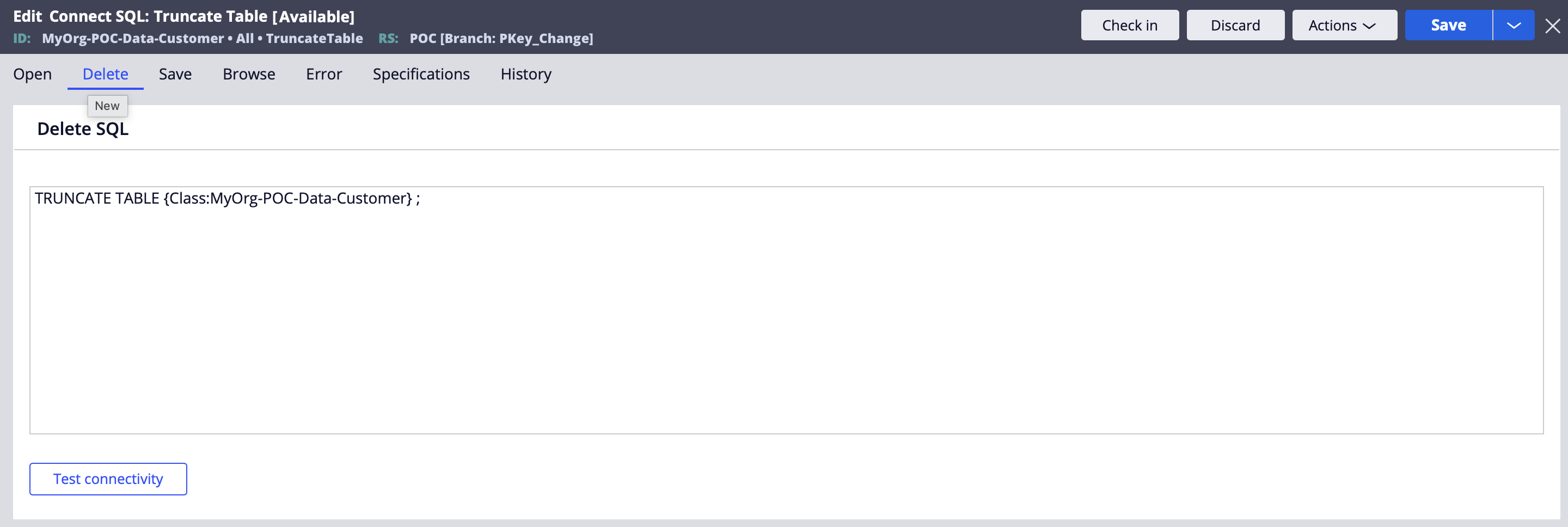
TRUNCATE TABLE your_table_name ;
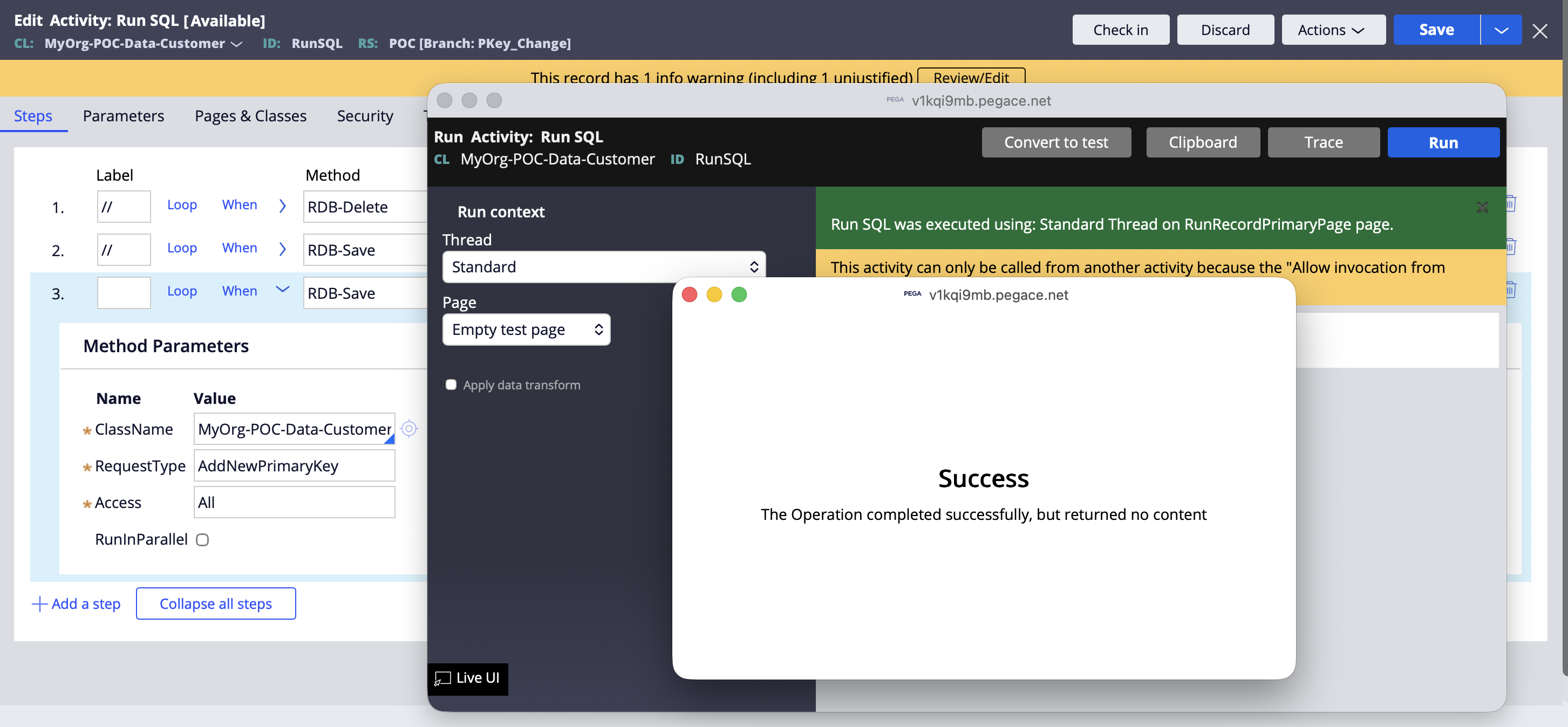
- Run activity to execute the Connect SQL
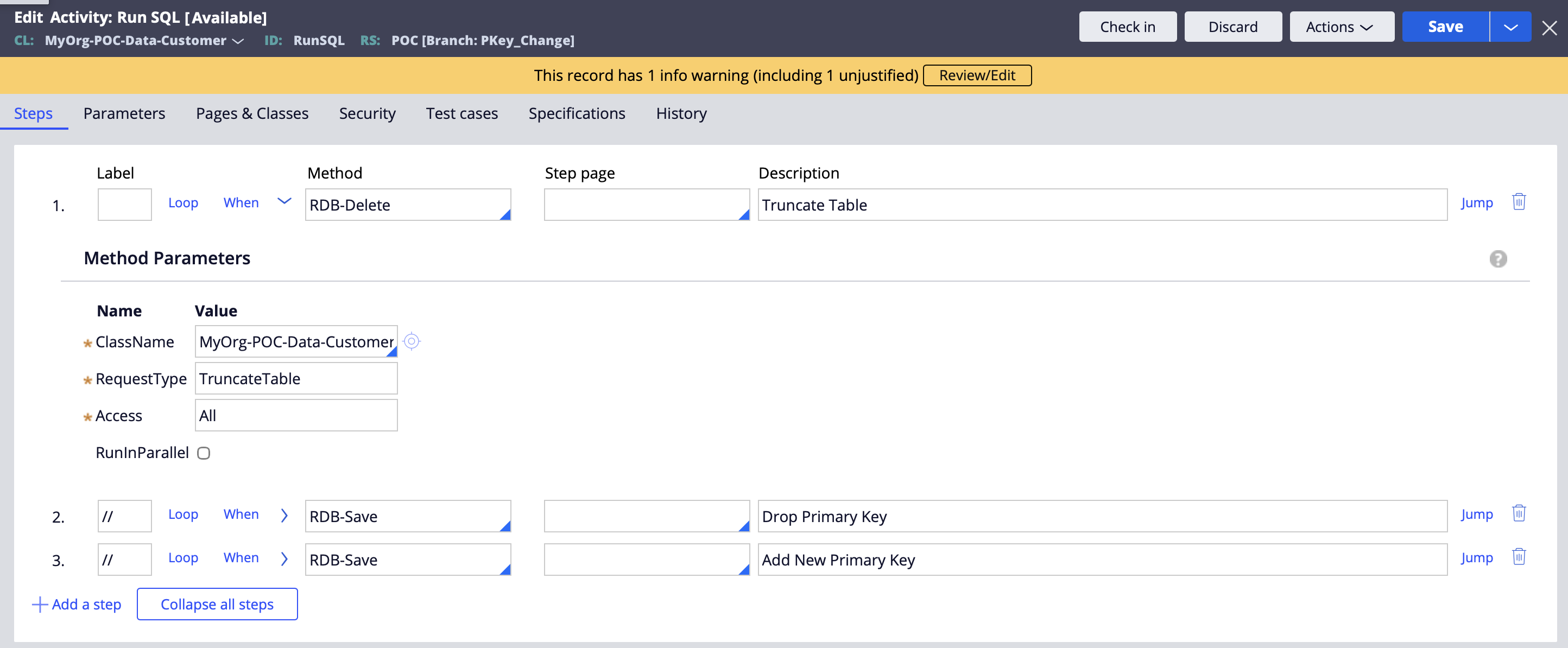
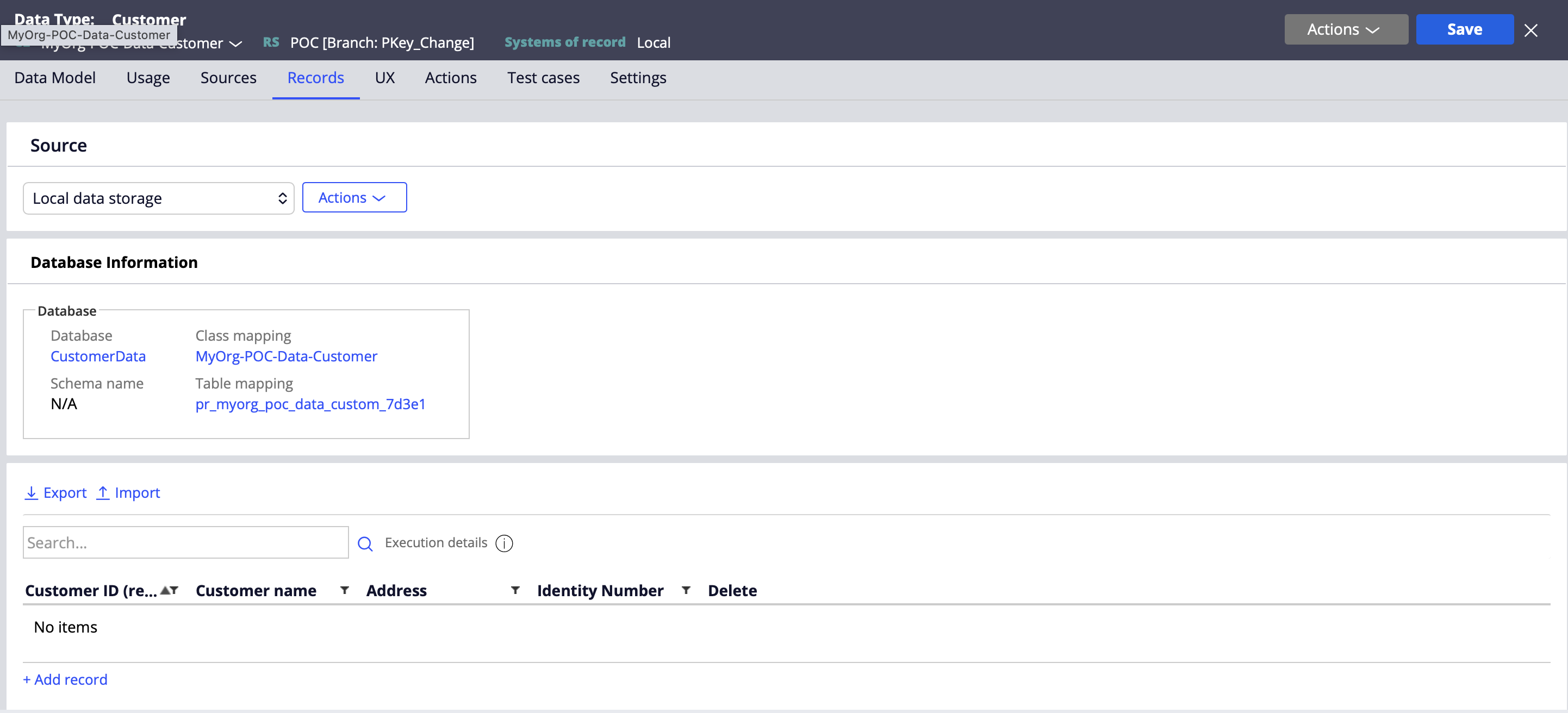
- Validate the data type no records present in the table
3) Change the key in the class and save the class rule
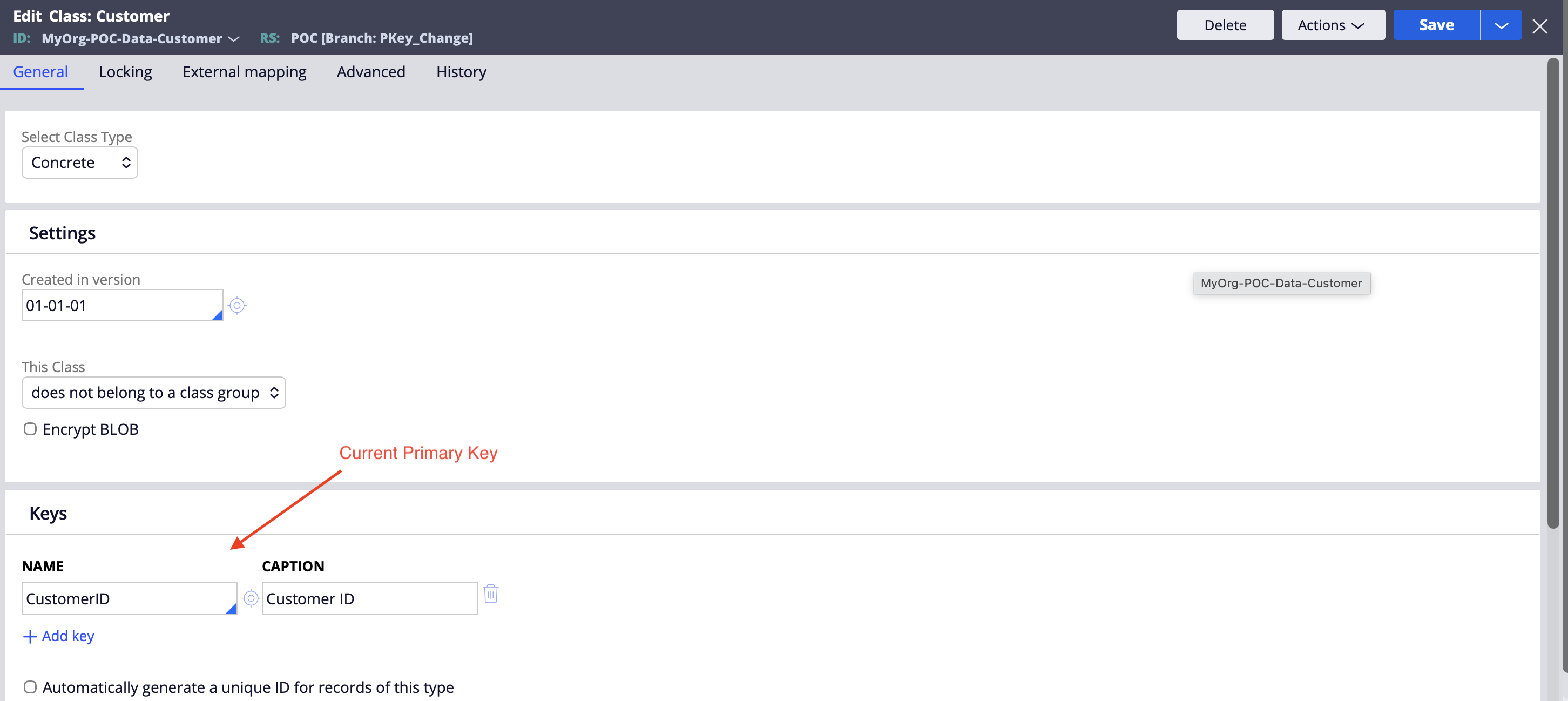
Update the Data Type / class rule metadata so Pega recognizes the new key:
-
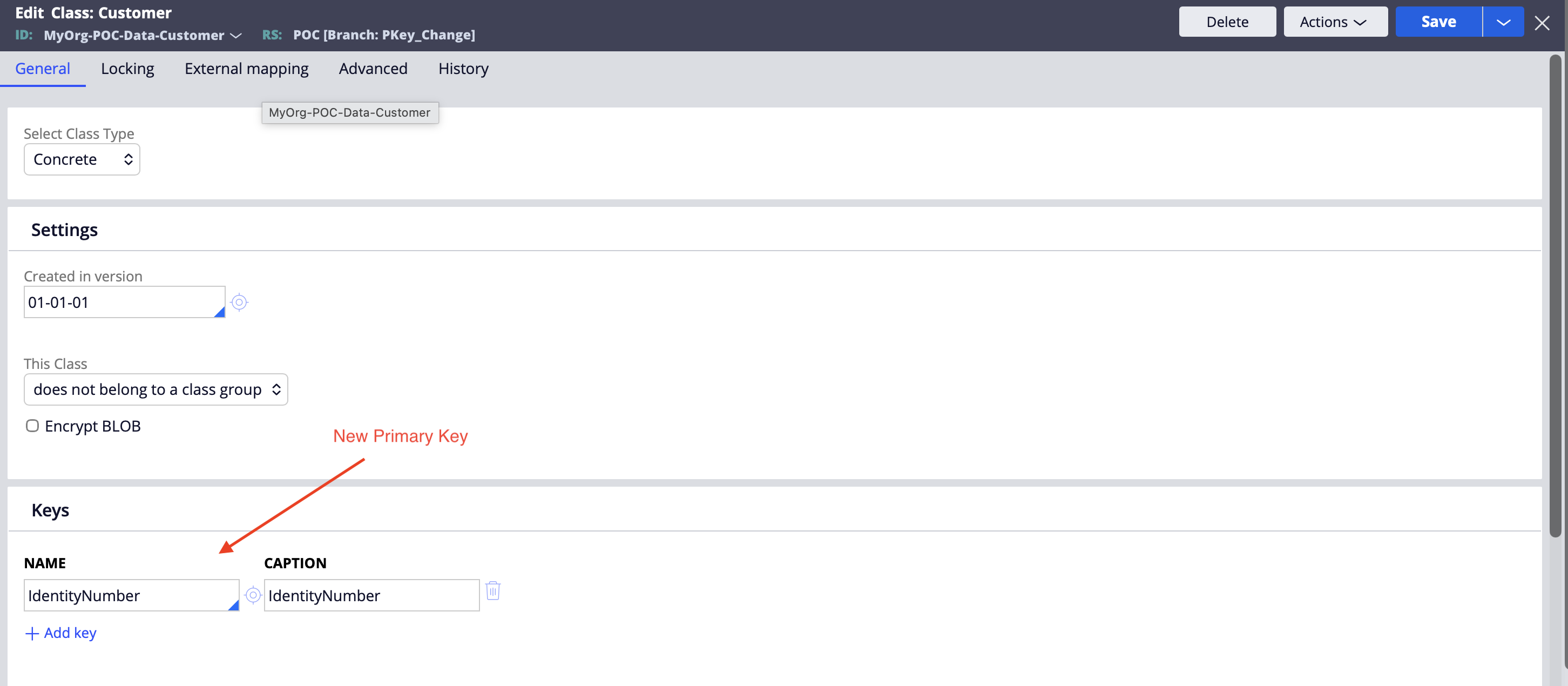
Update the key property from
CustomerIDtoIdentityNumber
-
Save the rule
At this point, Pega’s metadata knows the new key, but the physical table still has the old PK constraint (until you change it).
4) Get the current primary key constraint name using Query Runner
In many DBs (PostgreSQL, Oracle, etc.), PK constraints have system-generated names, especially in Cloud.
So first, discover the constraint name using Query Runner.
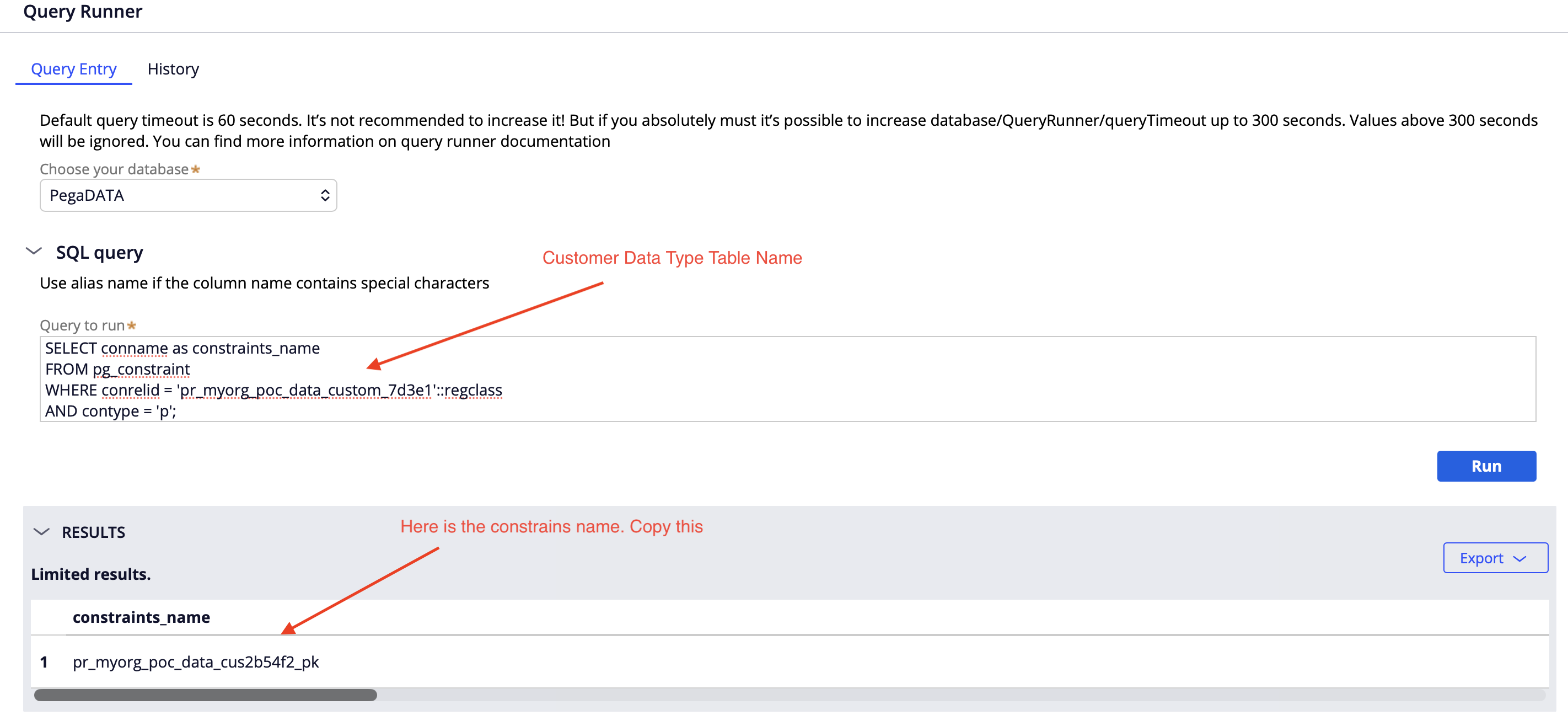
SELECT conname as constraints_name

FROM pg_constraint

WHERE conrelid = 'your_table_name'::regclass

AND contype = 'p';
5) Create a Connect SQL to drop the existing PK constraint
Create a Connect SQL rule that drops the old PK constraint.
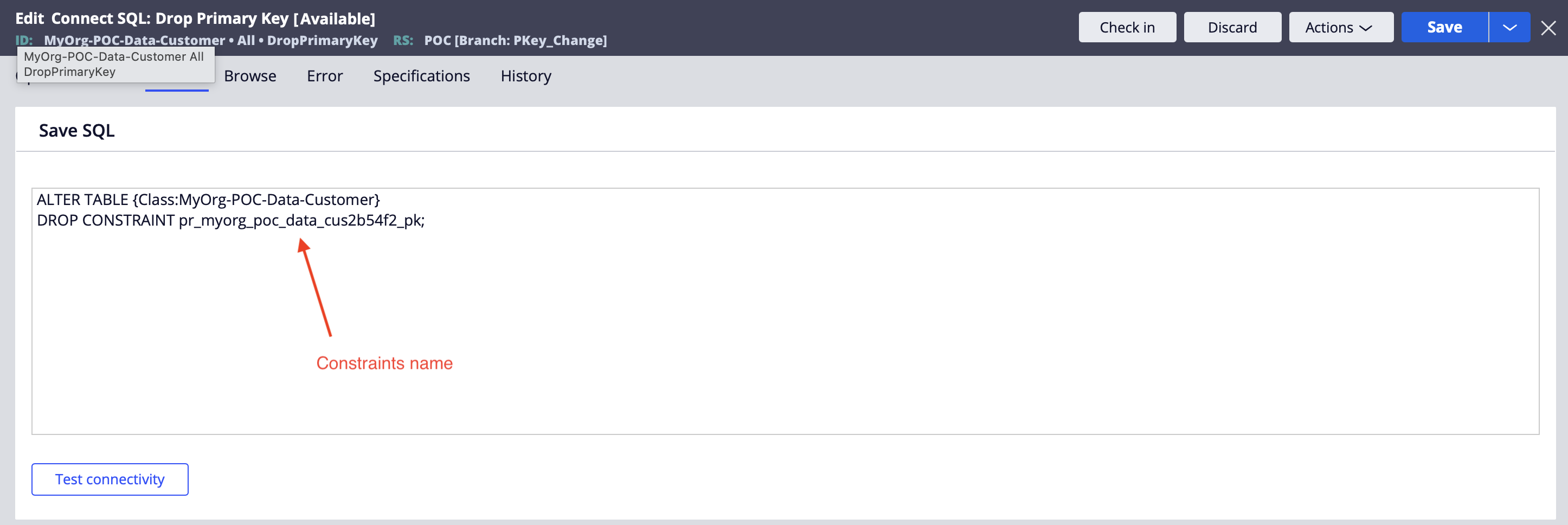
ALTER TABLE your_table_name

DROP CONSTRAINT your_constraints_name;
6) Run an activity to execute the Connect SQL
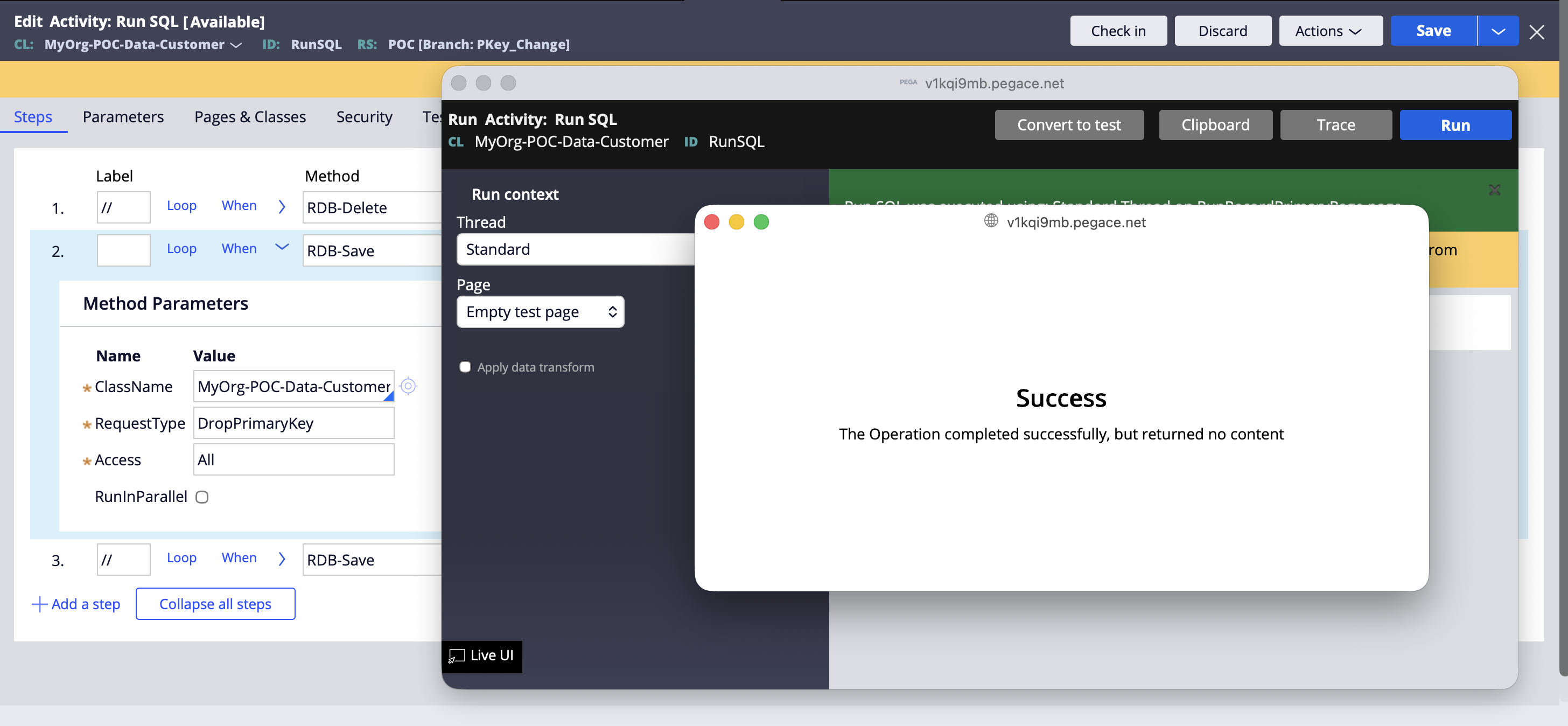
7) Add the new PK using another Connect SQL
Create a second Connect SQL rule to add the new primary key:
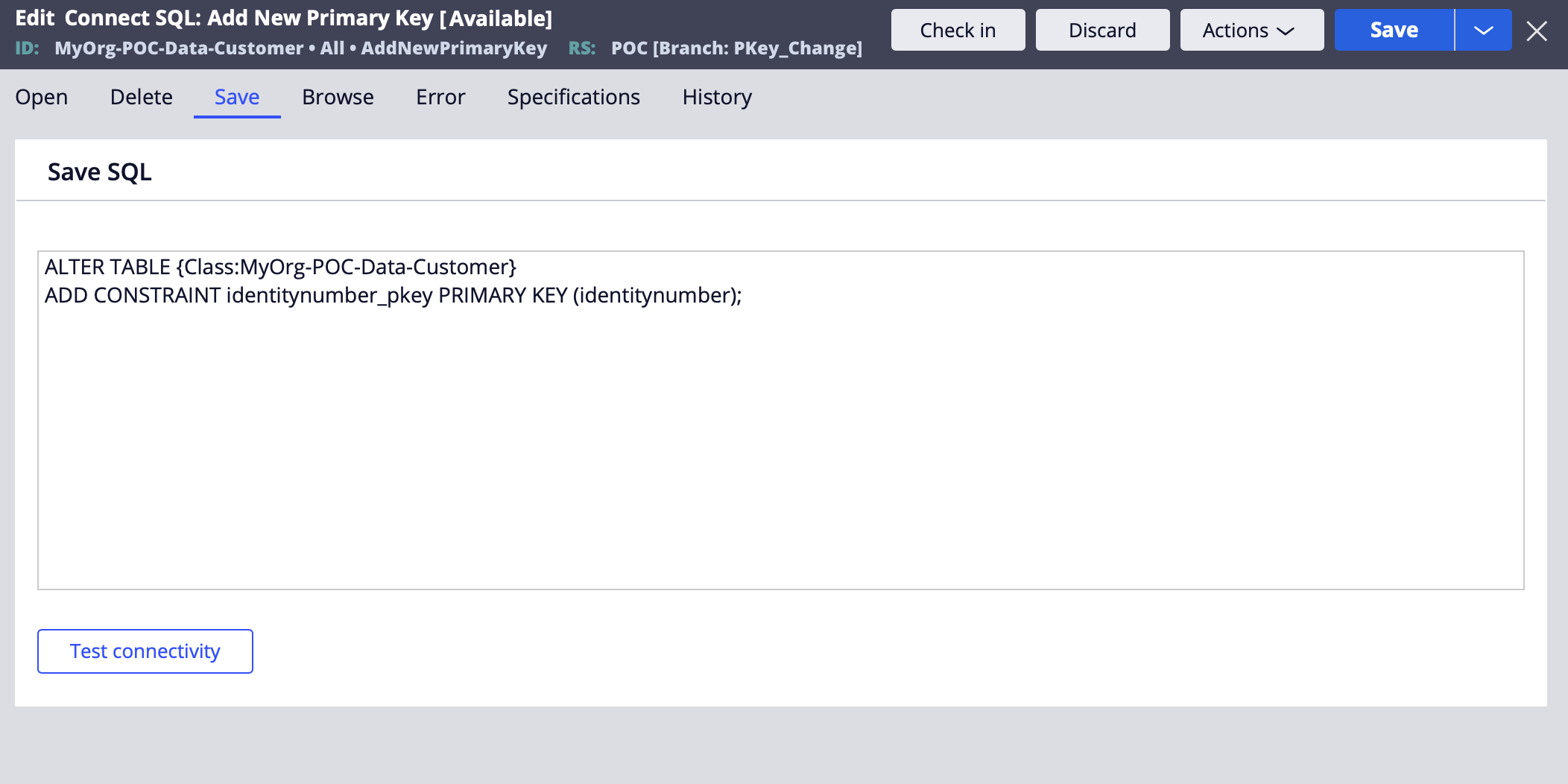
ALTER TABLE your_table_name

ADD CONSTRAINT constraints_name PRIMARY KEY (column_name);
8) Import the records back
Finally, import the exported records into the table again.
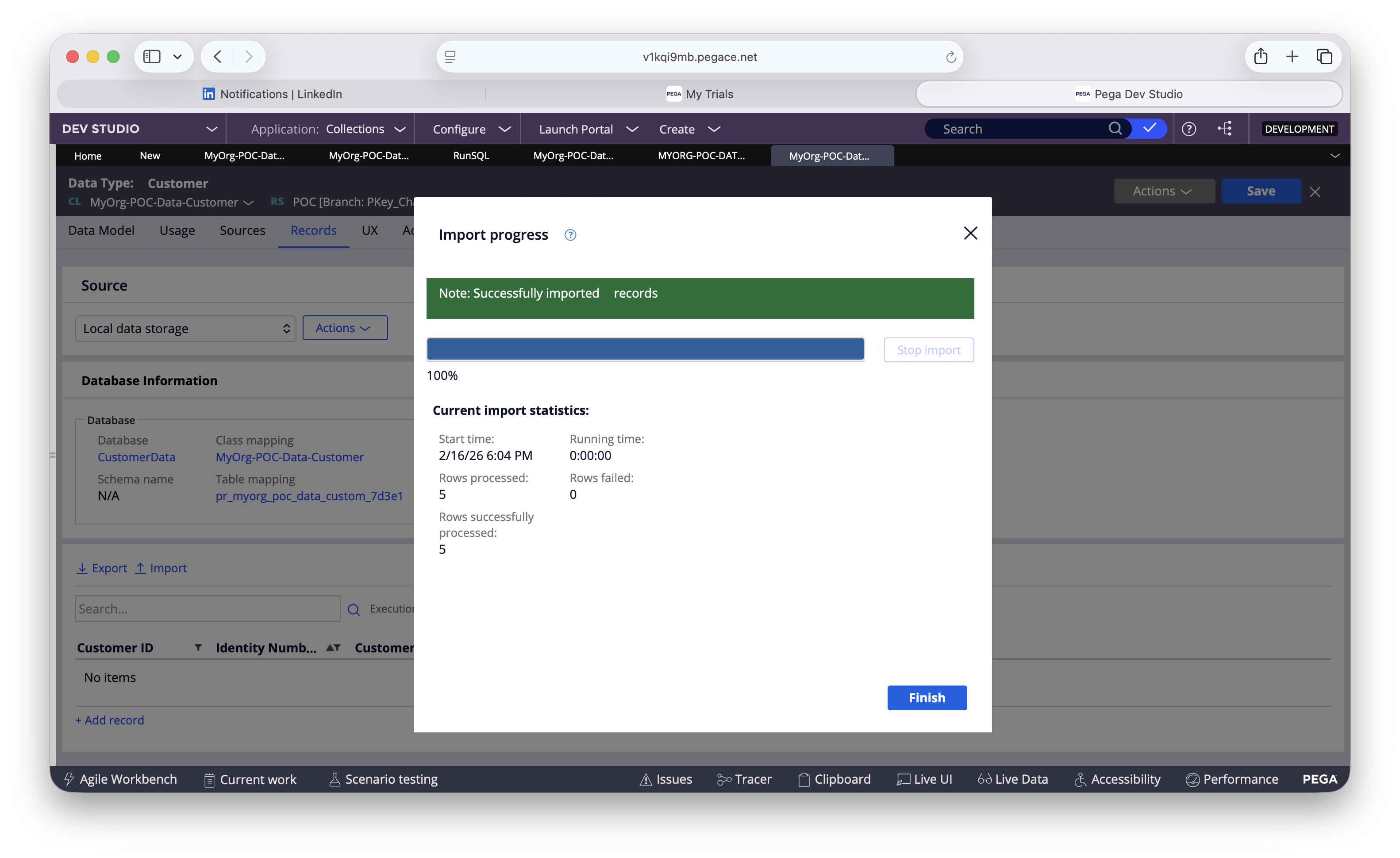
After import:
-
validate row counts
-
validate uniqueness of
IdentityNumber
Wrap-up
To change the primary key of a Data Type in Pega Cloud while re-using the same Data Type (Customer), the safest pattern is:
-
Export
-
Truncate
-
Update class key
-
Identify PK constraint via Query Runner
-
Drop PK via Connect SQL
-
Execute via activity
-
Add new PK via Connect SQL
-
Import back
It’s clean, controlled, and Cloud-friendly.