
Question

Capgemini
MX
Last activity: 11 Aug 2022 1:51 EDT
Data transform does not set property even though When is true
I have a DT that sets a property to a certain value when the condition is met, however inside the DT it seems to work but in the UI it just doesn't. When ".FechaInicio" is greater than the current date, the property "DeshabilitarPorFechasInvalidas" must be set to "invalido", otherwise the property is set to "valido"

This seems to work when doing a test on the When action, and sure enough the result is true, so you should set the property to "invalido"
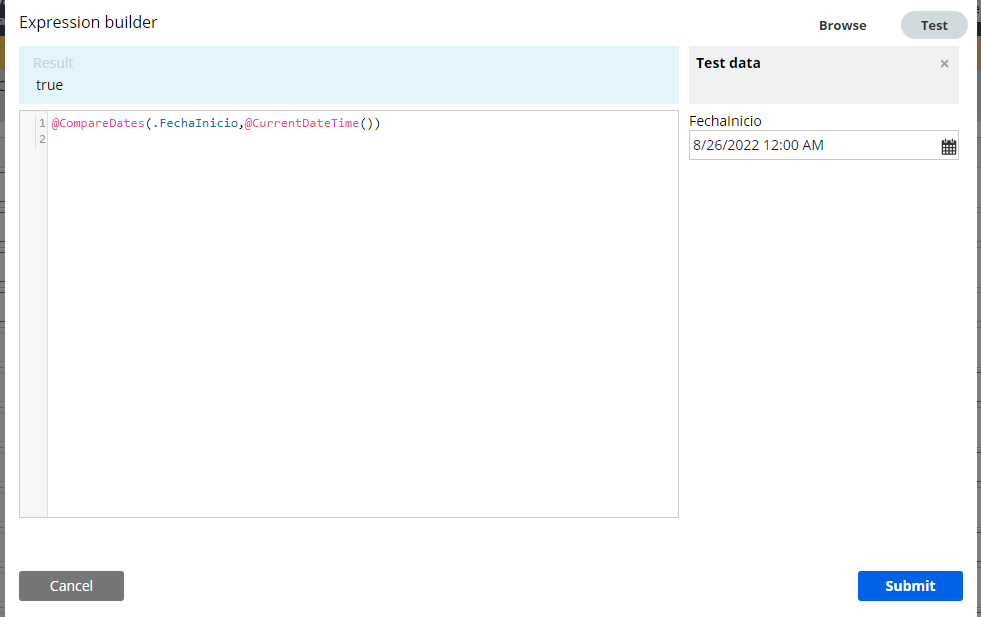
However, in the user interface it appears that this simple principle is not respected, and the property value remains "valido" even though it is set to the same date as in the test.
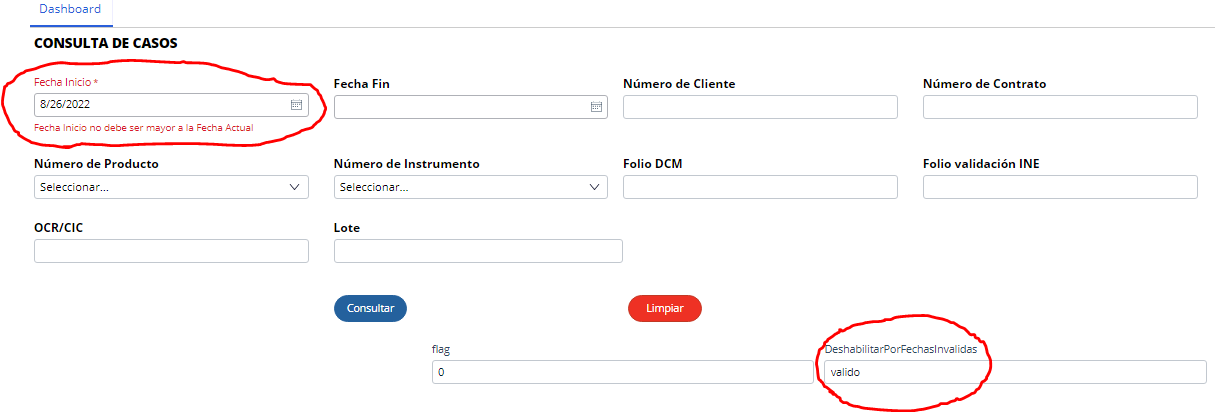
The DT runs with a "change" event and a "refresh section" action on the "FechaInicio" field
Capgemini
GB
Pegasystems Inc.
US
@EdgarIvanV What property type FechaIncino? If it is a Date Time property you maybe running into issues with the time component of the property. If you only mean to collect the Date I would suggest changing the property type and using another function like CurrentDate or getCurrentDateStamp to do the comparison like 20220810 > 20220809.

Infosys
IN
@EdgarIvanV Hi
CompareDates(.Date1,getCurrentDateStamp())==true
Use the above expression in when condition. Its Working fine.
For your Reference find the attached documents.
@EdgarIvanV
Are you submitting the updated date to the server and is the data transform being run anywhere? Data transforms are not declarative.
You can either add an On-Change action to your date control which needs to Refresh-Section and call your data transform during the refresh (make sure values are posted to the server during the refresh, also the section that contains the Validity property needs to refresh from the server after the data transform runs).
Or if your validity property is shown on a subsequent screen, you can submit the assignment with the Date property, then make sure that the data transform runs in the process before showing the Validity property in the next screen.
If this doesn't work then you need to trace the data transform and check that the required properties are being set in the clipboard before it runs.