

Read-only plain text values in Constellation can be introduced through various means, such as partial views, read-only text fields, and properties in the case summary panel of a work object.
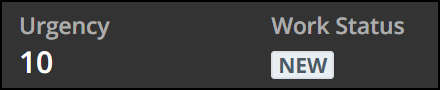
For plain text properties such as these, Pega generates <dl> description list tags, containing description terms <dt> and description definitions <dd>. The description term serves as the key, and the description definition serves as the value.
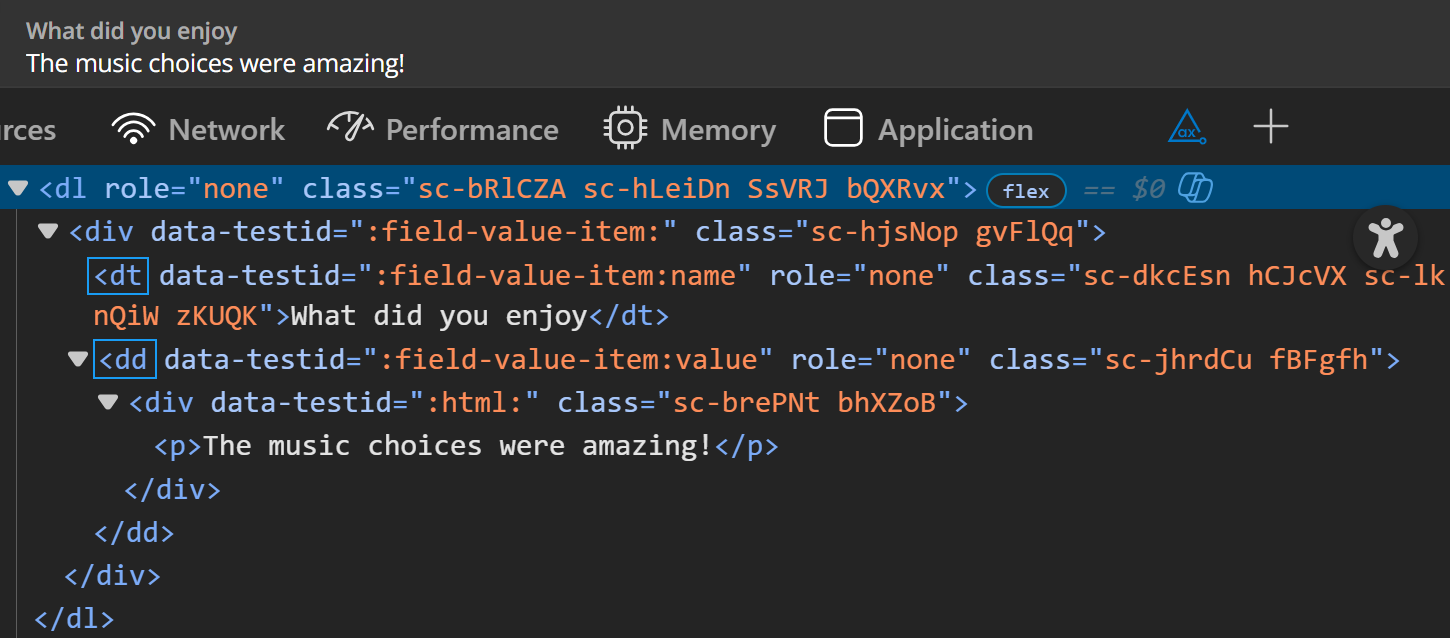
You might notice that the markup of these tags in the screenshot also contains the role="none" attribute, which removes the innate semantic role of the HTML tag the attribute is used on. Originally, the description list markup was chosen to provide a relationship between read-only data values, where each pair of values logically correlates to each other.
However, user feedback and testing results showed that the use of description list markup could introduce confusing and potentially verbose output from screen readers based on how they interpret the semantics. What would otherwise be simple plain text on the page, navigable in Browse/Read mode with screen reader, suddenly becomes several individual instances of lists with list items. While semantically the description list/term/definition structure is correct for reflecting the relationships of such key-value pairs, testing with various screen readers revealed that their announcements did not reflect the specific, logical type of list structure being used. Rather than indicating which text is the term and which is the definition, screen readers consider both to be a single list item within the greater description list structure. Considering how widespread these value pairs are in a given application, this introduced more complexity than intended.
Take this example of a rich text editor field displayed as read-only.

The definition, or value, contains both plain text and a link. A screen reader user navigating the page with the Tab key would hear output along the lines of “list with 1 item, regional cuisine link” when bringing keyboard focus to this link. Realistically there is no logical list structure to traverse here, but due to the tags being used, users may not be aware of this and believe otherwise.
The solution approach for meaningful screen reader interaction
To mitigate this, In Platform versions '25.1.3 and '26.1 onwards we add the role="none" attribute on the parent <dl> tag for two reasons.
The first is to suppress the screen reader announcement of the list and listitem structure, as it does not specify individual relationships between field and value. Instead, such values are treated as plain text on the page, navigable in Browse/Read mode with screen readers.
The second reason is to support how screen reader announces and navigates the text. Were we to also apply role="none" to the <dt> and <dd> tags, screen readers would announce all the data in a single arrow key press in browse mode - all as one string of text. So by just applying the role to the parent list container element, we preserve a logical reading sequence and avoid a confusing experience where all the data is announced at once.
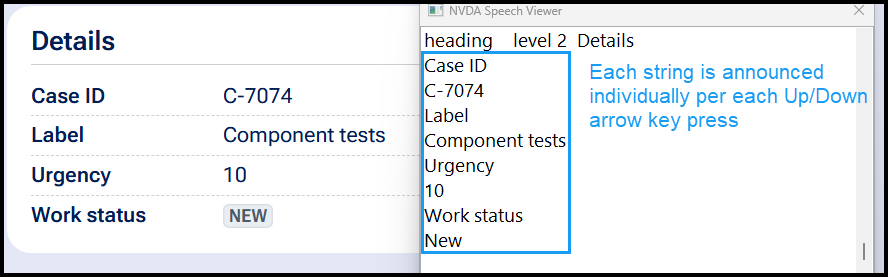
Automated testing tools such as aXe DevTools may flag the usage of this role incorrect if Best Practices are included in the testing criteria. The use of this role should not introduce accessibility issues or with assistive technology or barriers to understanding the content contained within.
Additionally for scenarios involving read-only rich text fields, beginning in the '26.1 release Constellation's RTE now uses Tiptap RTE. When displayed in read-only mode it maintains the markup of the RTE in its editable state and only sets the contenteditable attribute to false, thus avoiding the presence of any description list structure.