

Problem Statement
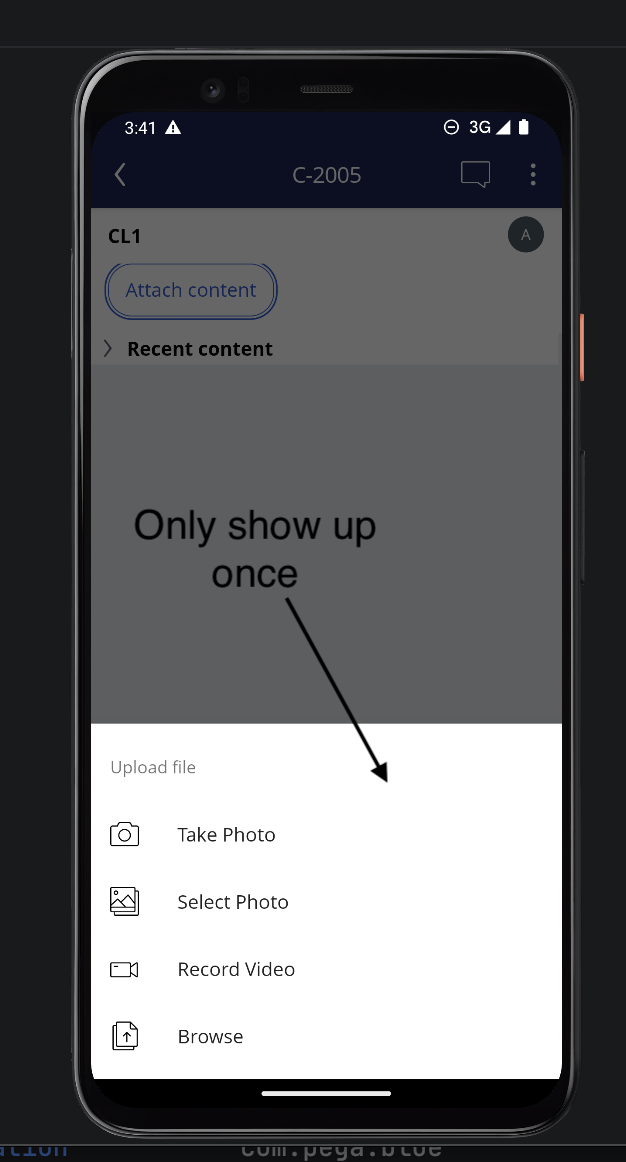
On Pega Platform™ 25.1.3, users of mobile applications (Pega mobile app on iOS and Android) experience an issue where the pxAttachContent control becomes unresponsive after the first file is attached. Subsequent attempts to attach additional files do not trigger any activity or trace until the application is restarted, or the page is refreshed.
Symptoms and Impact
- On Pega Platform desktop, the pxAttachContent control allows multiple files to be attached consecutively without issue.
- On mobile, only the first file attachment succeeds.
- After the first attachment, tapping the pxAttachContent control has no impact — upload is not displayed and no activity fires.
- The Pega Tracer confirms the first click correctly triggers pzRunActionWrapper and pzAttachContentFile activities.
- The second tap produces no trace entries and no log output.
- The control remains unresponsive until the app is restarted or the page is refreshed.
Steps to reproduce
- Open a Pega mobile application (mobile app, not mobile browser) on Pega Platform '25.1.3.
- Navigate to a case with a pxAttachContent control configured on a section.
- Tap the pxAttachContent control and attach a first file successfully.
- Without restarting the app or refreshing the page, tap the pxAttachContent control again to attach a second file. Result: The control does not respond and no upload options are presented.
Root Cause
This is a confirmed product defect. The pxAttachContent control fails to reset its internal state after the first file attachment on mobile. As a result, subsequent taps on the control do not re-invoke the underlying pzRunActionWrapper or pzAttachContentFile activities. The control effectively enters a locked state that persists for the duration of the session until the app or page is reloaded.
Solution
Update to the following patch releases where the pxAttachContent control correctly resets state between attachment operations on mobile, allowing multiple files to be attached consecutively within the same session.
- Pega Infinity '25.1.4
- Pega Infinity '24.2.5
The fix will be included in upcoming patch releases.
Interim Workaround
While awaiting the update to 25.1.4, users can work around this limitation by either:
-
Restarting the mobile app after each file attachment to reset the control's state.
-
Refreshing the page within the mobile app between each attachment attempt.
Note: These are session-level workarounds only and do not address the underlying defect.