

Issue
The Pega Platform™ web embed token endpoint returns a 403 error when using a custom bearer token for authentication.
Description
The Web Embed feature returns a 403 error when a custom bearer token is used for authentication.
This occurs in scenarios where the below steps are followed:
Enable customBearer custom authentication method
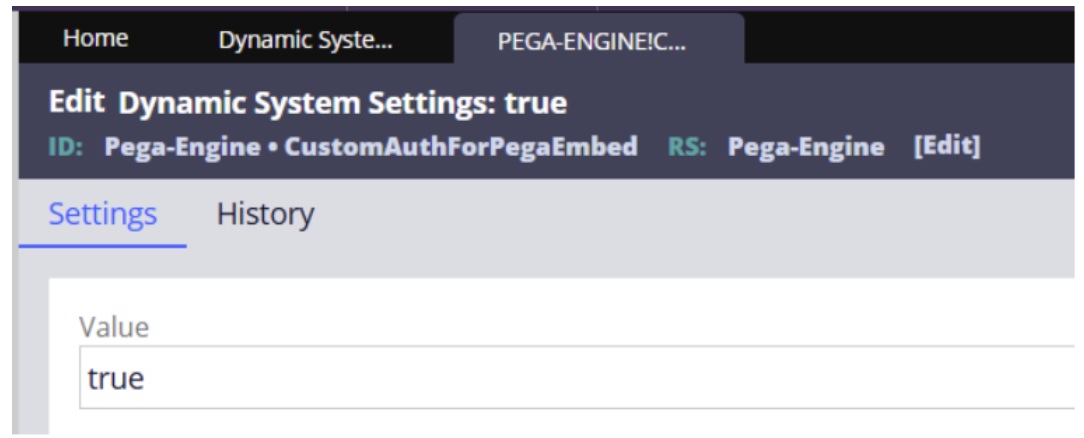
1. In > > , create new setting as follows:
-
Setting purpose: CustomAuthForPegaEmbed
-
Setting value: true
-
Owning ruleset: Pega-Engine
Create web embed
2. In create new
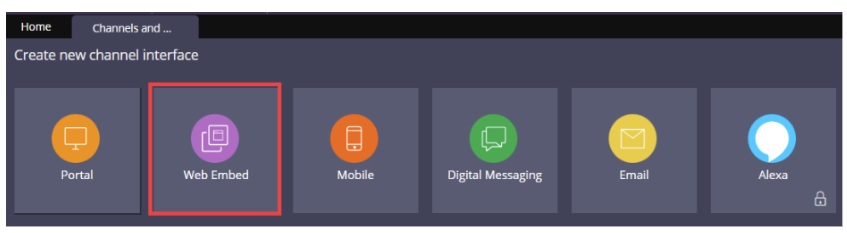
3. Select “Custom bearer” auth method type.
4. Generate web embed code.
Create and expose unauthenticated Access Group
5. Create new Access Group.
6. Create Unauthenticated ruleset and include in application referenced by created access group.
7. Expose unauthenticated access group:
- Go to > > >
- Ensure BROWSER record of pega instance points to Unauthenticated access group created in earlier step.
Configure activity and privilege
8. Create new privilege, for example “AllowGuestAuthenticationLogin”.
9. Create new role or modify existing role and include privilege with read only access.
10. Create new activity, for example “GuestUserAuth”.
- Add page to Pages & Classes tab:
- Page name: operator
- Page class: Data-Admin-Operator-ID
- Add step 1:
- Step page: operator
- Method: Obj-Open
- OpenClass: Data-Admin-Operator-ID
- PropertyName: .pyUserIdentifier
- PropertyValue: <OperatorID>
Symptom
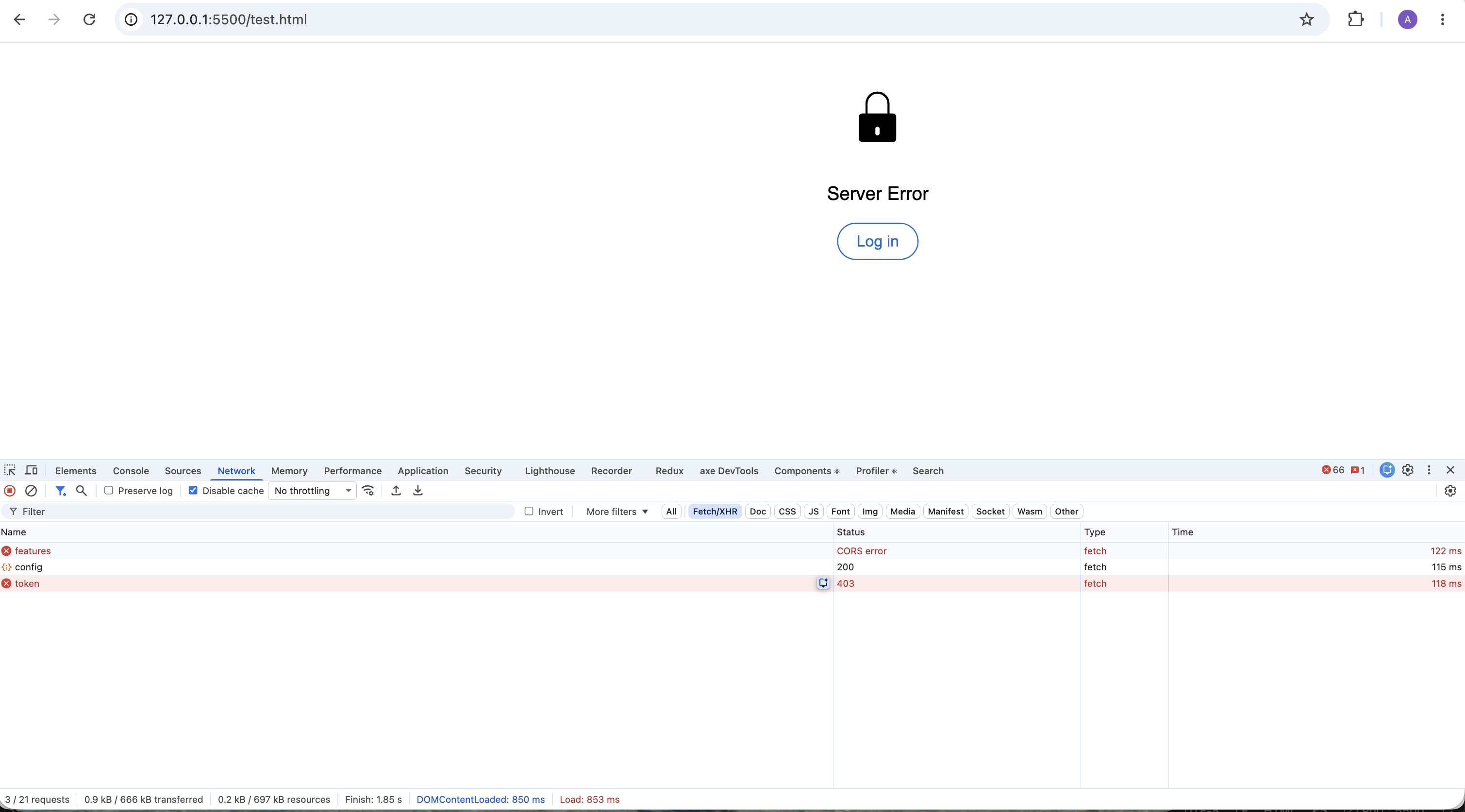
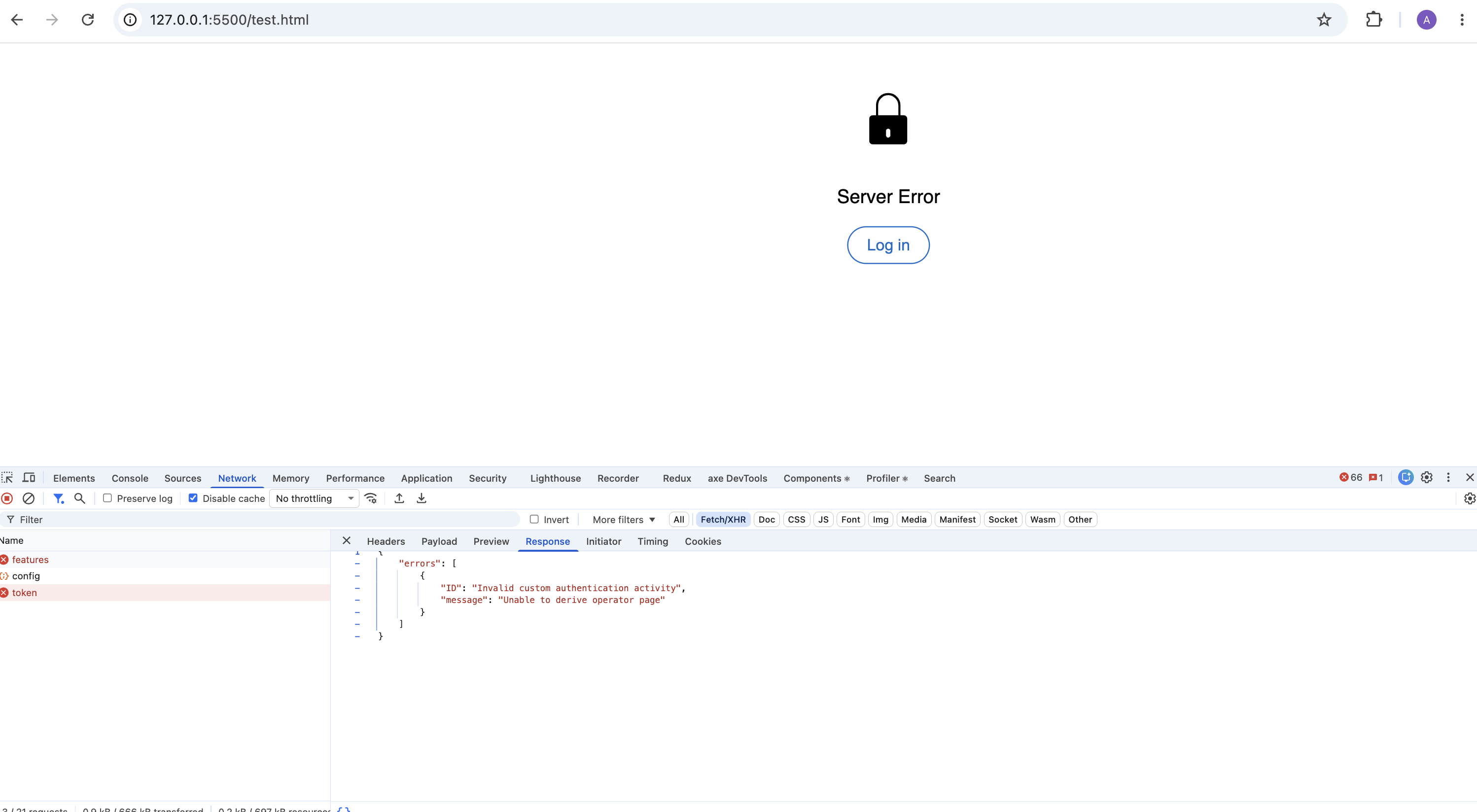
Error
{
"errors": [
{
"ID": "Invalid custom authentication activity",
"message": "Unable to derive operator page"
}
]
}
Root Cause
The OAuth 2.0 authentication configuration requires adjustments to properly authenticate and authorize requests.
During the OAuth 2.0 custom bearer authentication flow, Pega must establish an authenticated operator context before an access token can be generated. After the custom authentication activity validates the incoming request, the OAuth framework attempts to derive the operator page and create the authenticated requestor context used for token generation
-
The OAuth 2.0 Service Package Access Group must reference the same application context expected by the custom authentication implementation. If an incorrect or outdated Access Group is configured, Pega Platform may be unable to establish the authenticated operator context, resulting in the error "Unable to derive operator page" during token generation. The internal resolution includes updating the OAuth2 Service Package to use the correct application Access Group.
-
The Custom Authentication Activity must return control back to the OAuth framework so that operator derivation and access token generation can complete.
Solution
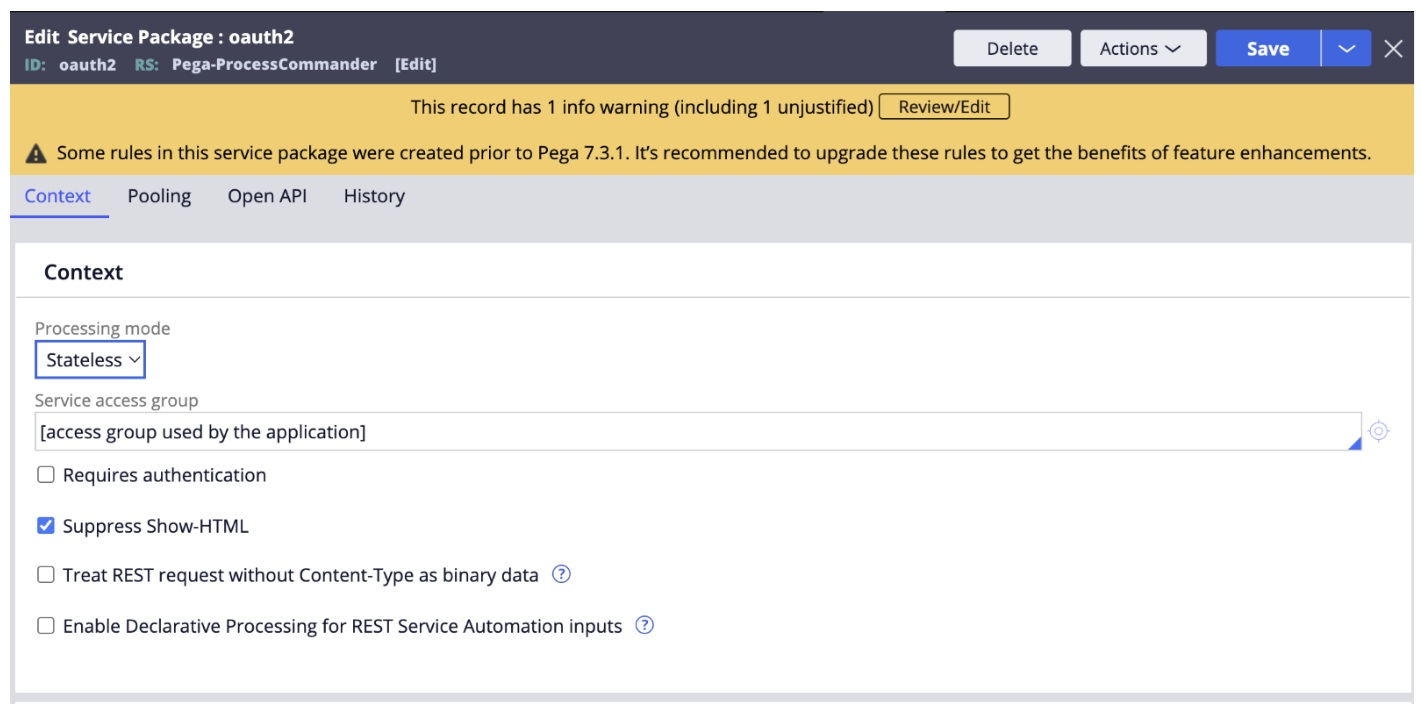
The solution involves updating the OAuth 2.0 Service Package access group to reference the correct application access group for your Web Mashup configuration.
Below are the steps to resolve the issue with the token endpoint returning a 403 error:
Update the custom bearer activity:
1. Open the custom bearer activity from Client OAuth 2.0 registration rule.
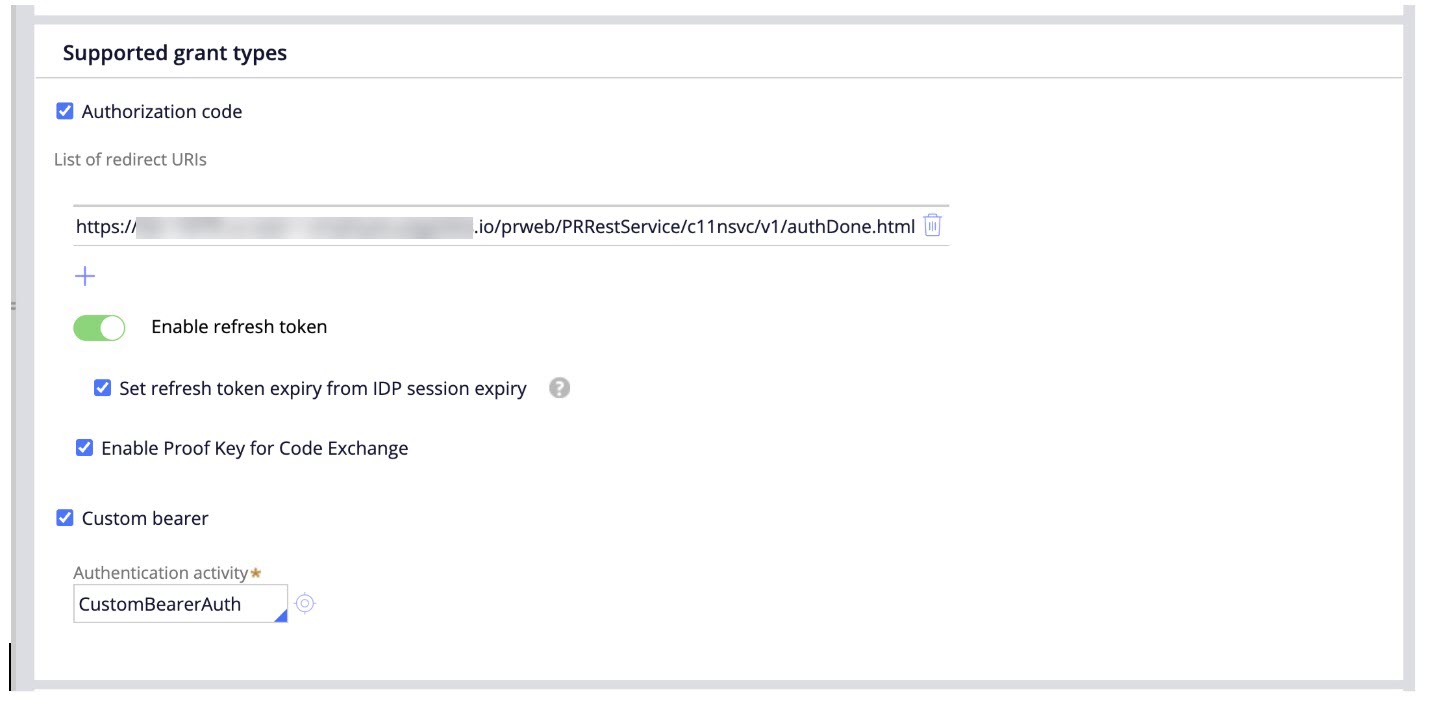
If there is no activity, create a new activity, as this is a required field.
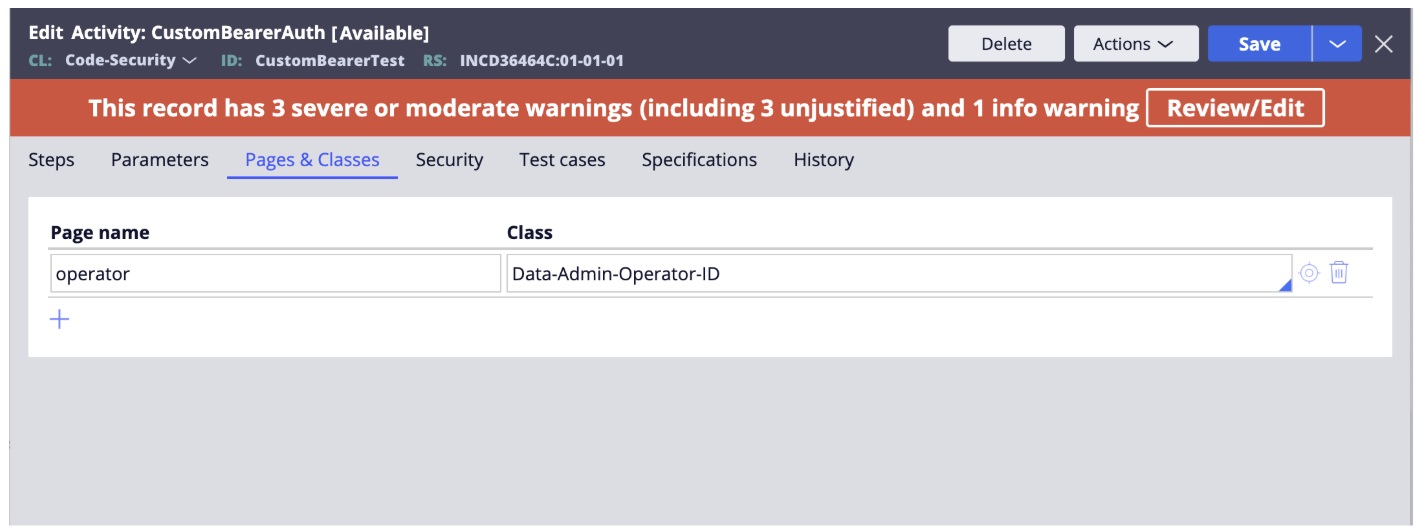
2. On the Page & Classes tab
1.Add an “operator” Page from Data-Admin-Operator-ID class.
2. Add a step to load the operator. In this step, call Obj-Open to load the operator record
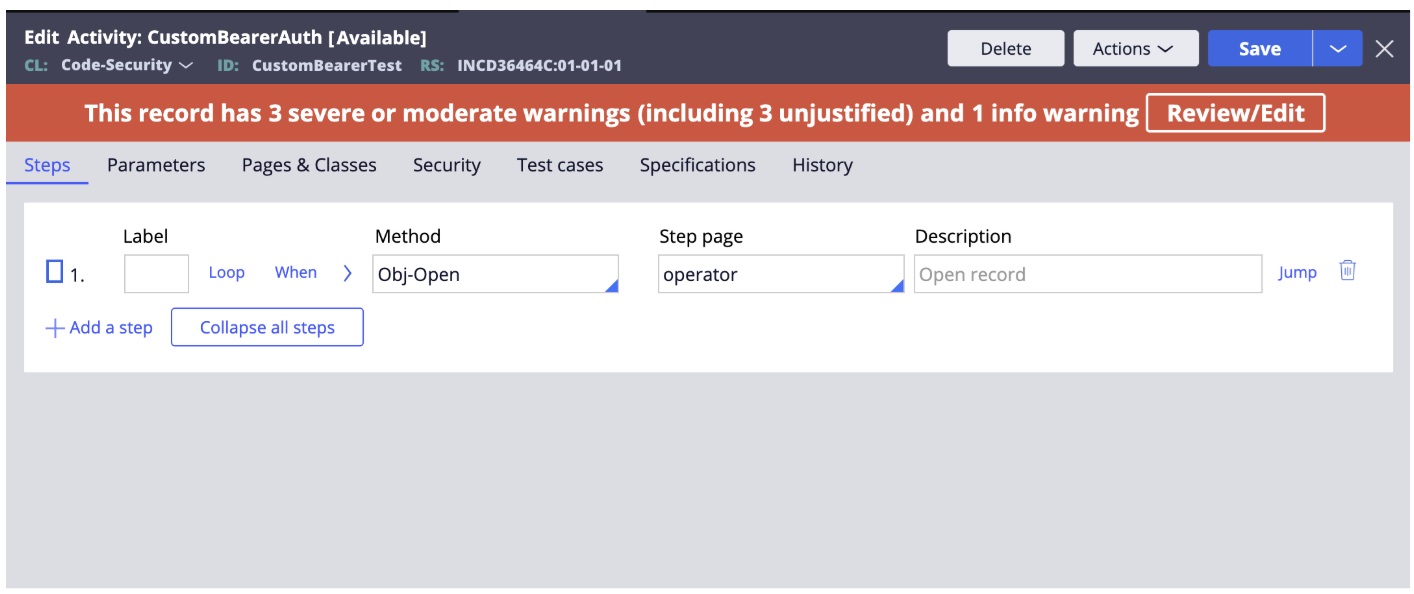
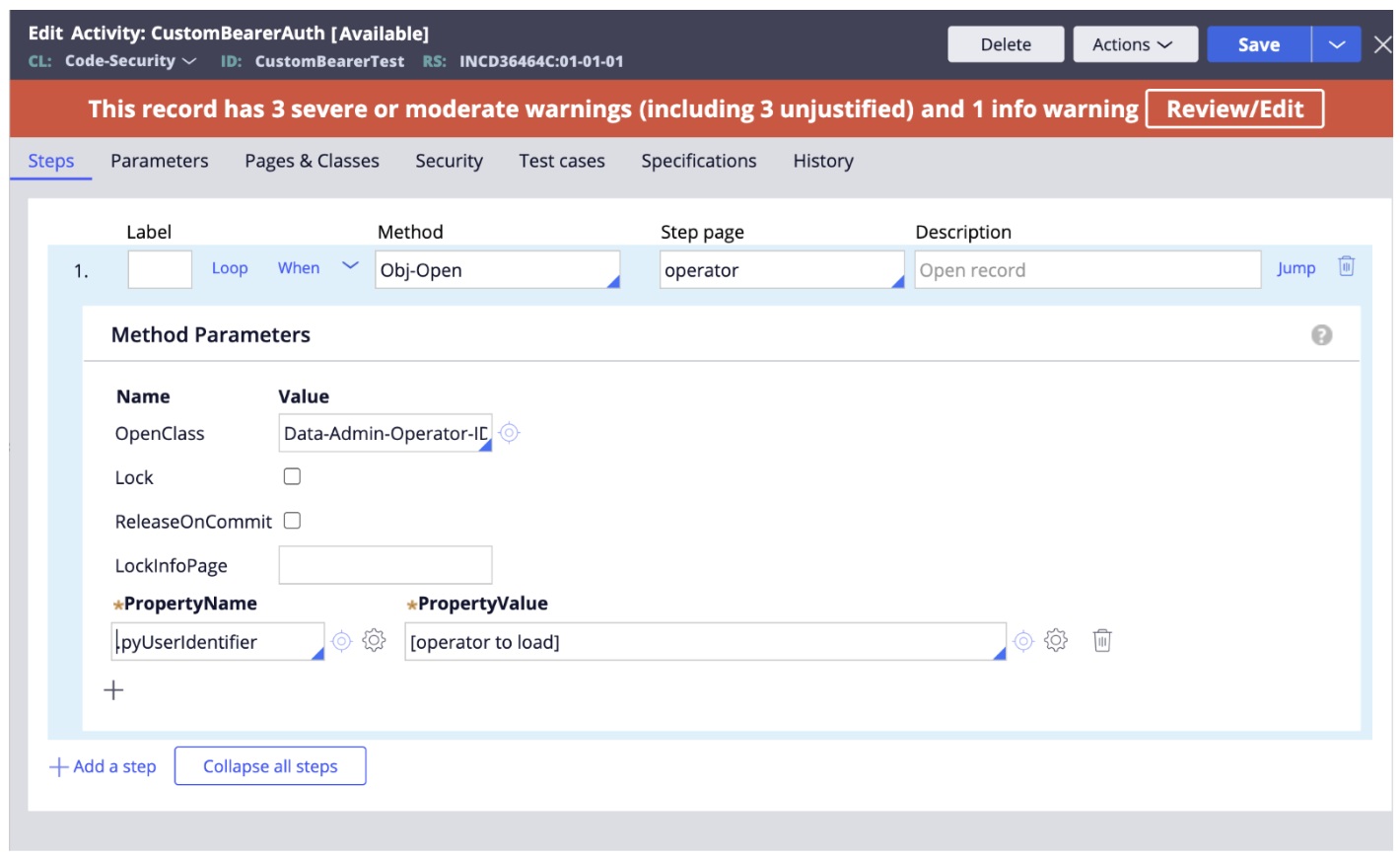
Ensure that pyUserIdentifier is set appropriately for the operator record you want to load.
3. In the Steps tab, add one more step (Step 2).
- For this step, set the Method to Java.
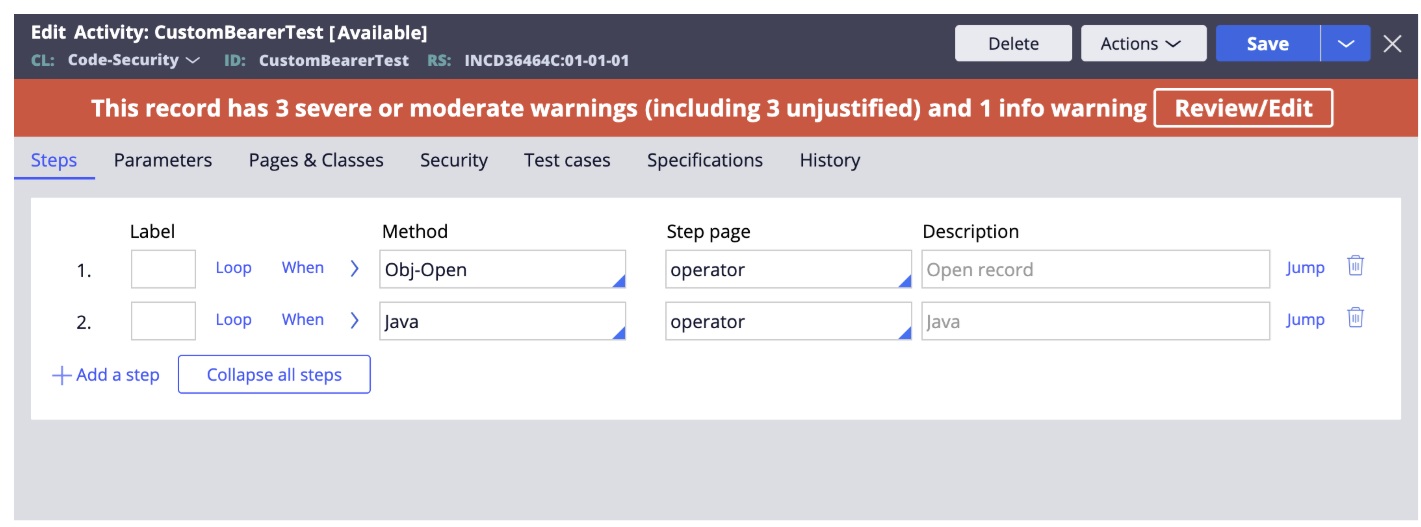
- Configure this step to execute the following Java code:
tools.putParamValue("pyOperPage", PropertyInfo.TYPE_TEXT, myStepPage);
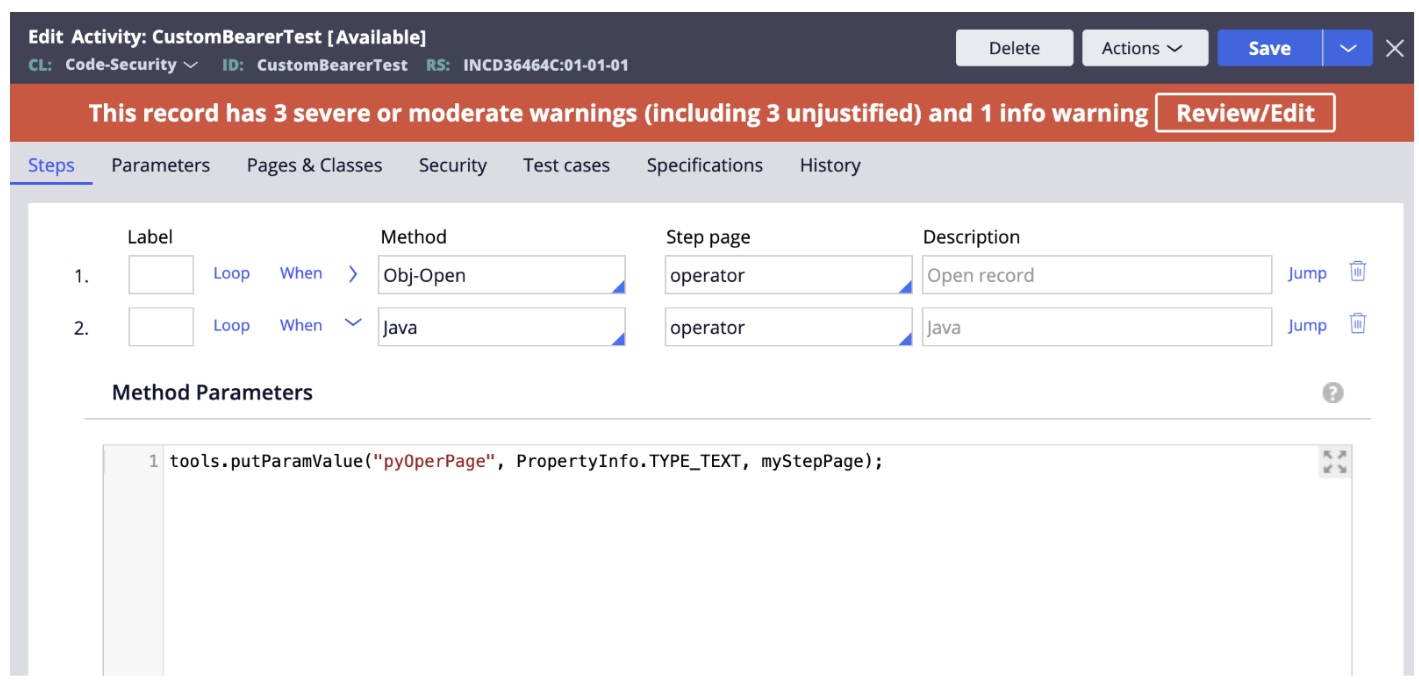
4. In both steps, make sure the Step Page is set to the "operator" page. Otherwise, the process will still return an error.
Update the OAuth 2.0 Service Package so that the Service Access Group references the access group used by the application:
5. Go to >
6. Open the record corresponding to the web embed created in previous steps:
- Enable Custom bearer flag
- Set the authentication activity
7. Modify the oauth2 service package.
References
Creating and configuring an OAuth 2.0 client registration
Defining processing and authentication for service packages