
Issue
In Pega Mobile Client™ release 14.0.0, Constellation tables that contain filters do not expand automatically when a user selects the tab that contains them. The table is displayed only after the user manually refreshes the tab.
Symptoms and Impact
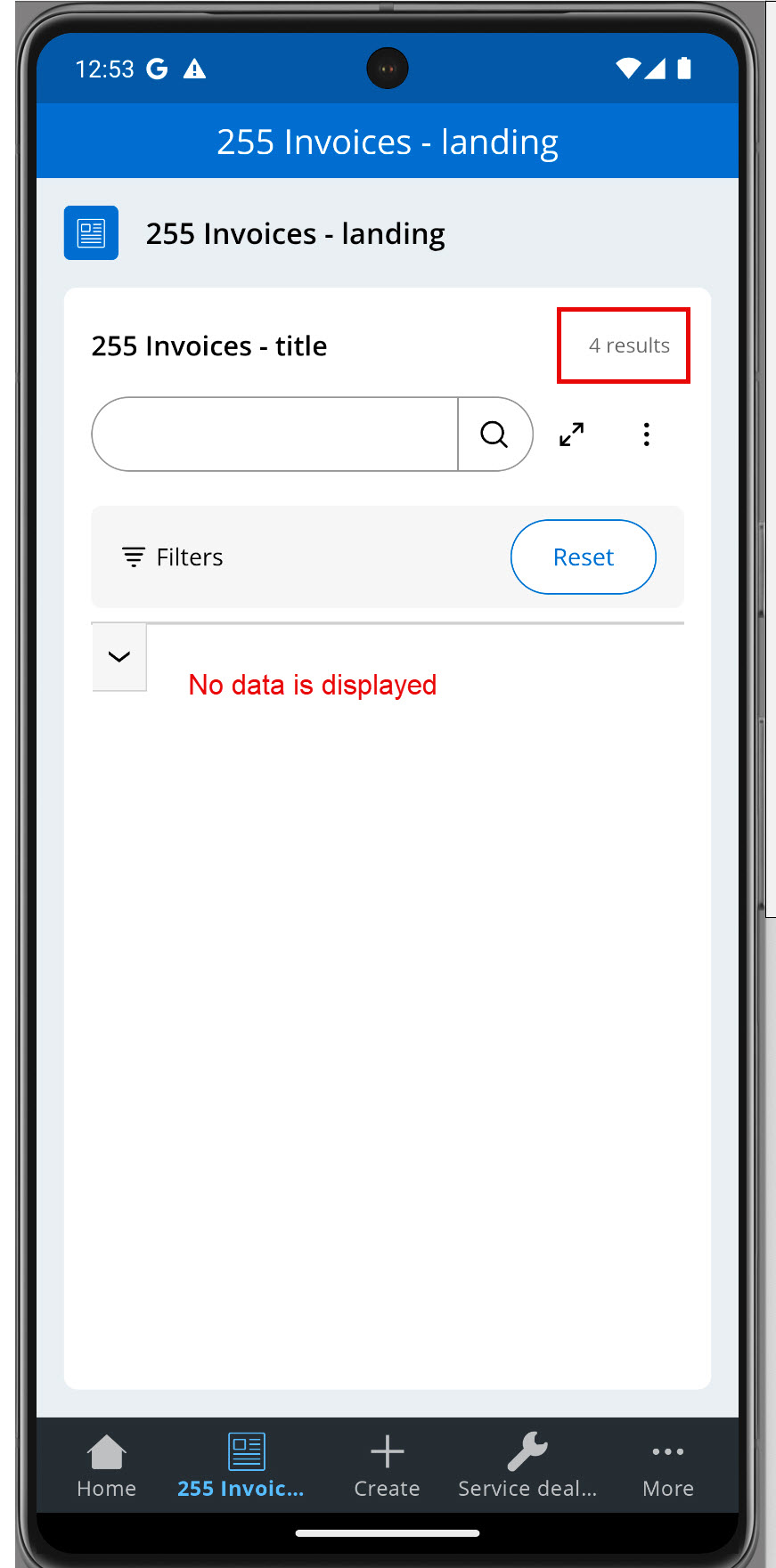
When a user loads a Constellation landing page that contains tabbed content and selects a tab with a filtered table, the table body is not displayed. The result counter may indicate that rows exist, but no data is visible. Switching away from the tab and back, or manually refreshing, causes the table to render correctly.
The issue affects both Android and iOS devices running Pega Mobile Client release 14.0.0 on Pega Platform™ release 24.1.4.
It is not exclusive to mobile; the same behavior can occur in web-embedded Constellation views where the webview is sized by the native container.
Steps to Reproduce
- Open an application in Pega Mobile Client release 14.0.0.
- Navigate to a landing page that contains tabs.
- Select a tab that contains a Constellation table with promoted filters. Result: The table body is not displayed. The result count may show rows, but no data is visible.
- Manually refresh the tab. Result: The table expands and data is displayed correctly.
Root Cause
This is a UI defect, not a Pega Mobile Client–specific issue. When a Constellation landing page first loads, the CSS max-height property of the table is calculated as a negative value. This occurs because of a race condition between the time the web content calculates its own dimensions and the time the native container makes space available for the embedded webview.
The table height calculation logic does not handle this scenario correctly, leaving the table collapsed on initial render. Engineering identified this as part of a broader set of table height issues.
Solution
Update to Pega Infinity™ 25 which refactors the height calculation logic across multiple use cases including Pega Mobile display issues.
After updating, tables with filters expand automatically when their tab is selected, without requiring a manual refresh.
Local Change (Workaround)
As an interim measure, users can manually refresh the tab after selecting it to force the table to render.