
Question

Tech Mahindra Ltd
BE
Last activity: 9 Jun 2022 10:20 EDT
Send Mail from Pega Robot studio
Hello,
I am exploring the available features for sending mail from Pega Robot studio. I was able to send mail from a system where outlook was installed locally.
Now I am trying to send/read mail from outlook 365 and Gmail. I am using the smtp setting. But even after trying multiple options/solutions I end up getting the below error.
"The SMTP server requires a secure connection or the client was not authenticated. The server response was: 5.7.57 Client not authenticated to send mail. [BMXPR01CA0091.INDPRD01.PROD.OUTLOOK.COM]."
Have attached the design that I have created. Please guide me how to send/read mails from Gmail/outlook 365.

Pegasystems Inc.
US

Pegasystems Inc.
US
@PriyankaP9167 @ThomasSasnett
The SMTP component has 2 Send methods. In order to send secure email you would use the method with 1 parameter. This parameter allows you to specify what security method to use. Options are:
- SslOnConnect
- StartTls
- StartTlsWhenAvailable
- Auto
- None
Based on the link that Thomas supplied, you may need to adjust some setting in Gmail but you should be able to use the SMTP component.
Tech Mahindra Ltd
BE
@jeffbadger @ThomasSasnett
Thanks Jeff and Thomas, I will apply your suggestions to connect gmail.

Evonsys
US
Pegasystems Inc.
US
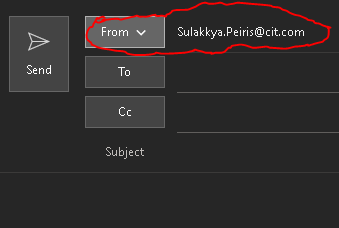
@SulakkyaYou can't change the From address directly since this is reflected by which account Outlook is using. You should be able to change that however, although I didn't find a direct way to do it.
Based on the code above, I created this solution. It uses that code to first check to see if you can send email using that account (i.e. that you have set it up in Outlook beforehand). I only have one account available in my mailbox, so I cannot fully test this, but I believe it will work.
@PriyankaP9167 The SMTP connector is strictly for sending emails via SMTP. It would require your mail provider to support SMTP. They would need to provide the specific details on what settings you'd need to provide. If Gmail or whatever your provider is supports SMTP, they should be able to provide you the information needed.
I did a quick search and it looks like Gmail requires HTTPS for sending (which is not an option available on the component). You could do this in a script however.
https://www.c-sharpcorner.com/blogs/send-email-using-gmail-smtp#:~:text=Send%20Email%20Using%20Gmail%20SMTP.%201%20Sign%20in,settings.%203%20Then%20click%20on.%204%20%20
There is no component built-in to Robotics other than the Outlook component for receiving emails. You might look into using the Pega platform for this as it has many more email capabilities. If you are only using Robotics, then you will be limited to interrogating the web pages where these emails are presented and attempting to interact with those fields in that manner.