
Question

Capgemini
MX
Last activity: 11 Oct 2022 11:07 EDT
Refresh a section in a -Data class from a section in the -Work class
Refresh a section in a -Data class from a section in the -Work class
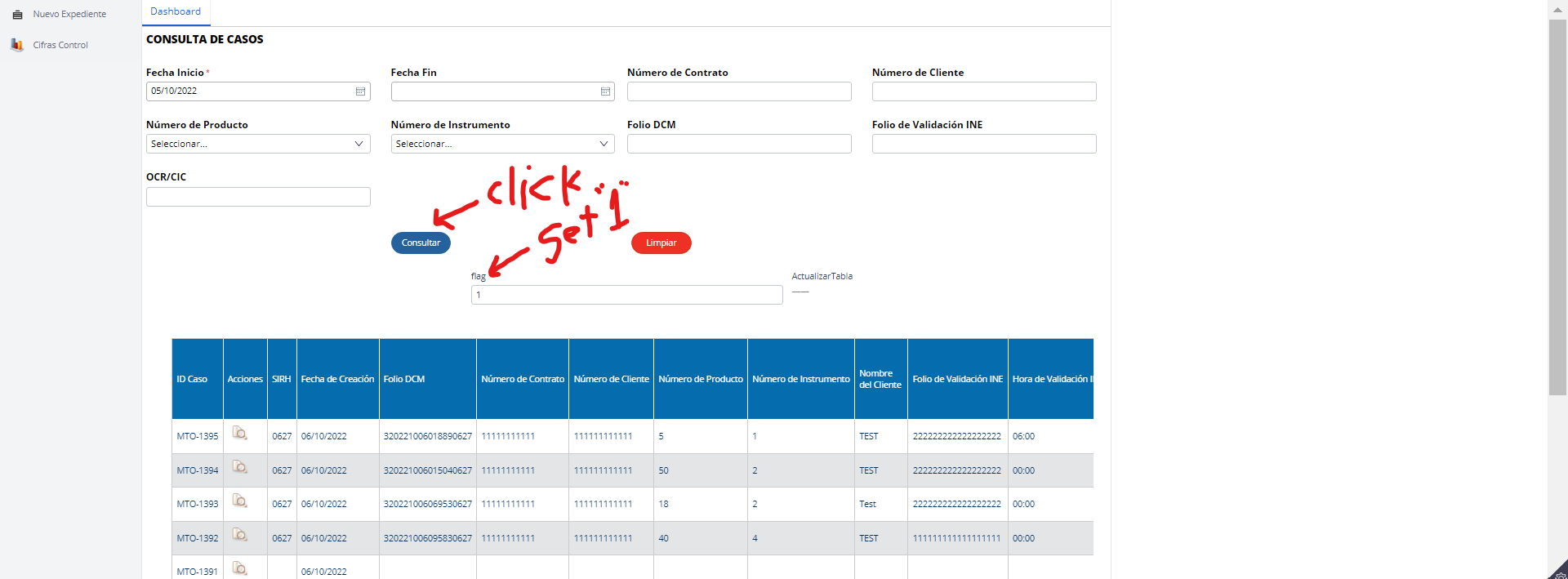
We have an application that shows a dashboard (section in the -Data- class), this control panel shows a table with the cases according to the operator, each operator can only see cases with some particular status. The table is updated when a button called "Consultar" is clicked. This button calls a data transformation that sets a flag property to "1", when this property is "1", the table is displayed.
In the user interface, the dashboard is displayed in a tab:
When an operator named "Checker" presses a "Enviar a revisión" button (in a section of the -Work- class, ie the case), the case is sent to the next stage of the operator named "Maker". The cases can be consulted from an magnifying glass icon in the dashboard table, in a new tab:
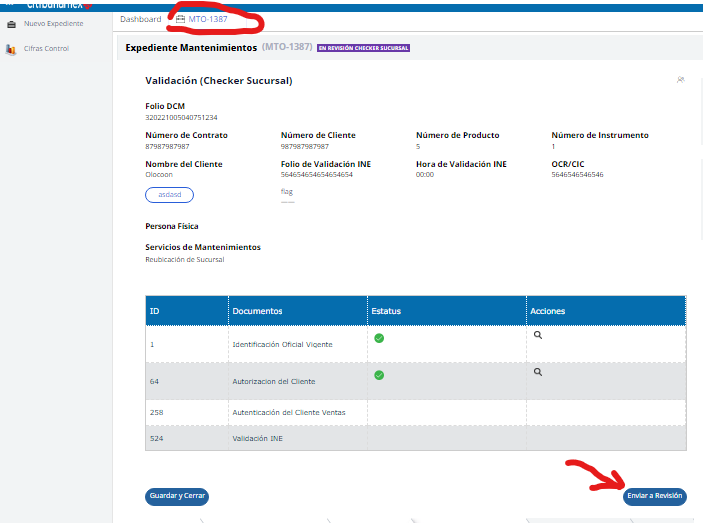
Refresh a section in a -Data class from a section in the -Work class
We have an application that shows a dashboard (section in the -Data- class), this control panel shows a table with the cases according to the operator, each operator can only see cases with some particular status. The table is updated when a button called "Consultar" is clicked. This button calls a data transformation that sets a flag property to "1", when this property is "1", the table is displayed.
In the user interface, the dashboard is displayed in a tab:
When an operator named "Checker" presses a "Enviar a revisión" button (in a section of the -Work- class, ie the case), the case is sent to the next stage of the operator named "Maker". The cases can be consulted from an magnifying glass icon in the dashboard table, in a new tab:
The problem is that the case is still displayed in the dashboard table, which allows you to open the case even when the case no longer belongs to "Checker", but to "Maker", the case disappears from the table when click the "Consultar" button again, which is impractical, since the case remains visible to the current operator as long as they don't click "Consultar". The case should disappear from the table when "Checker" clicks the "Enviar a revisión" button found in the case section.
I tried to do the obvious thing, put the same Data Transform on the "Enviar a revisión" button, in a "refresh other section" action, to refresh the dashboard section, it didn't work, the flag property doesn't change on the dashboard section (class -Data-).
I tried with the help of a Single Page property, with the embedded flag property, but the flag property only changes in the case section (-Work-), but does not change in the dashboard section (Data-).
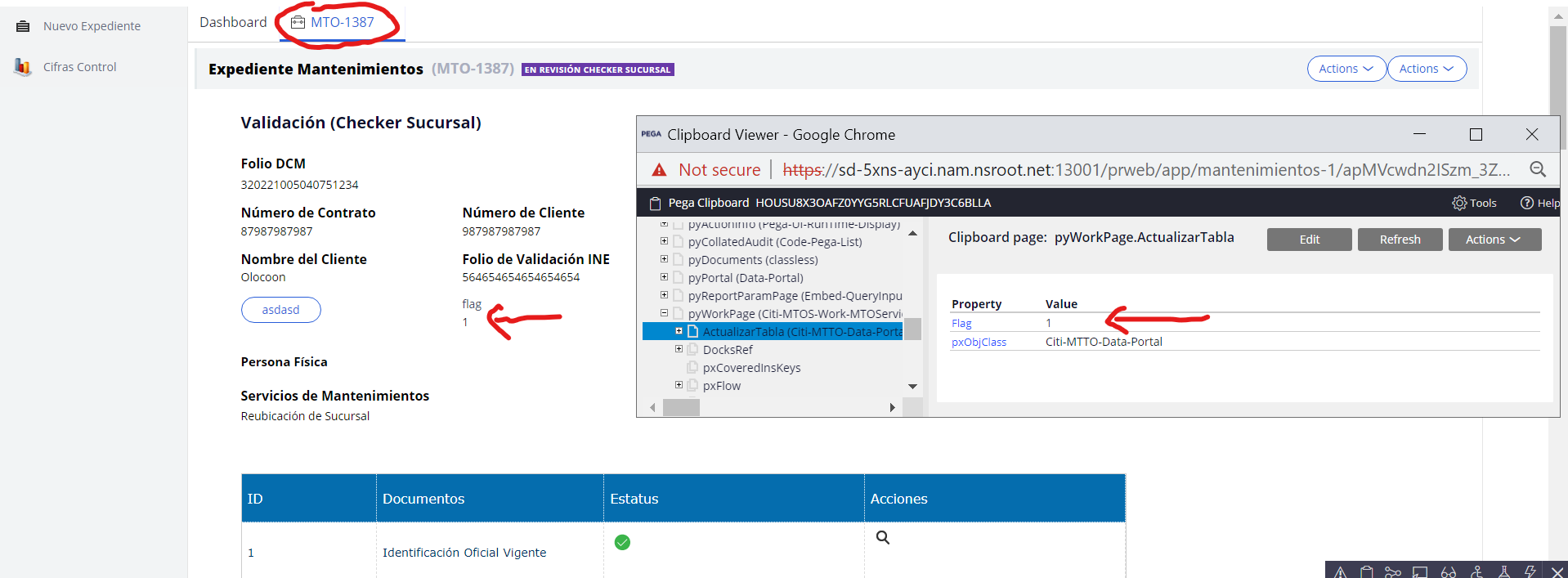
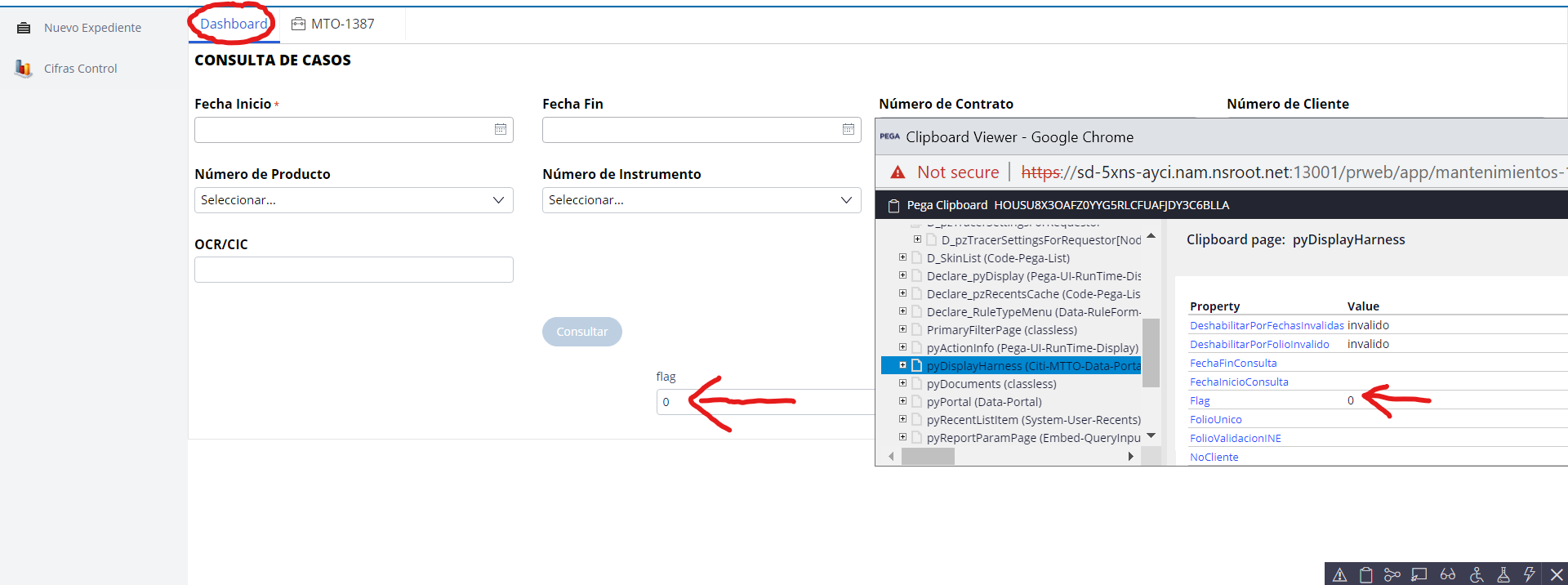
I need that flag property that can be set from the case section (Work) and that the change is reflected in the dashboard section, in order to update the table and that the cases that do not correspond disappear, in a nutshell, that the "Enviar a revisión" button does the same job as the "Consultar" button

Pegasystems Inc.
IN

Pegasystems Inc.
GB
@EdgarIvanV you appear to have logged the same question twice. Set a property from another class was logged a day earlier and has also had some suggestions.
Logging multiple posts for the same question can cause confusion and fragmented solution descriptions. I would like to close one of these questions so that forum users can focus on a single thread.
Please can you confirm that @siris2 's solution below helped resolve your scenario?
Can you please mark 'Accept Solution' on the response in this, and in the other Set a property from another class question once you are unblocked?
Pegasystems Inc.
GB
@EdgarIvanV closing this thread in favour of Set a property from another class which has the user activity.
@EdgarIvanV
Hi below is my understanding of the use case
1) There is a dashboard in the Data class
2) Dashboard displayed list of cases with a specific status
3) In each case there is a button, and on click, the status of the case changes. Here we are trying to refresh the section from a different thread.
Issue:
The dashboard is having stale information where the case is still shown with old status.
Looking at the description and nature of the issue I am anticipating that, it is trying to refresh in the same thread.
Please refer below link on how to refresh the section on another thread
https://support.pega.com/question/refresh-tab-content-when-active
https://support.pega.com/question/how-refresh-tab-updated-data-another-tab