
pxRadioButtons control consumes large space in height and width
Hello,
I want to have a radio button for each row in a table. However, I can't adjust the height and width properly. System inserts large space as below, which makes UI strange. I want to remove unnecessary spaces.
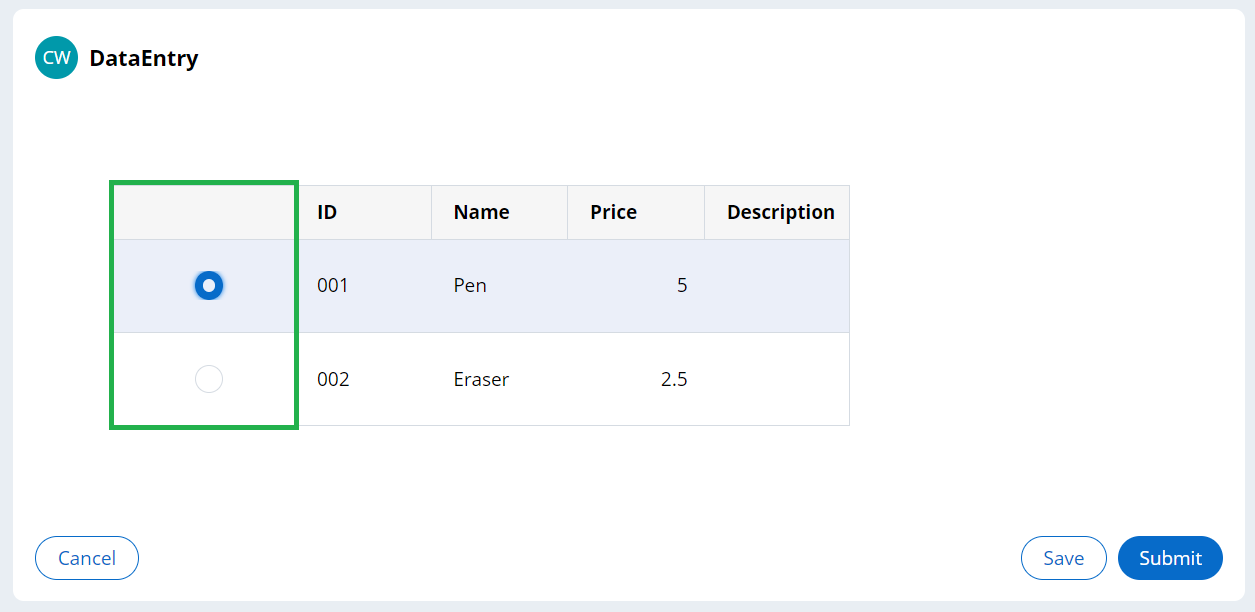
I am simply using the most standard radio button control, pxRadioButtons. Right after I specify the control, it consumes large space as below.
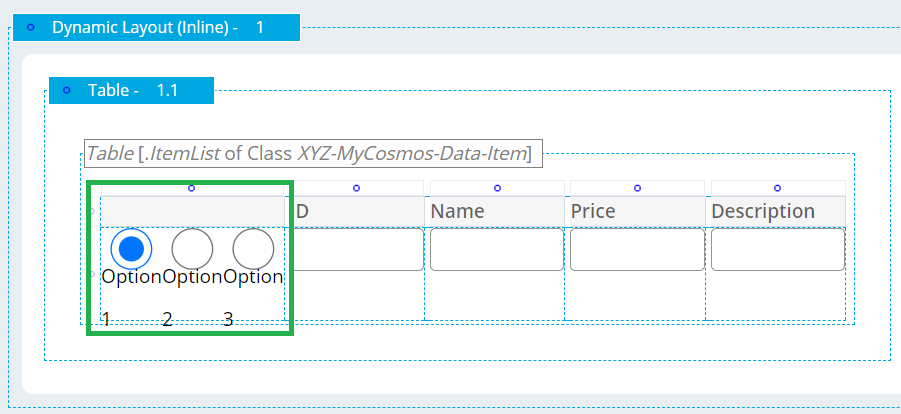
I tried changing the cell width and height to a smaller value, but it doesn't work. What is the easiest solution to fix this?

Regards,
Accepted Solution
Updated: 4 Jul 2023 5:12 EDT

Pegasystems Inc.
JP

IT Solution Service
SG
I have added padding and margin attributes to Radio buttons control in Skin rule as below. However, it is not reflected on screen. I also removed the default attribute "min-height" but there was no changes.
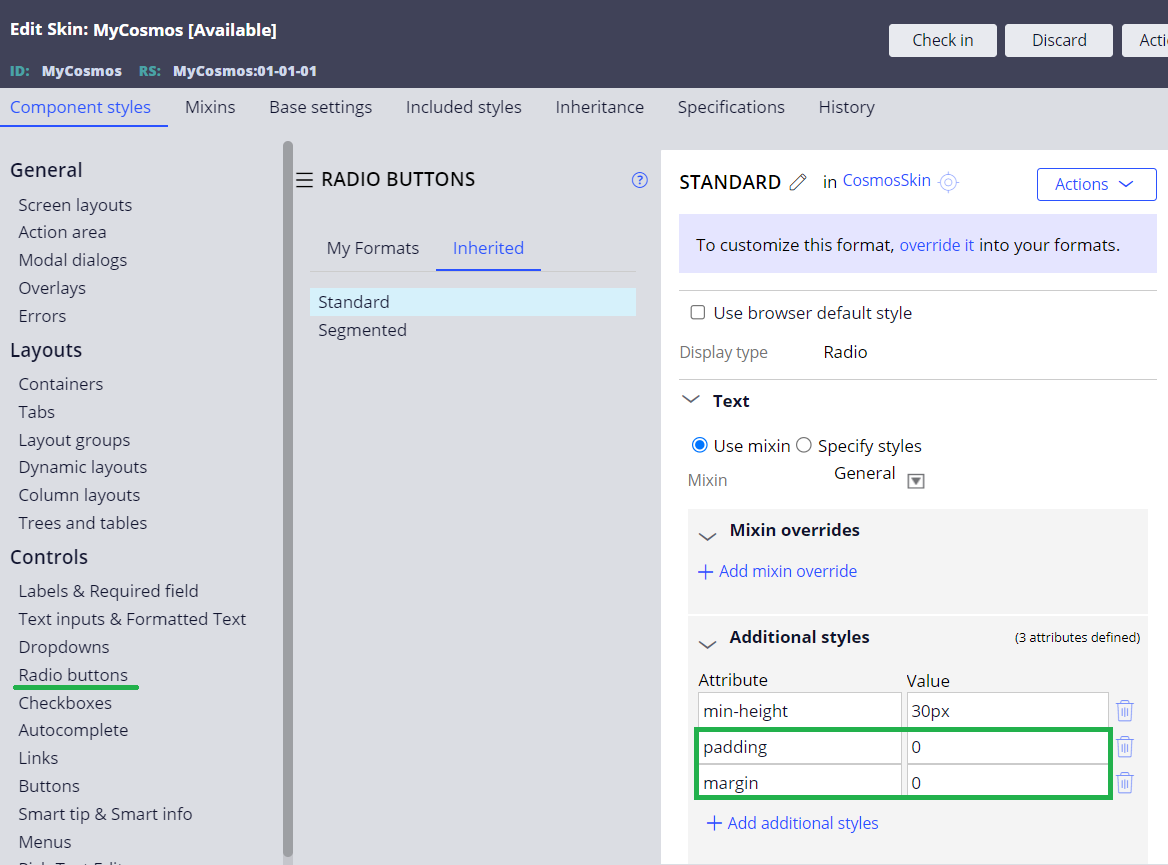
Am I missing anything?
Regards,
Accepted Solution
Updated: 4 Jul 2023 5:12 EDT
Pegasystems Inc.
JP
I do not know how to handle this by Skin rule, but we have fixed the same issue using inline style.
1. First of all, make sure "Display row numbers" is not checked in the Table configuration (if this is checked, the further steps won't work well).
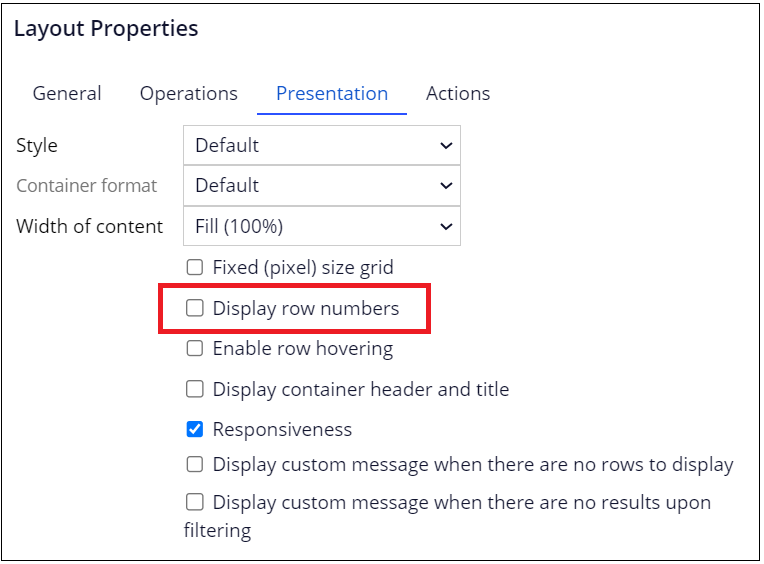
2. Select row in the Table and configure height directly in the inline style as below.
height: 30px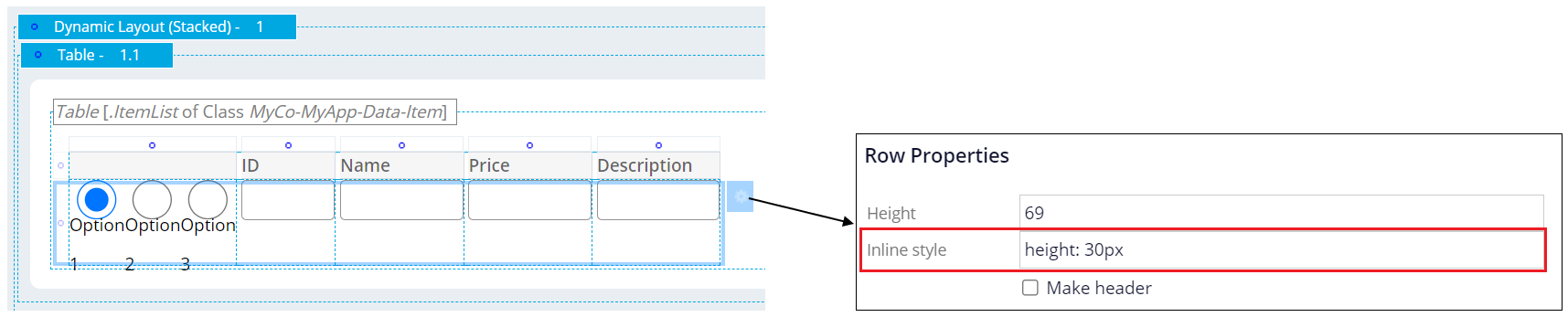
3. Select column in the Table and configure width and height directly in the inline style as below. Also, Filtering must be set to "None" (the default is "Auto").
width: 30px; height: 30px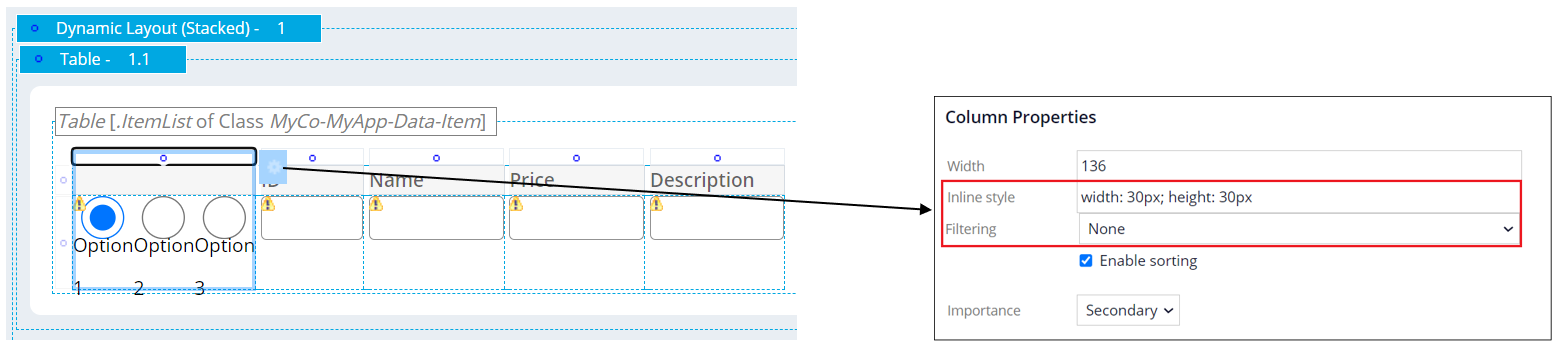
I do not know how to handle this by Skin rule, but we have fixed the same issue using inline style.
1. First of all, make sure "Display row numbers" is not checked in the Table configuration (if this is checked, the further steps won't work well).
2. Select row in the Table and configure height directly in the inline style as below.
height: 30px
3. Select column in the Table and configure width and height directly in the inline style as below. Also, Filtering must be set to "None" (the default is "Auto").
width: 30px; height: 30px
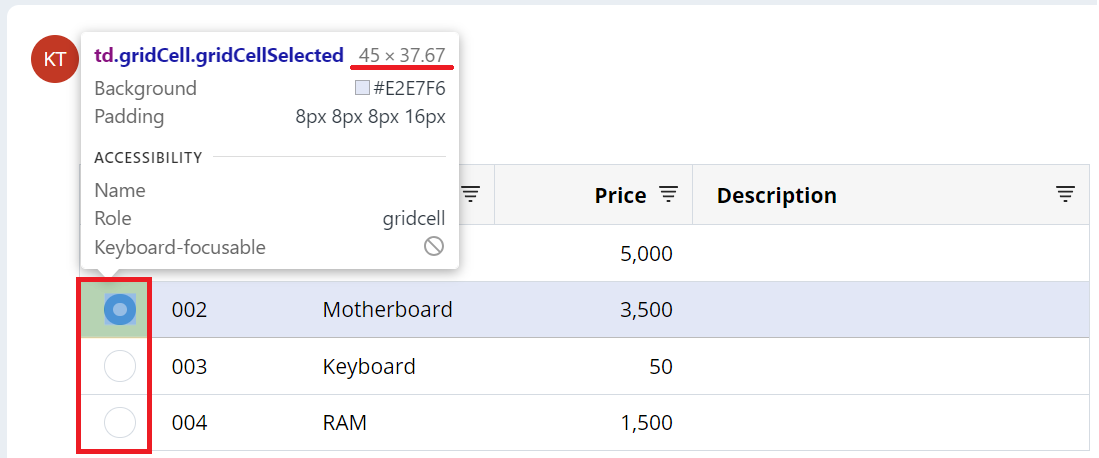
4. That's it. The unnecessarily large space is now adjusted and UI should look good. The actual size may slightly differ per screen resolution and environent. In my desktop, width is 45px and height is 37.67px as below.
Thanks,

Aaseya IT Services Pvt LTD
IN
PEGA does provide the option to use the custom CSS styles in any field that use. There are OOTB styles already available for the same in PEGA. You can refer them in the presentation tab of the field. That should also avoid any custom inline style warning that you may get.
You can try searching with Padding / Margin or corresponding text of the style you want to apply.
Updated: 11 Jul 2023 23:49 EDT
IT Solution Service
SG
> PEGA does provide the option to use the custom CSS styles in any field that use. There are OOTB styles already available for the same in PEGA. You can refer them in the presentation tab of the field. That should also avoid any custom inline style warning that you may get.
My team investigated this but they said it is not possible to accomplish this using CSS. If you think it is still possible, can you please paste a screenshot so I know the exact steps to follow?
Regards,
IT Solution Service
SG
@CloeW938
I do not know how to handle this by Skin rule, but we have fixed the same issue using inline style.
1. First of all, make sure "Display row numbers" is not checked in the Table configuration (if this is checked, the further steps won't work well).
2. Select row in the Table and configure height directly in the inline style as below.
3. Select column in the Table and configure width and height directly in the inline style as below. Also, Filtering must be set to "None" (the default is "Auto").
@CloeW938
I do not know how to handle this by Skin rule, but we have fixed the same issue using inline style.
1. First of all, make sure "Display row numbers" is not checked in the Table configuration (if this is checked, the further steps won't work well).
2. Select row in the Table and configure height directly in the inline style as below.
3. Select column in the Table and configure width and height directly in the inline style as below. Also, Filtering must be set to "None" (the default is "Auto").
4. That's it. The unnecessarily large space is now adjusted and UI should look good. The actual size may slightly differ per screen resolution and environent. In my desktop, width is 45px and height is 37.67px as below.
Thanks,