
How to create a parameter page?
Hi,
I'd like to learn how to create a parameter page.
Usually I add a String type under the Parameters tab. I noticed we can also select Page Name as the data type. Can anyone show an example of how that works?
***Edited by Moderator Marije to change type from Pega Academy to Product***
Accepted Solution
Updated: 11 Aug 2022 11:53 EDT

Capgemini
GB

Erste Digital
AT
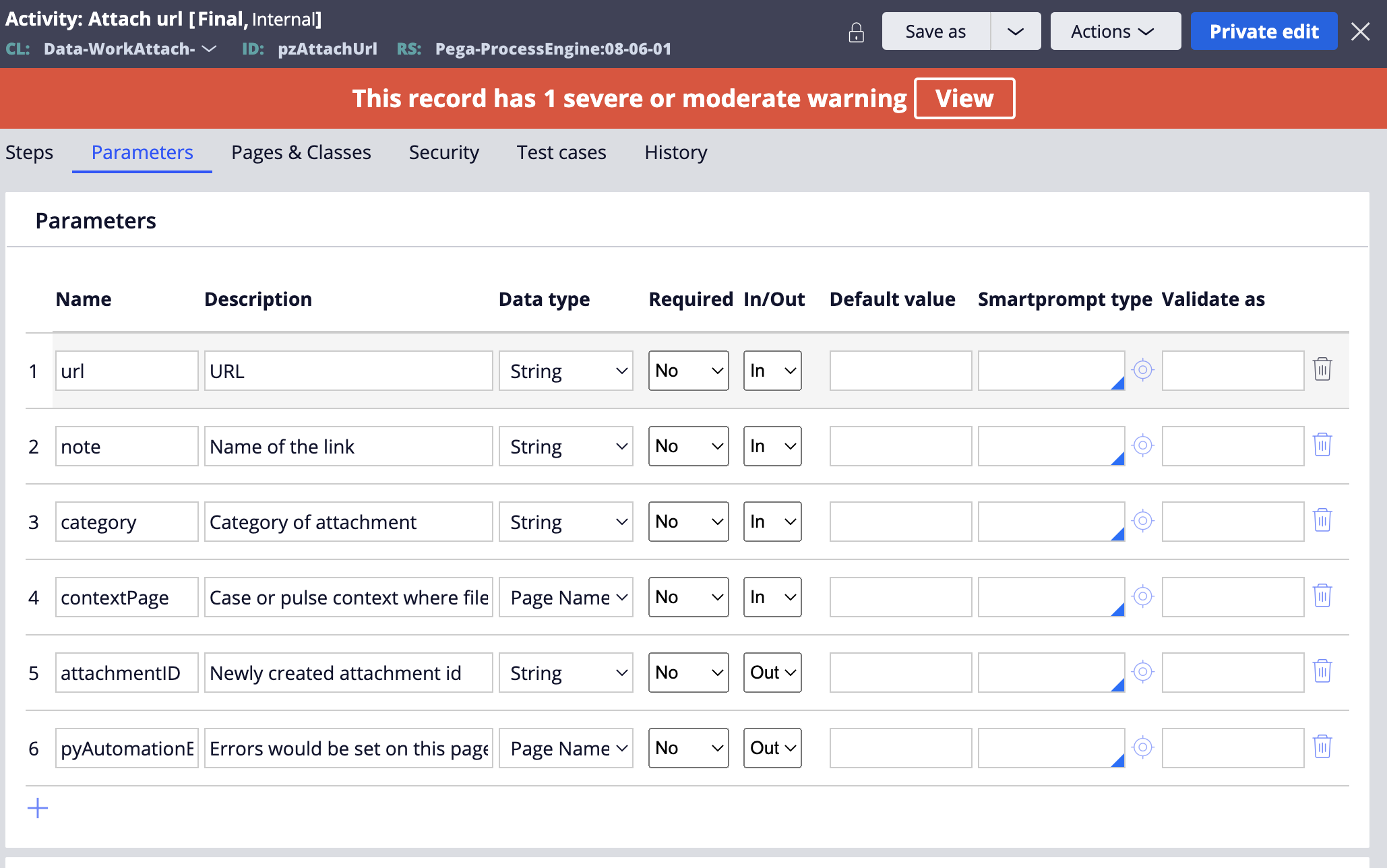
@ChensuZ5check out the following two activities for more clarity: pxAttachUrl and pzAttachUrl. These activities are used to attach a URL to an object, usually a work item (a case) or Pulse message.
pzAttachUrl, the implementation rule, has an input parameter named contextPage of type Page Name. The calling activity pxAttachUrl then provides a context - for example a case you just created, as well as a URL among other parameters.
Another way to think about it - parameters can be primitive types (such as Boolean, String, Integer), and non-primitive - classes (or pages, as we call them).
@ChensuZ5
Firstly please use the correct terminology.
"Page Name Parameter" is a different thing to "Parameter Page"
Parameter Page is the place the current parameters are stored at run time. You can view them in the tracer as in the following screenshot:
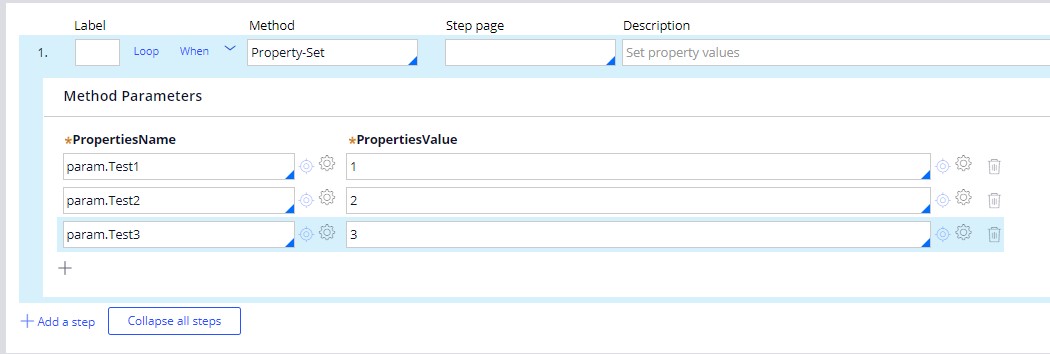
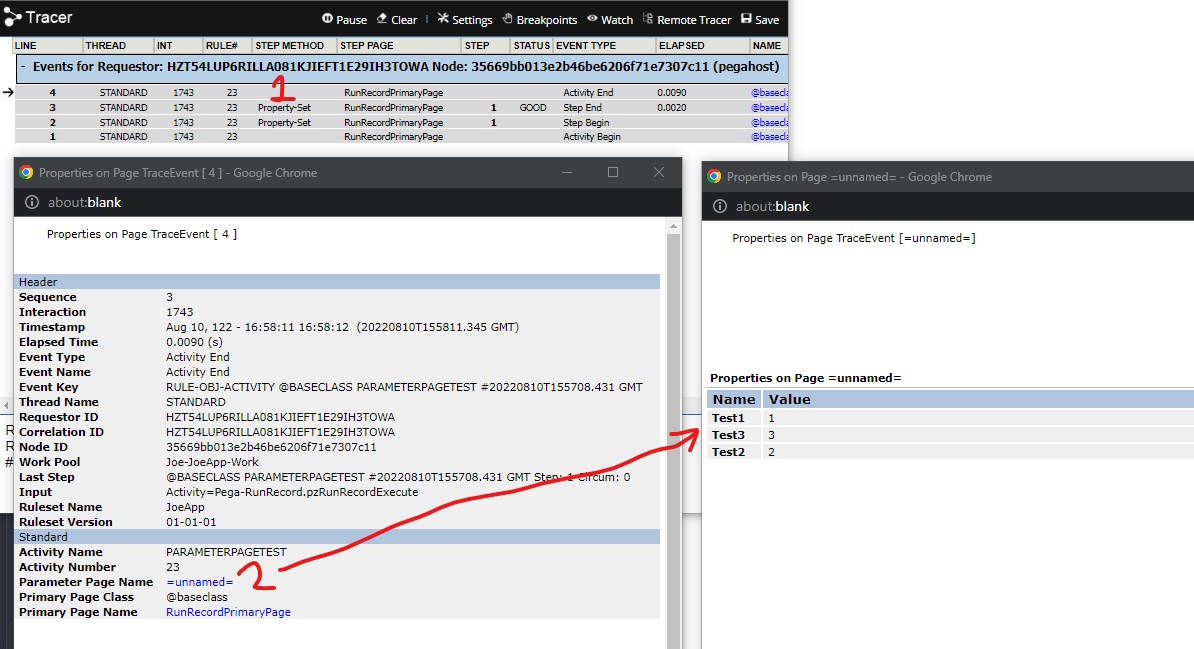
For Page Name parameters, they are similar to pointers to objects in C++. It lets you use a page when the page name itself is not necessarily known at design time.
For example:
This activity takes a PageName parameter and sets a property on it.
@ChensuZ5
Firstly please use the correct terminology.
"Page Name Parameter" is a different thing to "Parameter Page"
Parameter Page is the place the current parameters are stored at run time. You can view them in the tracer as in the following screenshot:


For Page Name parameters, they are similar to pointers to objects in C++. It lets you use a page when the page name itself is not necessarily known at design time.
For example:
This activity takes a PageName parameter and sets a property on it.
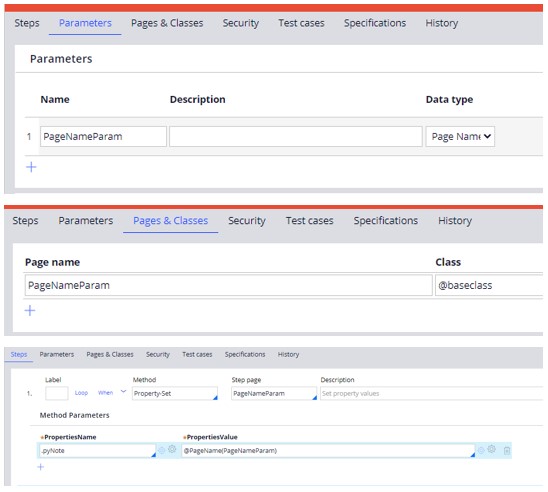
Here we create another activity which calls the previous activity twice, while giving a different Page Name as the parameter each time:
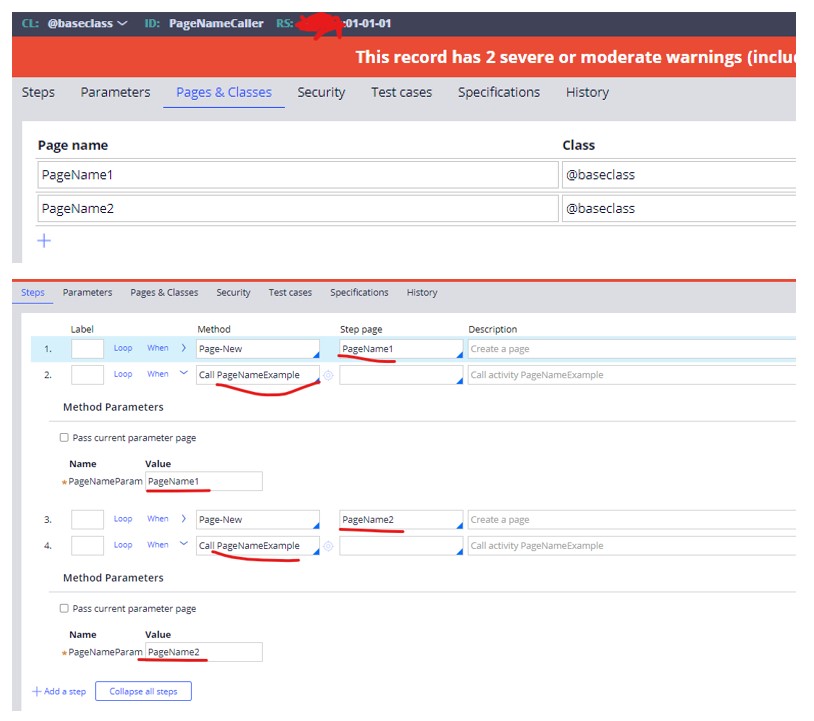
After running we can see that both pages were updated dynamically in the clipboard
However please note: it is very rare that Page Name parameters are actually required, it is a better practice to use correct step pages and Primary pages to achieve the same thing (this is a better object oriented approach and makes reuse easier). For the above example it would be better to define a data transform to perform the data changes and simply call it twice with different step pages, like this: