
Question

Innova
US
Last activity: 11 Feb 2026 8:08 EST
Allow Bulk Actions(Check Box) in List page on landing page
On a landing page backed by a data page sourced from a report definition, I want to allow users to perform a bulk action to update the status of selected rows. After the update, I want to display a confirmation banner (e.g., "Status updated for 3 records") at the top of the list page.
How to see the selected rows from the bulk action?
Is there any OOTB way to show the banner for updated records?
below is the sample screen shot


HCA Healthcare
US
Innova
US
@Sairohith Created a Boolean property and added it to a Report Definition. After including the property in the Landing Page List View columns, it was displayed as a string (True/False) instead of a checkbox.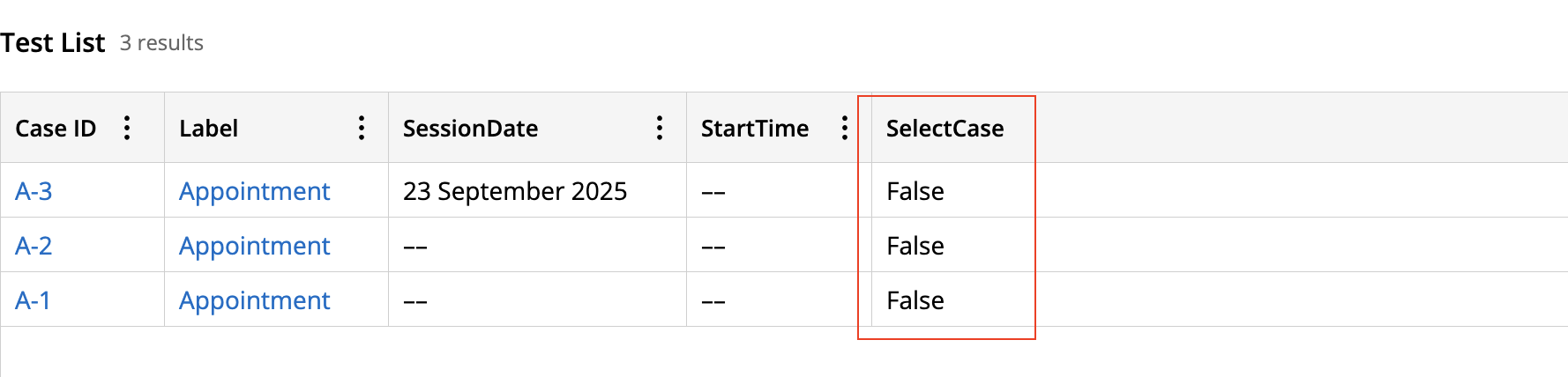
Rabobank
NL
@SatishKumarC17070052Is it working? i am also facing same issue, check box option is not shown in portal for user to select cases.
@SatishKumarC17070052
Use a Boolean flag on the row class (call it pySelected) and show a checkbox column in the table bound to that property; for grids sourced by a report data page, either copy pxResults to a local list on load or keep a separate Page List of selected pzInsKeys so you don’t lose selection across paging or refresh. Add a “Bulk update” button that runs an activity (UpdateStatusBulk) which loops the list, and for each item where .pySelected = true (or key is in your selected list) does Obj-Open-By-Handle, updates the status, Obj-Save, and counts successes; use locking as needed. After the loop, clear pySelected (or the selected-keys list), invalidate and reload the data page to refresh the grid. To show the confirmation, call pxAddInfoMessage (or addMessage API) on the primary page with “Status updated for <count> records” so it renders as the standard banner at the top on refresh; in Constellation, you can alternatively use the Show toast action with the same text. If you need to display which rows were updated, include their identifiers in the message or store them in a temporary page and show a modal. This approach is OOTB-friendly, avoids custom banners, and works on landing pages backed by report definitions