

Issue
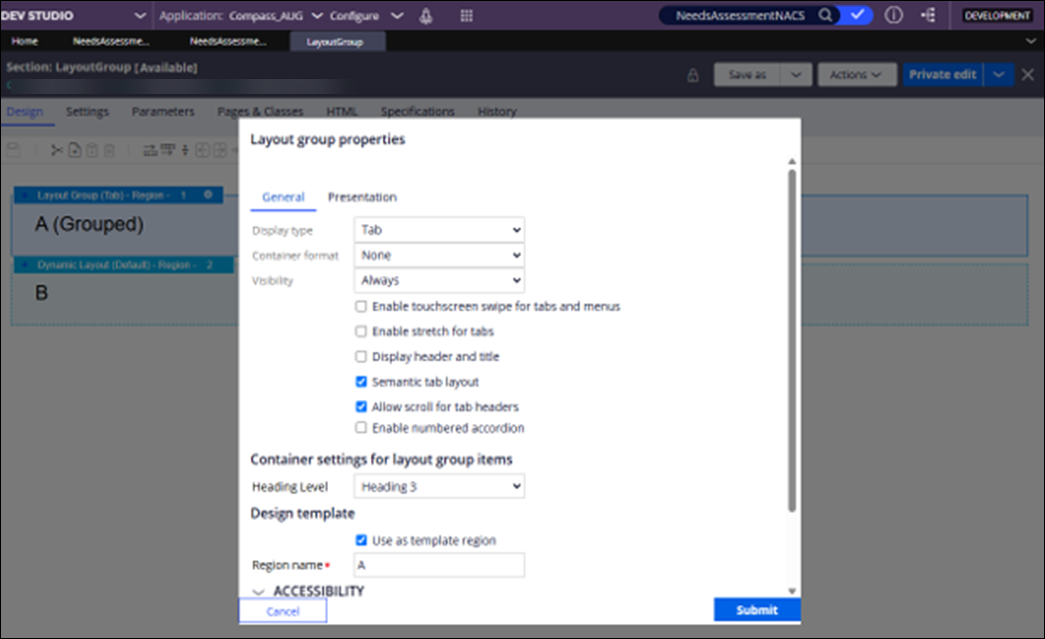
The horizontal scrollbar in Layout group properties with Semantic tab layout does not respond to keyboard navigation
Symptoms and Impact
Keyboard input fails to move the horizontal scrollbar, affecting accessibility. Mouse interaction works correctly.
This issue specifically impacts users relying on keyboard navigation for accessibility within the Layout group properties panel when using the Semantic tab layout. While mouse users are unaffected, keyboard users experience inability to scroll horizontally, which can hinder configuration and usability.
Steps to reproduce
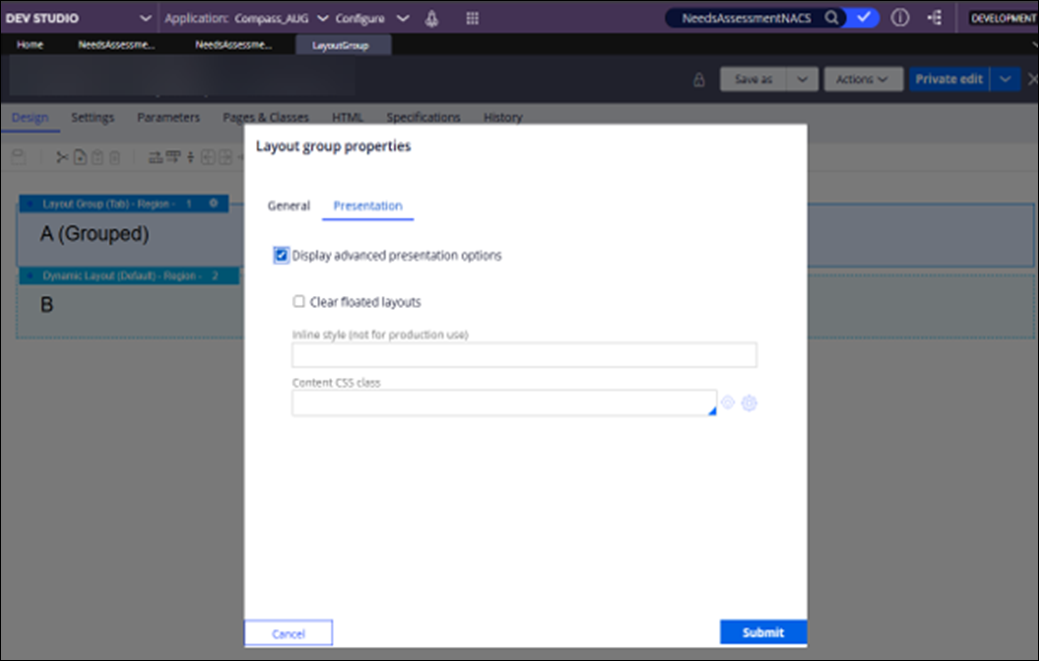
- Open the Layout group properties panel that uses the Semantic tab layout.
- Verify that the horizontal scrollbar starts at the beginning when focus is on the first tab.
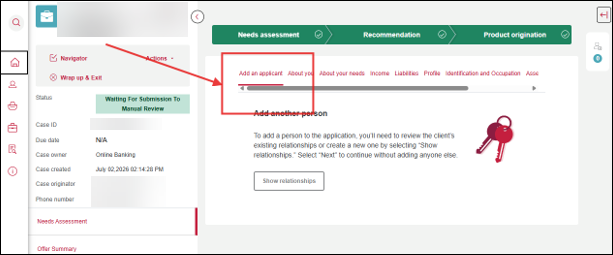
- Use the keyboard arrow keys to move focus through the tabs toward the end of the tab list. Observe that focus moves to later tabs, including tabs after the Assets tab, but the horizontal scrollbar remains at the beginning.
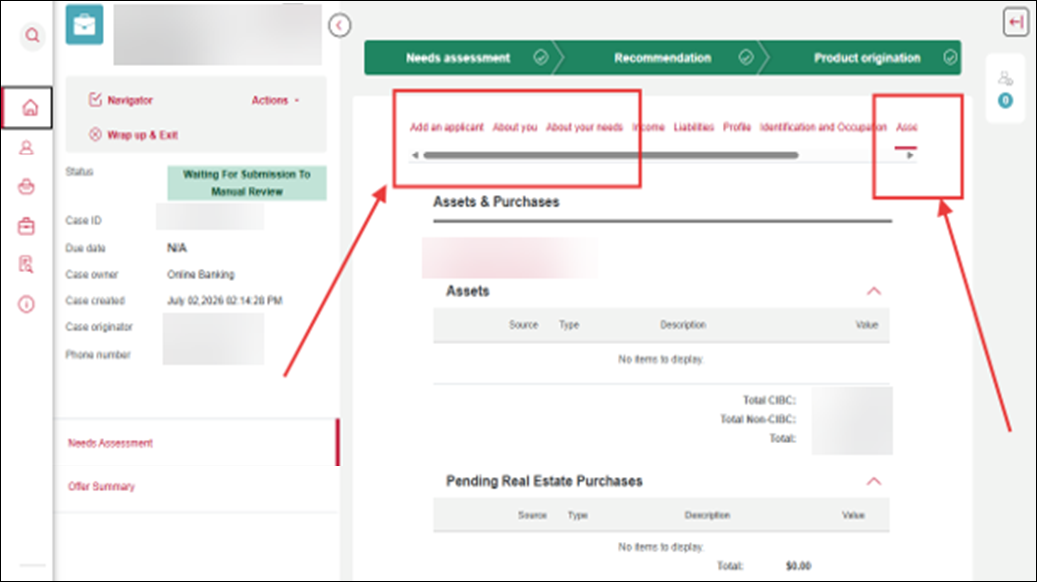
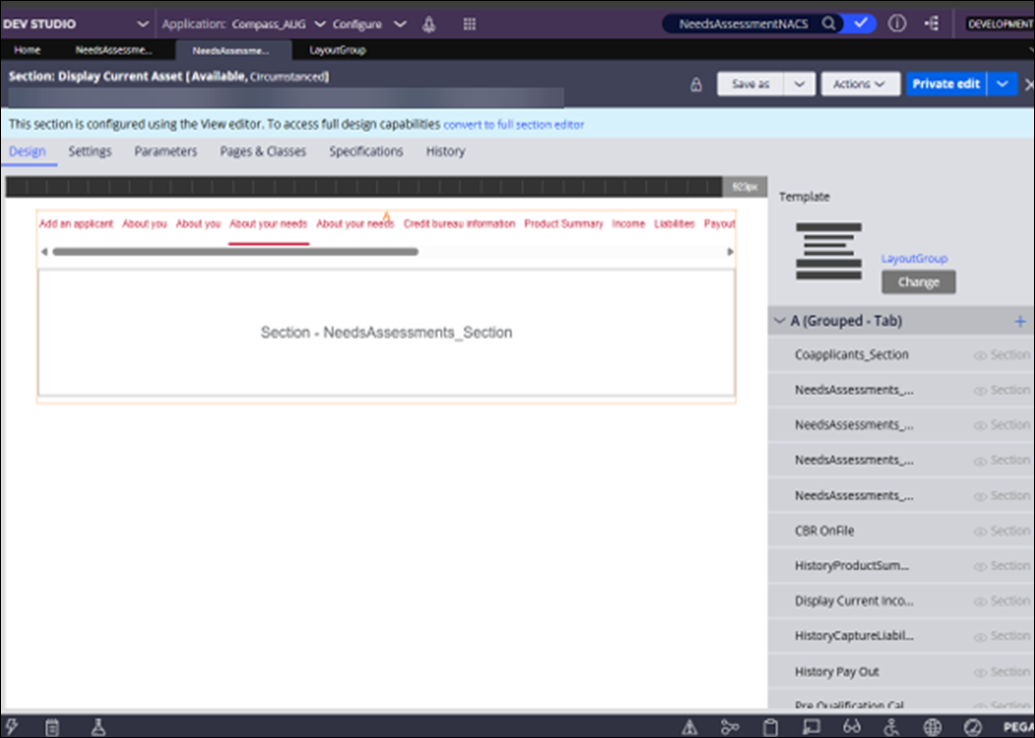
- Move the scrollbar with the mouse. Observe that mouse-based scrolling works correctly. The behavior is observed in the design configuration for the Layout group.
Root Cause
The root cause is a product defect in Pega Platform versions 24.1.3, 24.1.4, and 24.2.5.
Solution
A backport hotfix for Pega Platform 24.1.3 is not available.
To resolve this issue, update to Pega Platform 25.x.