
Dropdown control format (color) not applied in read-only
I have implemented customized control formats for the dropdown in the skin rule. The main point was to get a colored background for the dropdown.
After applying the control format I could see that the changes are only applied when the dropdown is editable.
Does anybody how I can apply the control format that it is applying in read-only as well?
Thanks, Marcel
***Edited by Moderator Marissa to update platform capability tags****

Pegasystems Inc.
GB

Sopra Steria AG
CH
Yes, I need to use it as editable and read only.
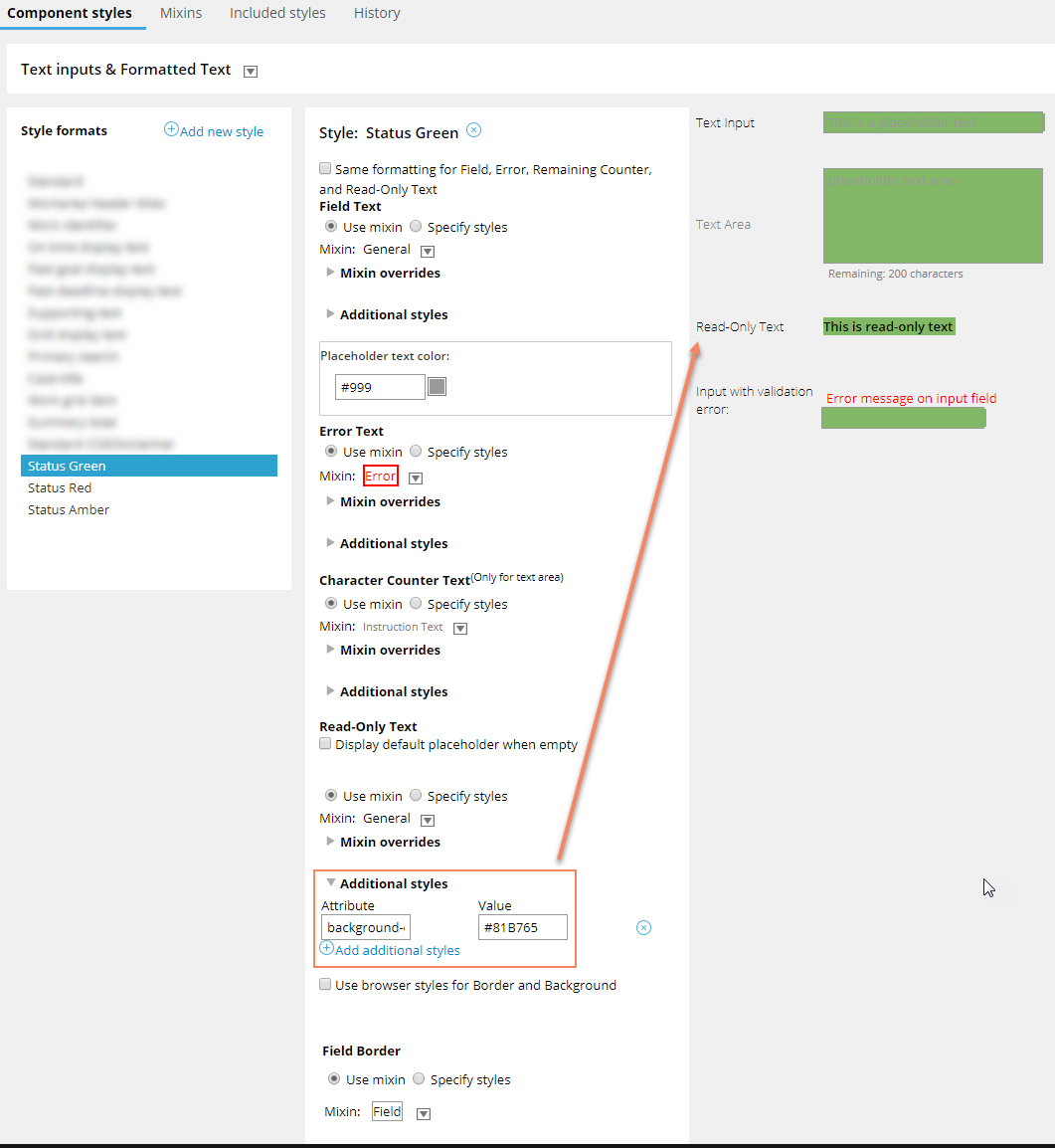
I found a solution now by creating a style format in the skin rule for "Text inputs & Formatted Text". In this one I needed to apply an attribute "background-color" under "Read-Only Text" in "Additional styles".

Pegasystems Inc.
US
Other option would be to override with css for the read-only dropdown element,.
The Dropdown formats in the skin only apply to the editable control (as you have found). When the control is readonly it isn't even using a dropdown (HTML <select>) anymore. In fact if you change the Edit options of the dropdown to "Read-only (always)" you will see that the Control format setting is hidden as it is presented under the "Editable Settings" group.
Are you using this instance of the dropdown for both editable and read only cases? If this is purely read only then you could use a formatted text control instead.
Alternatively, rather than setting the dropdown as read only, you could disable it using the "Disable" setting in the General tab (you can pick Always, or use a when rule or expression). This should retain the formatting but stop users being able to open the dropdown.